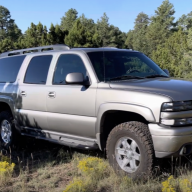
I installed E-fans on my 2001

Disclaimer: Links on this page pointing to Amazon, eBay and other sites may include affiliate code. If you click them and make a purchase, we may earn a small commission.

Matthew Jeschke

Full Access Member
Joined
Dec 28, 2017
Posts
2,232
Reaction score
1,618
Location
Sahuarita, Arizona
Low speed needs to stay on while high speed is on when using a series/parallel circuit. If the programming is wrong, only one fan will when high is commanded.

low speed disable temp and hi speed disable temp have to match in the tune.

low enable temp = 215*F
Low disable temp =195*F
High Enable Temp =225*F
High Disable temp = 195*F
Easy enough to try. Thanks!
 

6speedblazer

Full Access Member
Joined
Mar 17, 2017
Posts
133
Reaction score
135
WHY? Mine don't.

Mine:
Low Fans On: 203F
Low Fans Off: 199F
HI FANS ON: 213F
HI FANS Off: 208F
Both ways are correct, one just toggles low high low off, the other toggle low high off. i prefer the way i described.

you just have to ensure low stay on when using a series parallel circuit.
 
Last edited:

ratman90

TYF Newbie
Joined
Jun 7, 2025
Posts
3
Reaction score
3
I see what you're saying about constantly cycling when the AC clutch is engaged. And yes, I can confirm that DOES indeed happen, because my fans are wired to the AC clutch. In colder or extremely humid weather when I have the defroster running, I can hear my fans CONSTANTLY kicking on and off. By constantly, I mean as often as every 20 seconds or so. 20 seconds off, then kick on for 20 seconds, and on, and on and on. Sometimes it runs a bit longer, more like a minute or two. But it's quite annoying when it does that, because if it at night I see my lights dim every time it kicks on.
As far as it affecting the lifespan of the fans, I have had my fans wired like this since 2011. Look at the date I originally wrote this install thread, it was 2011!! Do I have been daily driving my truck with the fans wired like this for a solid 14 YEARS now and everything has held up quite fine. Even with the nonstop cycling sometimes when I'm running the defroster instead of the AC. I've driven my truck on countless road trips over the years including a 3,000 mile trip to Orlando with my family. Since my wife recently bought a Chevy Traverse which has just as much interior room but is FAR better on fuel, we take that on road trips now. So my Suburban is mostly for me just commuting to work now, which is about 27 or 28 miles each way. I'm still running the same fans, same harness and same AC compressor and clutch that was on my truck in 2011. For full Disclosure, I DID have one of the fan relays fail sometime around 2017 or 2018 I believe. I noticed my temps were running a bit high, so I checked the fans, realized they were not coming on. After some quick troubleshooting with my PowerProbe, I realized that one of the relays went bad. I simply replaced it with another (as I always have these relays on hand because I refurbish and sell these fan harnesses) and everything was fine after replacing that relay. And everything has been fine ever since. So take that for wgat it's worth. Thats just my personal experience, that doesn't exactly mean your fans and harness will last at least 14 years. But in my opinion, they mostt likely will. These OEM harnesses are built like tanks. I have seen DOZENS of threads all over various forums about people having issues with aftermarket harnesses overheating and melting wires, relay plugs, or relays themselves, or ALL of the above. So far, I have never seen an OEM cooling fan harness melt. Just a failed relay. But then again, I've seen these same type of relays fail on anything from a fuel pump, to headlights, to a horn. So..........

I would like to do this to my 2002 2500HD 6.0 w/ manny tranny. Did you say you are building and selling these harnesses? Will this make it easier to do than what all you did? Or does it sound worse than what it is?
Thanks, Larry
 

Matthew Jeschke

Full Access Member
Joined
Dec 28, 2017
Posts
2,232
Reaction score
1,618
Location
Sahuarita, Arizona
Both ways are correct, one just toggles low high low off, the other toggle low high off. i prefer the way i described.

you just have to ensure low stay on when using a series parallel circuit.
Did you setup your fan triggers with HP Tuners?

@ratman90 if you're going to do this, I'd highly recommend working with @ScottyBoy. He made my harness... the quality was spot on and fitment was as close to drop in as possible.

I modified mine slightly (populated PCM high speed fan trigger / sacrificed some AC function... also made a toggle switch for high speed fan in lieu of using AC clutch power to trigger fan).
 

Tonyrodz

Resident Resident
Joined
Feb 16, 2012
Posts
32,768
Reaction score
50,323
Location
Central Jersey
I would like to do this to my 2002 2500HD 6.0 w/ manny tranny. Did you say you are building and selling these harnesses? Will this make it easier to do than what all you did? Or does it sound worse than what it is?
Thanks, Larry
@ScottyBoy is the guy if you want a fan harness. Iirc the 02 needs a resistor for the 2nd fan to kick on. It gets wired into the ac compressor. He includes that with his harness.
 

Matthew Jeschke

Full Access Member
Joined
Dec 28, 2017
Posts
2,232
Reaction score
1,618
Location
Sahuarita, Arizona
Low speed needs to stay on while high speed is on when using a series/parallel circuit. If the programming is wrong, only one fan will when high is commanded.

low speed disable temp and hi speed disable temp have to match in the tune.

low enable temp = 215*F
Low disable temp =195*F
High Enable Temp =225*F
High Disable temp = 195*F
I tried making both low and high speed off settings the same. Had no effect. I think I actually have a different problem...

Fiddled a lot in the fuse block using my power probe to independently trigger fan relays (as well as my PCM tools to have the PCM command the fans). This took me in the direction of relay 3.

I removed Relay 3 and shorted B3 to A1 (starred in diagram). Then I grounded C1 & C2 (F3 and B6) to trigger both fan relays. High speed mode spun both fans.

I next bench tested Relay 3 and it's good as well as all fuses.

I think the terminals in the fuse block maybe a loose on connection A1.

1749439891875.png


I should also note, my truck quickly starts to overheat without the high speed fan. Specifically, climbing at slow speed (off road) in desert heat. Had to pull over, raise the hood, and let it idle. Needle was 3/4 of way to 260F (max on gauge). If you live in Southwest / desert you'll need high speed fans if you do anything that is moving slowly and requires power (off road). I hit the gas and was doing 30+ mph and wasn't enough airflow to keep it from overheating. In hindsight maybe the best to JUST have high speed fans if you live in desert like me where it can get to 110+. I notice at 90F+ when I work the truck it doesn't like it w/ low speed fan only. I setup the PCM to command the high speed. I'll likely finish troubleshooting this otherwise...

High speed mode ONLY:

In lieu of PCM Pin 33 (PCM high speed mode control) you may like to consider removing relay 3, shorting A1 to B3... then also connecting A and B in the fan harness together and onto C1 pin 42 in the PCM harness. I think that'll command high speed fans ONLY. Your AC clutch signal can be Connected in there as well. I think this maybe the more robust solution.
 
Last edited:

Tonyrodz

Resident Resident
Joined
Feb 16, 2012
Posts
32,768
Reaction score
50,323
Location
Central Jersey
UPDATE: I'm an idiot. The 10V fuse for Relay 3 was plugged into the wrong place! I moved it to it's correct location and both fan spin when high speed is turned on.

View attachment 459343
Don't be too hard. On yourself. We've all been there before. At least you figured it out before going too crazy.
 
Last edited:

Matthew Jeschke

Full Access Member
Joined
Dec 28, 2017
Posts
2,232
Reaction score
1,618
Location
Sahuarita, Arizona
Seems I'm making more silly mistakes as time goes on lol :emotions122:

Saved my notes (lessons learned) on my website:


Wouldn't have been able to do it without you sourcing the harness @ScottyBoy thanks again!

Also really huge help having this tread and everybody's help picking out parts!
 

Matthew Jeschke

Full Access Member
Joined
Dec 28, 2017
Posts
2,232
Reaction score
1,618
Location
Sahuarita, Arizona
I needed a ground on the passenger side of the hood for a air pump I'm putting in. Decided to cut one as on the newer GMT800 (post 2003?) for the efans.

@ScottyBoy trying to think... did you extend the ground tap? I think you had so it could reach to the ground on the body mount by the driver side door? I have a bunch of excess wire.

Use a Step bit to cut two holes as on all the frame grounding locations. I then welded a nut onto the back side so the ground bolt would thread into place.
20251009_195536.jpg


Lastly I sealed back the places on frame I ground off with Bondo Rubberized Frame Coating.
20251009_195512.jpg
 
OP
OP
S

ScottyBoy

Full Access Member
Joined
Jun 27, 2010
Posts
2,664
Reaction score
1,986
Location
Shreveport, La
I needed a ground on the passenger side of the hood for a air pump I'm putting in. Decided to cut one as on the newer GMT800 (post 2003?) for the efans.

@ScottyBoy trying to think... did you extend the ground tap? I think you had so it could reach to the ground on the body mount by the driver side door? I have a bunch of excess wire.

Use a Step bit to cut two holes as on all the frame grounding locations. I then welded a nut onto the back side so the ground bolt would thread into place.


Lastly I sealed back the places on frame I ground off with Bondo Rubberized Frame Coating.
No, I don't extend any of the wiring. Thats the exact length as it comes from the factory. The electric fan wiring is in the same body harness as the front turn signal wiring and parking light wiring, and whatever else is in that bundle. The two ground wires for the fans exit the harness along the bottom of the core support, below the passenger side parking lamps, and then wraps AROUND that body mount before its bolted to the frame. Sort of like my preschool edit job shows. But thats the EXACT spot where its bolted to the frame on the 05-06 trucks.
 

Attachments

  • Screenshot_20251010_204454_Chrome.jpg
    Screenshot_20251010_204454_Chrome.jpg
    117.5 KB · Views: 13

Burban22

Full Access Member
Joined
Jun 25, 2023
Posts
166
Reaction score
201
I’m about to do this swap on my 2003 suburban Z 71. I’ve already had the computer tuned by blackbear and they enabled the E fan support.

I’m pulling the fans from a 2005 suburban do I need to grab the factory wiring for the fans from the donor?

Or isn’t that useful?
 
OP
OP
S

ScottyBoy

Full Access Member
Joined
Jun 27, 2010
Posts
2,664
Reaction score
1,986
Location
Shreveport, La
I’m about to do this swap on my 2003 suburban Z 71. I’ve already had the computer tuned by blackbear and they enabled the E fan support.

I’m pulling the fans from a 2005 suburban do I need to grab the factory wiring for the fans from the donor?

Or isn’t that useful?
Yes, you should grab the factory wiring if you can. The trigger pins are part of the engine harness. They the rest of the fan harness and relay/fuse block is part of the front core support harness along with all the wiring for all of the front lighting and airbag sensors and what not. I pick apart the core support harness and pull the fan wiring out to make a completely standalone harness. Then pick apart the engine/ECM harness to get the plug and two trigger pin wires out of the ECM harness.
 

Matthew Jeschke

Full Access Member
Joined
Dec 28, 2017
Posts
2,232
Reaction score
1,618
Location
Sahuarita, Arizona
Yes, you should grab the factory wiring if you can. The trigger pins are part of the engine harness. They the rest of the fan harness and relay/fuse block is part of the front core support harness along with all the wiring for all of the front lighting and airbag sensors and what not. I pick apart the core support harness and pull the fan wiring out to make a completely standalone harness. Then pick apart the engine/ECM harness to get the plug and two trigger pin wires out of the ECM harness.
Ah interesting, I'd wondered if you pulled the fan harness out of the core support harness. When I looked at my buddy's 2005 I couldn't find a independent fan harness.

@Burban22 2nd what @ScottyBoy says above. You want 100% the fan harness.

I tried to condense notes on my swap to my webpage: https://matthewjeschke.com/electricfanupgrade/

I'm using dual fan control but had to disable "Recirculation Actuator Control" which was used by C2 Pin 33. As of yet I've not realized any adverse effects from disabling the HVAC C2 33 and reprogramming PCM for high speed fan control. My recirculation door on the air handler works as expected. Otherwise, no big deal to just kick on high speed by connecting both relays to C1 Pin 42.
 
Last edited:

Burban22

Full Access Member
Joined
Jun 25, 2023
Posts
166
Reaction score
201
Yes, you should grab the factory wiring if you can. The trigger pins are part of the engine harness. They the rest of the fan harness and relay/fuse block is part of the front core support harness along with all the wiring for all of the front lighting and airbag sensors and what not. I pick apart the core support harness and pull the fan wiring out to make a completely standalone harness. Then pick apart the engine/ECM harness to get the plug and two trigger pin wires out of the ECM harness.
I was at the junkyard when I posted the question lol. I pulled the entire front harness and small fuse box for the fans. I cut the tiny wires going to the main engine computer as there was no way I was going to pull the entire engine wiring harness lol. I have an extra computer plug so if I need to Rob pins from that I can.
 
Last edited:

Forum statistics

Threads
136,872
Posts
1,950,509
Members
101,575
Latest member
Anneb
Back
Top