mickeyfickymix
TYF Newbie
Confirmed the max screen resolution is 1080p 60hz and does support HDR...

Disclaimer: Links on this page pointing to Amazon, eBay and other sites may include affiliate code. If you click them and make a purchase, we may earn a small commission.
What Bose headsets did you get?

i have the bose noise cancellation headsets from when i travel for work. My wife has a pair too so i was able to use those.
ive tried numerous times to get the GM headsets to pair. Im going to let the dealership handle it when i get my oil changed soon. Ive spent enough time on it.
I've tried both an external drive, and USB thumb drive. I feel that the thumb drive plays nicer with 2 different files at once (as opposed to same movie on both). I still need to handbrake movies to get them in a reasonable format (1080p) and kill off extended surround sound (only need stereo). Helps keep the file size down too...
But regarding kid-friendliness, i guess it just depends on the age of kids. Mine are too young to be able to navigate folders/etc. Its just a listing of file names from all I can see there is no thumbnails or anything
Thats why I'm working on integrating a small plex server in our Tahoe HC to not only stream for the seats but also any other passenger with a wifi device
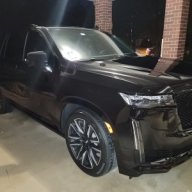
Are the 2021 GM headsets bluetooth? Not IR like they've always been?
I've tried both an external drive, and USB thumb drive. I feel that the thumb drive plays nicer with 2 different files at once (as opposed to same movie on both). I still need to handbrake movies to get them in a reasonable format (1080p) and kill off extended surround sound (only need stereo). Helps keep the file size down too...
But regarding kid-friendliness, i guess it just depends on the age of kids. Mine are too young to be able to navigate folders/etc. Its just a listing of file names from all I can see there is no thumbnails or anything
Thats why I'm working on integrating a small plex server in our Tahoe HC to not only stream for the seats but also any other passenger with a wifi device
I am currently using a Crucial 500GB SSD to store about 40 ripped movies (using Handbrake). I used MetaX to add thumbnail art (doesn’t display correctly for some reason though). This drive is formatted NTFS and is connected to the USB-C connection in the armrest console so that my kids won’t break it (they absolutely would break it if it were protruding out the back). When it works, it works great.
The problem I have is that I have to physically disconnect and reconnect the drive almost every time we get in the car because the RSE doesn’t recognize it. So extremely frustrating. I may try reformatting to FAT32 to see if it works better. I may also try the rear USB-C ports but I’m nervous about my young kids kicking it.
Anyone else have this issue?
Sent from my iPhone using Tapatalk
We just ended up buying 2 Amazon Fire TV sticks (powered by the port). They connect perfectly to the vehicle LTE hotspot (we did the unlimited data through Onstar to keep from having to use our personal hotspots). We plug each one into the HDMI 1/2 and the kids can stream whatever they want via the Fire TV. All of our apps work perfect (youtube TV, Netflix, Disney +, HBO Max, etc.). Our kids are 7 and 5 and they both know how to navigate the Fire TV menu. Streaming 2 different movies or shows on both worked excellent during our 600 mile trip from NC to Disney last week. We have the included GM headsets but they both got Beats for xmas and they paired perfectly. They also used the nintendo switch in HDMI 1 and both played Mario Kart on the way down. 21 Tahoe Premier w RSE here.
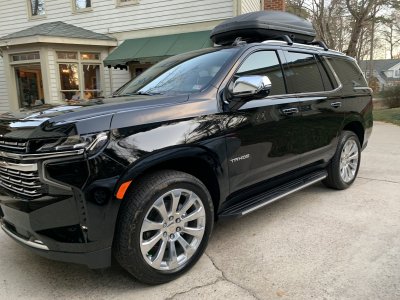
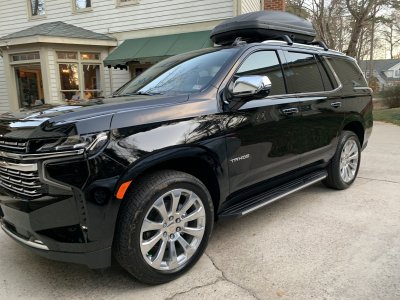
Just wanted to provide an update. After switching to an old Western Digital USB 3.0 HDD (formatted NTFS) I am no longer having this issue. For some reason the RSE system doesn’t behave well with the Crucial X8 SSD that I was using. The drive sits in the arm rest center console so it’s out of the way and out of sight. Now my kids have 40+ movies to watch and I don’t have to pay for Onstar data service.I am currently using a Crucial 500GB SSD to store about 40 ripped movies (using Handbrake). I used MetaX to add thumbnail art (doesn’t display correctly for some reason though). This drive is formatted NTFS and is connected to the USB-C connection in the armrest console so that my kids won’t break it (they absolutely would break it if it were protruding out the back). When it works, it works great.
The problem I have is that I have to physically disconnect and reconnect the drive almost every time we get in the car because the RSE doesn’t recognize it. So extremely frustrating. I may try reformatting to FAT32 to see if it works better. I may also try the rear USB-C ports but I’m nervous about my young kids kicking it.
Anyone else have this issue?
Sent from my iPhone using Tapatalk
Just wanted to provide an update. After switching to an old Western Digital USB 3.0 HDD (formatted NTFS) I am no longer having this issue. For some reason the RSE system doesn’t behave well with the Crucial X8 SSD that I was using. The drive sits in the arm rest center console so it’s out of the way and out of sight. Now my kids have 40+ movies to watch and I don’t have to pay for Onstar data service.
Sent from my iPhone using Tapatalk
Just wanted to provide an update. After switching to an old Western Digital USB 3.0 HDD (formatted NTFS) I am no longer having this issue. For some reason the RSE system doesn’t behave well with the Crucial X8 SSD that I was using. The drive sits in the arm rest center console so it’s out of the way and out of sight. Now my kids have 40+ movies to watch and I don’t have to pay for Onstar data service.
Sent from my iPhone using Tapatalk


