First day with the rear entertainment package

Disclaimer: Links on this page pointing to Amazon, eBay and other sites may include affiliate code. If you click them and make a purchase, we may earn a small commission.

Dpm7471

TYF Newbie
Joined
Mar 24, 2021
Posts
24
Reaction score
14
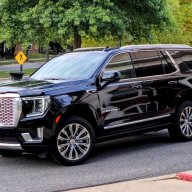
I picked up my new Yukon Denali yesterday. I spent many minutes reading about how to get the rear entertainment package working for video usage and see there have been some success stories and some frustration. I wanted to share what I did after I read a lot on this forum....

My family has Amazon Firestick, and prime video, but rarely use the firestick as it seems we use Netflix more and Apple TV if needed.

So, I unplugged/removed my current Firestick and its power cord off our smart TV and put it into the Denali. That means I plugged the power cord from the firestick into the outlet in the back seat center console and then plugged the HDMI from the Firestick into the rear entertainment console.

The salesperson helped me set up the GM 4GLTE WiFi through OnStar which is free for 1 month, then $15 per month if your a healthcare worker (I am, but she didn’t even ask for verification and gave me the discount). Low and behold, the firestick worked like a charm and my son enjoyed a 1.5 hour ride home watching movies in the back seat via Firestick.

No issues with the headset after I was able to pair it with the system.

So far, so good folks...it’s working great. I’ll keep u updated as this seems like a hot topic.
 
OP
OP
D

Dpm7471

TYF Newbie
Joined
Mar 24, 2021
Posts
24
Reaction score
14
Update:

Everything continues to work well with this setup. No issues so far. We are going on a family trip next week where we will be on the road for several hours and the kids will most certainly be using the rear system. I also bought a second firestick which I plan on placing in the second HDMI so kids can watch different things. I’m wondering if this will make any difference in how it works, but will update after the trip. Happy Easter!
 
OP
OP
D

Dpm7471

TYF Newbie
Joined
Mar 24, 2021
Posts
24
Reaction score
14
Here is a pic of my setup. New firestick set up on the home TV and then placed in the Yukon. Wires held together with zip ties for now. Just tested both screens and working great with WiFi in the Yukon.
A74295C9-AC83-48CF-9BCD-46D86AB88A2F.jpeg
 
OP
OP
D

Dpm7471

TYF Newbie
Joined
Mar 24, 2021
Posts
24
Reaction score
14
Follow up on above: If you’re going to use 2 fire sticks, you will need to pick up a outlet splitter like the one I have that converts 1 outlet into 2. This is a cheap $3 product at Home Depot.

As mentioned in a previous post, set up your new firestick inside your home on a TV to save a lot of time.

New firestick is on the right and is a 4K one, but the other on the left is not, hence the different look. On sale right now at Best Buy for the same price as the non 4K. Just FYI.
 

reagle

TYF Newbie
Joined
Aug 26, 2016
Posts
5
Reaction score
1
Get a mini USB to USB-C cable for the Firestick's power so you done have to use the outlet and mess with auto start/stop
 
OP
OP
D

Dpm7471

TYF Newbie
Joined
Mar 24, 2021
Posts
24
Reaction score
14
Thanks reagle, great point!


Sent from my iPad using Tapatalk
 

Jimmyy

Full Access Member
Joined
Oct 27, 2020
Posts
1,922
Reaction score
9,912
Location
Minnesota
Somewhere on here I seen a setup with a 90 degree HDMI adapter. The fire sticks were out of the way and less likely to be kicked or bumped.
 

Jimmyy

Full Access Member
Joined
Oct 27, 2020
Posts
1,922
Reaction score
9,912
Location
Minnesota
Last edited:
OP
OP
D

Dpm7471

TYF Newbie
Joined
Mar 24, 2021
Posts
24
Reaction score
14
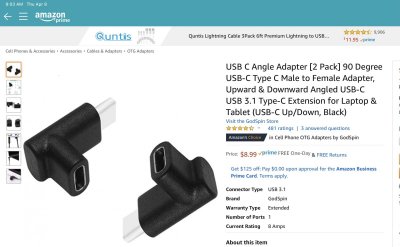
Now that picture attached to your thread Jimmyy looks very low profile. I will order those 90 degree low profile HDMI’s today. Is that a USB-c adapter attached to the firestick and where would I get those? Best Buy? Or I’m sure amazon has them but what is that called?
 
OP
OP
D

Dpm7471

TYF Newbie
Joined
Mar 24, 2021
Posts
24
Reaction score
14
Update on my setup after a 5 day family trip:

The RSE system continued to do well but had a minor hiccup to share. With 4 people in the car, the WiFi reached it max allowable devices at 8 a couple of times. This posed an issue and I disconnected one of the RSE screens from the WiFi ( in the center command console) so one of my kids could use the other allowable spot. After my son was done, the screen had trouble re-connecting and would not until we stopped the vehicle. It’s like we had to restart/reset the system with shutting the SUV off. It reconnected no problem after that.

My daughter said a couple of times her headphones had some static, but it was not common.
 

jorgetoro

Member
Joined
Aug 29, 2021
Posts
31
Reaction score
14
Aftermarket tablets, tablet holders, Bluetooth headphones, install apps, connect to cell phone hotspot (if signal is good), and g2g. This is my opinion. I do not have the RSE on my 2021 Yukon Denali. But we don't let our son use electronics to much. The set up I mentioned is from my other car.
 

Forum statistics

Threads
137,672
Posts
1,989,113
Members
102,675
Latest member
j_jerry79

Latest posts

Back
Top