AirJordan613
Full Access Member
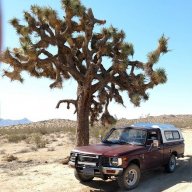
My 2013 2500 finally got the grill guard installed. Frontier Truck Gear.
Looks great!

Disclaimer: Links on this page pointing to Amazon, eBay and other sites may include affiliate code. If you click them and make a purchase, we may earn a small commission.
My 2013 2500 finally got the grill guard installed. Frontier Truck Gear.

Kind-a sort-aCan you still get under the vehicle from the side or do you need to go from either end? I’m working on my neutral safety switch on mine right now and chasing a wire along the frame rail up to the front and looking at those I don’t see them helping me much. I’m getting too old too. It doesn’t help that my driveway isn’t smooth so my creeper doesn’t like to roll on it. The exposed aggregate is a bit too exposed. It’s more like rocky road.
Why's that? What problems you having?Trying to Figure out this darned AutoSync.
Seems like I'll need a tune to use it.
Well I did the Wi-Fi update first thing, then plugged it into the OBD2 and ran through every menu I could find, but I can't seem to find where all the data is displayed, and even though it says it's enabled, the one touch rear windows doesn't work.Why's that? What problems you having?

you must be doing something wrong, a tune is not going to enable anything.Well I did the Wi-Fi update first thing, then plugged it into the OBD2 and ran through every menu I could find, but I can't seem to find where all the data is displayed, and even though it says it's enabled, the one touch rear windows doesn't work.
I thought some of those features would be enabled just by plugging it in.
But maybe I should get EFI live and a tune to make it all work?

Read the instructions.Well I did the Wi-Fi update first thing, then plugged it into the OBD2 and ran through every menu I could find, but I can't seem to find where all the data is displayed, and even though it says it's enabled, the one touch rear windows doesn't work.
I thought some of those features would be enabled just by plugging it in.
But maybe I should get EFI live and a tune to make it all work?

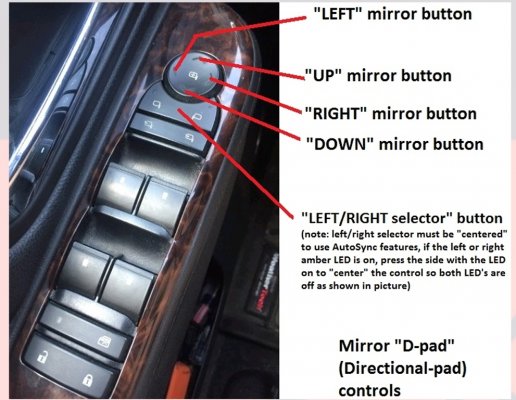
It uses the mirror D pad to display all the different data screens on the DIC.Well I did the Wi-Fi update first thing, then plugged it into the OBD2 and ran through every menu I could find, but I can't seem to find where all the data is displayed, and even though it says it's enabled, the one touch rear windows doesn't work.
I thought some of those features would be enabled just by plugging it in.
But maybe I should get EFI live and a tune to make it all work?

Trying to Figure out this darned AutoSync.
Seems like I'll need a tune to use it.
In their entirety.Read the instructions.
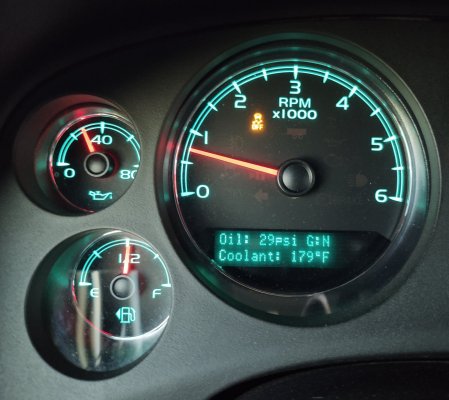
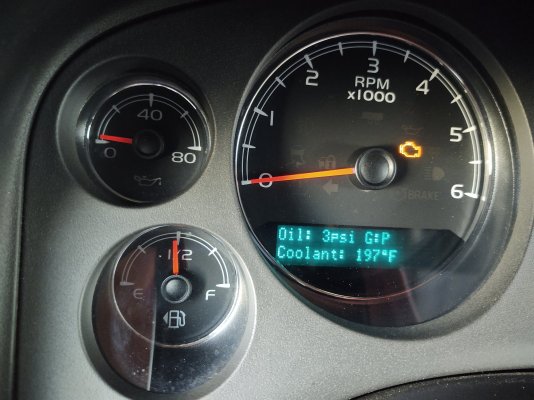
Aha, I have the DL8.It uses the mirror D pad to display all the different data screens on the DIC.
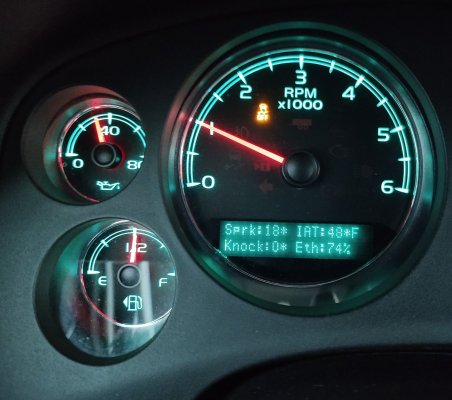
-The down arrow will show backup camera view
-The right arrow will show an info screen
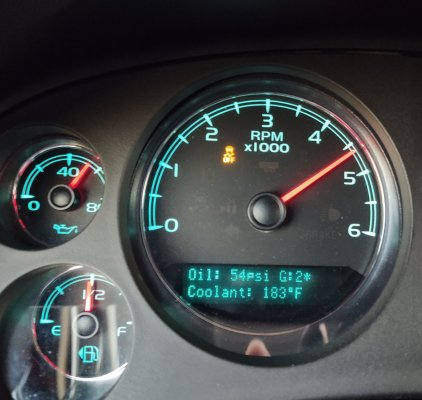
-The left arrow will show a different info screen and if you press the left arrow again it'll show another.
-The up arrow exits the display and puts you back to the default DIC display.
View attachment 393921
Also, do you have the DL3 rpo code?
View attachment 393922
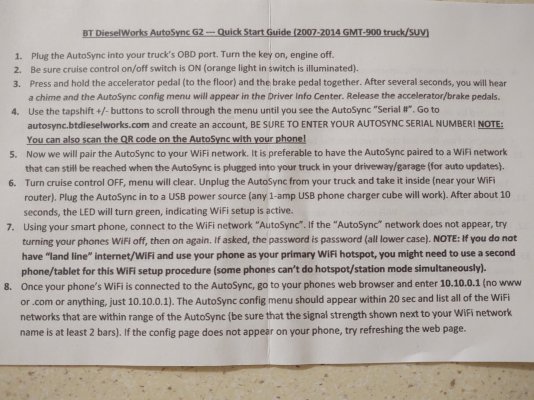
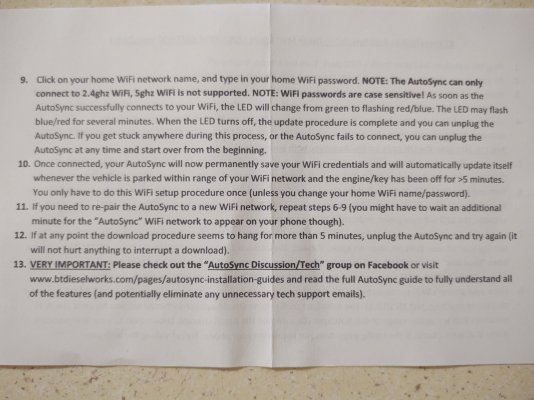
Those instructions on the paper they send with it just explain how to connect it to the internet and get it updated for the first time. I downloaded a pdf file that explains how to use all the features and how to get to themIn their entirety.
Thank you!Those instructions on the paper they send with it just explain how to connect it to the internet and get it updated for the first time. I downloaded a pdf file that explains how to use all the features and how to get to them
The firmware gets updated about every week or two. Adding features or fixing bugs. They have a lot of diesel truck users and there's a lot of features for them that don't pertain to gasoline engined vehicles. When I got mine about a year ago it was on like v2.9 firmware and is currently on v3.40Thank you!
I looked on their site and couldn't find this...saw similar for older versions, maybe they just haven't updated their web site in a while.
Specifically, re-read #13. You’re looking at the Quick Start Guide. That’s not the full instructions at all.In their entirety.
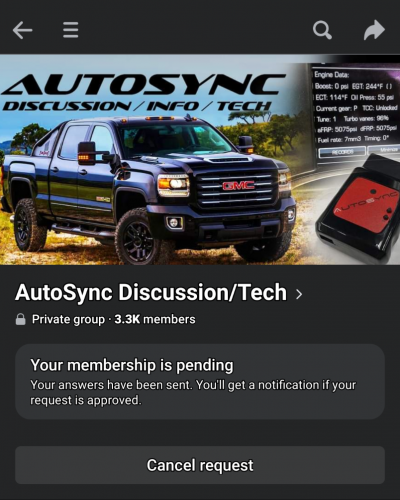
Still waiting to be added to the group.Specifically, re-read #13. You’re looking at the Quick Start Guide. That’s not the full instructions at all.
It’s right there, version 2.0 and up which is you. I remember reading up on his product when I was looking at buying the Autosync and opted to flash the BCM with my Autocal instead so I’m familiar with the instructions. His seemed less confusing than Autocal’s instructions which make my head spin. When you go the instructions page it lists the version numbers. It says the new version is significantly different from the old ones.Still waiting to be added to the group.
And they definitely need to update their website because I was on that page and it didn't look like there were any instructions for the version that I own, their latest version.
I eventually would have clicked on one of the old ones suing there's some similarities.

Same. I love California, as I love Colorado. But unfortunately, they’re both astronomical, and then there’s the eh.. discomfort I get from certain commonalities between the two states.