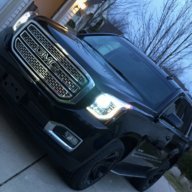
Puttin a galaxy tab 2 7.0 in my dash!

Disclaimer: Links on this page pointing to Amazon, eBay and other sites may include affiliate code. If you click them and make a purchase, we may earn a small commission.

OP
OP
BEEMDUB

BEEMDUB

PIMP DADDY FLEX
Joined
Aug 23, 2012
Posts
600
Reaction score
73
Location
Michigan
cool, so I guess ur gonna have to google how to open rear of tablet. Once you open it, if it's like the asus, you'll be able to move the line out and charging plugs away from the edge. I'll post a pic of an article I read.

http://www.youtube.com/watch?v=7C7f7PIRGus

Very great video thanks for that...I wonder how much different it would be inside my galaxy tab..That was really convenient that his headphone jack and dock connector was on those long ribbon cables

*Edit* Just opened up the tablet.... its not as simple as the nexus 7 :/ I wonder if I have any room for the connector and jack to just stick out slightly behind there...

Dock Connector
temporary_zps409341db.jpg


Headphone Jack
temporary_zpsee9cf134.jpg
 
Last edited:

Asylum

Full Access Member
Joined
Apr 8, 2013
Posts
130
Reaction score
7
Location
Montreal, Canada
It seems like your ribbon cable for the jack is under the blue circuit board. If you remove the board, you can then peel back the ribbon and place it near the middle. Are you planning on putting the back cover back on? If so, drill a hole in it and stick the jack and charger plug through. I may have to place my cover on since the wifi and gps ant is stuck to it.
 
OP
OP
BEEMDUB

BEEMDUB

PIMP DADDY FLEX
Joined
Aug 23, 2012
Posts
600
Reaction score
73
Location
Michigan
It seems like your ribbon cable for the jack is under the blue circuit board. If you remove the board, you can then peel back the ribbon and place it near the middle. Are you planning on putting the back cover back on? If so, drill a hole in it and stick the jack and charger plug through. I may have to place my cover on since the wifi and gps ant is stuck to it.

I'll have to take another look tomorrow...but what a pain in the ass to take the whole damn board out....I planned on keeping the back on yes..
 

Asylum

Full Access Member
Joined
Apr 8, 2013
Posts
130
Reaction score
7
Location
Montreal, Canada
Is there anyway you can get the ribbon out through the back.
I made a slice on the cover with a knife.

sdc12735k.jpg


---------- Post added at 12:29 AM ---------- Previous post was at 12:14 AM ----------

Look on the bright side, at least we know how to get to the battery if ever it needs replacing.
 
OP
OP
BEEMDUB

BEEMDUB

PIMP DADDY FLEX
Joined
Aug 23, 2012
Posts
600
Reaction score
73
Location
Michigan
Is there anyway you can get the ribbon out through the back.
I made a slice on the cover with a knife.

sdc12735k.jpg


---------- Post added at 12:29 AM ---------- Previous post was at 12:14 AM ----------

Look on the bright side, at least we know how to get to the battery if ever it needs replacing.

lol right.....and I have no idea what the ribbon is like inside mine...Later tonight I will have to take it apart again and see...by the looks of it I'm going to almost completely gut the inside of it because it looks like the ribbon is under a board which is overlapped by numerous other board
 

Asylum

Full Access Member
Joined
Apr 8, 2013
Posts
130
Reaction score
7
Location
Montreal, Canada
Traced the power and volume contacts on the board and soldered wires to them so I can control them physically with push buttons. If these soldering points were any smaller I'd have to get a China man to do it.


sdc12745yt.jpg
.

LOL. I actually had to cut my finger nail b4 this pic.

sdc12743m.jpg


sdc12740l.jpg
 
Last edited:
OP
OP
BEEMDUB

BEEMDUB

PIMP DADDY FLEX
Joined
Aug 23, 2012
Posts
600
Reaction score
73
Location
Michigan
Traced the power and volume contacts on the board and soldered wires to them so I can control them physically with push buttons. If these soldering points were any smaller I'd have to get a China man to do it.


sdc12745yt.jpg
.

LOL. I actually had to cut my finger nail b4 this pic.

sdc12743m.jpg


sdc12740l.jpg

Yea thats pretty sweet, I thought about doing that but I think I'm just gonna be fine with using the on screen volume widget, and if not I might put a pac LC-1 in somewhere. I'm gonna take apart the tab later and see if I can't get those ribbons out

---------- Post added at 02:06 PM ---------- Previous post was at 01:50 PM ----------

yeaaa from the looks of this I don't think the dock connector or the 3.5mm are on ribbons, they look like theyre connected directly to the board
6360222-850-563.jpg
 

Asylum

Full Access Member
Joined
Apr 8, 2013
Posts
130
Reaction score
7
Location
Montreal, Canada
What if you plug in a jack, cut the wires and trace the left, right and shield to where the ribbons plug with a multimeter. Then maybe you can solder wires near the ribbon.
 
OP
OP
BEEMDUB

BEEMDUB

PIMP DADDY FLEX
Joined
Aug 23, 2012
Posts
600
Reaction score
73
Location
Michigan
What if you plug in a jack, cut the wires and trace the left, right and shield to where the ribbons plug with a multimeter. Then maybe you can solder wires near the ribbon.

Looks like that would be my only other option...I'm still going to see if maybe I can dremel out some of the trim and fit the charger and 3.5mm in and fit it in the dash...who knows maybe I won't even have to open the tablet up and do all that!
 
OP
OP
BEEMDUB

BEEMDUB

PIMP DADDY FLEX
Joined
Aug 23, 2012
Posts
600
Reaction score
73
Location
Michigan
Maybe they sell 90 degree plugs?
That may help out to gain some space.

I was thinking the same thing..I searched endlessly for about 30 minutes online and found absolutely nothing lol
 

bstrang6

Member
Joined
Feb 14, 2013
Posts
44
Reaction score
0
Good work guys.

FWIW guys, I have owned both the Nexus 7 and the Samsung Tab 2 7.0. The price is the same, you can find the Nexus 7 even cheaper sometimes, and the Nexus 7 is a much faster tablet. If its not too late you may want to look into exchanging yours. Especially if the, eh, hack-a-bility of it is better for this project. They both run Android, so all the apps will work the same, just faster.
 
OP
OP
BEEMDUB

BEEMDUB

PIMP DADDY FLEX
Joined
Aug 23, 2012
Posts
600
Reaction score
73
Location
Michigan
Good work guys.

FWIW guys, I have owned both the Nexus 7 and the Samsung Tab 2 7.0. The price is the same, you can find the Nexus 7 even cheaper sometimes, and the Nexus 7 is a much faster tablet. If its not too late you may want to look into exchanging yours. Especially if the, eh, hack-a-bility of it is better for this project. They both run Android, so all the apps will work the same, just faster.

Wanna trade me your nexus for my Samsung tab then? :D

Any updates Dub?

Yea the update is that I hate writing papers and studying so much that I almost lost it today....lol, sadly I got nothing accomplished today with the tab project...I also am going to Tennessee Friday to next Tuesday...So the only day I have to work on the truck is Thursday night : / However the last piece to the puzzle which is my amp, will be here tomorrow so I am going to get everything I possibly can wired up Thursday (hopefully)...I think tomorrow night I am going to work on mounting my tab to the bezel though, I think I am going to try the route of dremeling out the parts of the bezel that prevent the charger cable and headphone jack from going in, because I'm almost possible that it will still fit behind the dash that way
 

Asylum

Full Access Member
Joined
Apr 8, 2013
Posts
130
Reaction score
7
Location
Montreal, Canada
I was reading up a bit and found that a lot of people are saying that running a usb dac improves the audio big time on these tablets. The only problem is when your running unrooted, you can't charge and use a dac at the same time. So I took the leap last night and rooted the nexus. It was pretty easy.

So now that it is rooted I can attach a usb hub to it with multiple outputs and be able to charge at the same time. Another thing you can do is plug usb cam for back up, sd reader or usb hdd and a dac simultaneously. I got some links.

http://forum.xda-developers.com/showthread.php?p=37064971#post37064971

http://mehrvarz.github.io/nexus-7-usbrom/

http://rootzwiki.com/topic/37755-timurs-kernel-usb-rom-usb-host-power-management-usb-audio/
 
OP
OP
BEEMDUB

BEEMDUB

PIMP DADDY FLEX
Joined
Aug 23, 2012
Posts
600
Reaction score
73
Location
Michigan
I was reading up a bit and found that a lot of people are saying that running a usb dac improves the audio big time on these tablets. The only problem is when your running unrooted, you can't charge and use a dac at the same time. So I took the leap last night and rooted the nexus. It was pretty easy.

So now that it is rooted I can attach a usb hub to it with multiple outputs and be able to charge at the same time. Another thing you can do is plug usb cam for back up, sd reader or usb hdd and a dac simultaneously. I got some links.

http://forum.xda-developers.com/showthread.php?p=37064971#post37064971

http://mehrvarz.github.io/nexus-7-usbrom/

http://rootzwiki.com/topic/37755-timurs-kernel-usb-rom-usb-host-power-management-usb-audio/


Glad you brought this up! I was about to ask about this actually haha I was reading that it will give way better sound quality too I'm gonna run all my wires tonight for my system and then look into rooting my galaxy tab...is it hard? all the links look great but they all seem to be for nexus 7 not galaxy tab 2 : /

I've never rooted or owned an android device before but jesus this is complicated lol
 
Last edited:

Forum statistics

Threads
137,758
Posts
1,991,347
Members
102,744
Latest member
Mlstammerjr
Back
Top
