George B
¯\_(ツ)_/¯
I always get a kick out of dyno numbers. Sure power is good but is it in a usable and realistic RPM range. Race car and super grocery getter are two different things.

Disclaimer: Links on this page pointing to Amazon, eBay and other sites may include affiliate code. If you click them and make a purchase, we may earn a small commission.

@BlackBearPerf
so im in the process of purchasing the tune, i bought the autocal off a member here. So would i use the auth code that is with the other members vin ?
Are these the right files also?
View attachment 279383
Im not savvy on this stuff Haha. Thanks
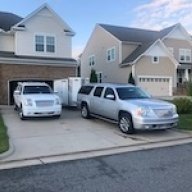
There is a process for buying an additional vehicle through their website and the new one must be tied to your VIN.@BlackBearPerf
so im in the process of purchasing the tune, i bought the autocal off a member here. So would i use the auth code that is with the other members vin ?
Are these the right files also?
View attachment 279383
Im not savvy on this stuff Haha. Thanks
There is a process for buying an additional vehicle through their website and the new one must be tied to your VIN.

I left my tow/haul as tow/haul. It still performs like a sport mode imo since it revs more before shifting and combined with my power adders it works great. And it works great towing. I just sent notes as to what I wanted when I emailed my data log to them. If there’s questions they will get back to you right away, once they start on your tune you don’t need to keep waiting for each email. At least that was my experience.Got my Autocal in the mail today and I am loading the programs onto my PC as we speak.
So... What did Yall' do for the tow haul button? I still tow so I don't want to make it a sport mode however I want it to shift better than it does even in tow haul?
Also, Do I get a questionnaire when I order a tune so I can get what I need? I don't know all the things I could or should do.
Yes delete any scan and tune files. Create folders on your pc for your scan and tune files. I have a folder for my 02 and one for my 08, and within those folders I created sub folders for my stock files, for my data log files, and for tune files that I labeled “from Blackbear”. I’m not sure what you mean by does the configuration overwrite, you just need the files I mentioned. Copy stock tune files and data logs from the Autocal to the folders, where you can email them. Then when you get tune files from BB, copy them into the appropriate folder and then from there into the Autocal where you can load them into your vehicle.Question: Since I bought my autocal V2 preowned there are scan and tune files already saved to the tool. Can I just delete them using the explorer tool?
Also, does the configuration overwrite when I change it to the one for my 2013 with the 6 speed? The E92_ files remained but needed updating. everything else seems ready for me to record a drive and my stock tune.
Now I just need to decide which fuel, the 88 octane E15 or 89 octane E10...
@BlackBearPerf
Yes delete any scan and tune files. Create folders on your pc for your scan and tune files. I have a folder for my 02 and one for my 08, and within those folders I created sub folders for my stock files, for my data log files, and for tune files that I labeled “from Blackbear”. I’m not sure what you mean by does the configuration overwrite, you just need the files I mentioned. Copy stock tune files and data logs from the Autocal to the folders, where you can email them. Then when you get tune files from BB, copy them into the appropriate folder and then from there into the Autocal where you can load them into your vehicle.
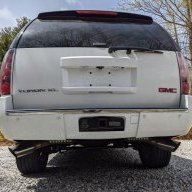
Ah, yes! Get rid of the red X’s and when you have all green check marks you’re good to go! Sorry, my brain was on break for a minute there!Thanks Mark!
When speaking of the Configuration files I was talking about where you download the files specific to the vehicle being tuned as discussed under the "Configuring AutoCal for logging and file retrieval" section of the instructions. There was a configuration already loaded and some of the items had red X's by them. I updated everything and now all the files that show are green check marks.
I have folders all set and just need to clear out the old logs and tune files from the Autocal.

Thanks.Just be clear to Black Bear Performance on what your own specific requirements are for your tune (including your selected gas octane), when you send them your AutoCal collected data. Remember, this is a custom tune for your truck, and not some out-of-the-box, one-size-fits-all, canned tune. If @BlackBearPerf has any questions regarding your own specific tune requirements, they will get in touch with you to discuss.
I didn’t have AFM so I’m not sure on that, probably have to specify. As for the rest, that’s all things they do without asking with the exception of the tow/ haul- that one you need to specify. But they do the remainder of those as part of their normal process. As well as turn on the electric fan pin on the ECM if it’s a GMT800 which yours isn’t.I guess I am asking the users here what specifically they requested and why they like it that way. The obvious ones are:
* Turn off AFM
* Remove speed limiter
* Increase redline
* Improve transmission shifting
- Extend shift points
- Improve shift firmness and quickness
- Maintain Tow/Haul but improve the above mentioned items as well.
* Improve engine performance
What I don't know about is what to ask for in regards to torque management for both the engine and trans.
Also, can or do we tune the table for when I run E85 separately or how does that work?


