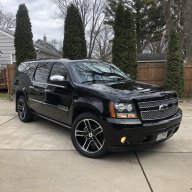
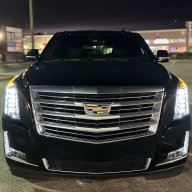
What did you do to your NNBS GMT900 Tahoe/Yukon Today?

Disclaimer: Links on this page pointing to Amazon, eBay and other sites may include affiliate code. If you click them and make a purchase, we may earn a small commission.

swathdiver

Full Access Member
Joined
May 18, 2017
Posts
21,274
Reaction score
30,204
Location
Treasure Coast, Florida

Rocket Man

Mark
Supporting Member
Joined
Dec 25, 2014
Posts
26,678
Reaction score
52,941
Location
Oregon
Looks good! You didn't tell me about your 6.2 Silvy, was it an NHT with 3.73 gears?


Those things kill your gas mileage.
Yessir. And I was joking actually. I see people with their little crossovers with a giant rooftop carrier on them and they leave them on all the time. I always think maybe they should have bought a real SUV if they needed that much space. I can see putting one on for a trip but to have one permanently mounted up there especially with a little vehicle is kinda pointless. I always wonder how those rigs perform on the freeway with their lack of power and a big old sail on their roof.
 

George B

¯\_(ツ)_/¯
Joined
Feb 5, 2020
Posts
7,879
Reaction score
18,976
Location
Oconomowoc, Wisconsin 53066
Learned a neat thing today. With my tech2 I was able to set my HVAC display to show the ambient outside temp. Just go to module setup and there is an option to turn it on.

Anyway, need someone with a tech2 to confirm a thing for me. It is about 60* out today and I have my HVAC in auto at 74* with the rear heat HVAC toggled on from the front control. I noted cool air blowing from the upper rear vents. If I increase the system temperature on the main control the air flow from the upper vents decreases and heat blows from the lower vents. All the modes work as they should in manual. Controlling from the front display I can switch to all three modes and increase and decrease temperature as expected in each. The rear HVAC follows the front as expected. Now, the off thing is that on my tech2 when I am commanding the rear air temp door the operation is opposite the command. If I command HOT it gets COLD and vice versus. Does anybody else's act this way? Note, I did replace the rear HVAC control about a year ago with an AC Delco unit from RA.
 

Rocket Man

Mark
Supporting Member
Joined
Dec 25, 2014
Posts
26,678
Reaction score
52,941
Location
Oregon
Learned a neat thing today. With my tech2 I was able to set my HVAC display to show the ambient outside temp. Just go to module setup and there is an option to turn it on.

Anyway, need someone with a tech2 to confirm a thing for me. It is about 60* out today and I have my HVAC in auto at 74* with the rear heat HVAC toggled on from the front control. I noted cool air blowing from the upper rear vents. If I increase the system temperature on the main control the air flow from the upper vents decreases and heat blows from the lower vents. All the modes work as they should in manual. Controlling from the front display I can switch to all three modes and increase and decrease temperature as expected in each. The rear HVAC follows the front as expected. Now, the off thing is that on my tech2 when I am commanding the rear air temp door the operation is opposite the command. If I command HOT it gets COLD and vice versus. Does anybody else's act this way? Note, I did replace the rear HVAC control about a year ago with an AC Delco unit from RA.
I found out about that display feature when I programmed my hvac control head with the latest software, then realized it’s already displayed on my rear view mirror so I changed it back. No need to have it in 2 places. I would check out that rear temp control but this is in my Silverado so no rear heat.
 

Rocket Man

Mark
Supporting Member
Joined
Dec 25, 2014
Posts
26,678
Reaction score
52,941
Location
Oregon
Replaced the A/C delco "professional" water pump with a new OEM one. Water temps 20-25 degrees cooler...

Never buying the professional line stuff again.
I don’t understand why they call it “Professional” when it’s the low grade line. Seems like if a guy sees professional it should be better than original.
 

ls1frc

Full Access Member
Joined
Aug 10, 2019
Posts
923
Reaction score
1,352
I don’t understand why they call it “Professional” when it’s the low grade line. Seems like if a guy sees professional it should be better than original.

It's a marketing ploy. I knew it wasn't as good as OEM but I figured it would be better than this. My "professional" alternator is fine but I am replacing it after 2 years as well.
 
Joined
Apr 11, 2018
Posts
7,124
Reaction score
14,375
Location
St. Louis
Learned a neat thing today. With my tech2 I was able to set my HVAC display to show the ambient outside temp. Just go to module setup and there is an option to turn it on.

Anyway, need someone with a tech2 to confirm a thing for me. It is about 60* out today and I have my HVAC in auto at 74* with the rear heat HVAC toggled on from the front control. I noted cool air blowing from the upper rear vents. If I increase the system temperature on the main control the air flow from the upper vents decreases and heat blows from the lower vents. All the modes work as they should in manual. Controlling from the front display I can switch to all three modes and increase and decrease temperature as expected in each. The rear HVAC follows the front as expected. Now, the off thing is that on my tech2 when I am commanding the rear air temp door the operation is opposite the command. If I command HOT it gets COLD and vice versus. Does anybody else's act this way? Note, I did replace the rear HVAC control about a year ago with an AC Delco unit from RA.
Does the temp still show on the DIC?

I've seen that option in the tech2, but I think @Doubeleive might be able to fill you in more on the problem he had and what the symptoms were. Basically I think when its programmed to show the outdoor temp its actually wrong for our model and it will act strange.

Sent from my SM-G930V using Tapatalk
 

George B

¯\_(ツ)_/¯
Joined
Feb 5, 2020
Posts
7,879
Reaction score
18,976
Location
Oconomowoc, Wisconsin 53066
Does the temp still show on the DIC?

I've seen that option in the tech2, but I think @Doubeleive might be able to fill you in more on the problem he had and what the symptoms were. Basically I think when its programmed to show the outdoor temp its actually wrong for our model and it will act strange.

Sent from my SM-G930V using Tapatalk
Maybe so on the outdoor temp. I am hoping someone will confirm how their rear HVAC responds to the same settings as mine so I can tell if I have a problem or not. The strange operation existed beforeI changed the outdoor temp display.
 

George B

¯\_(ツ)_/¯
Joined
Feb 5, 2020
Posts
7,879
Reaction score
18,976
Location
Oconomowoc, Wisconsin 53066
Does the temp still show on the DIC?

I've seen that option in the tech2, but I think @Doubeleive might be able to fill you in more on the problem he had and what the symptoms were. Basically I think when its programmed to show the outdoor temp its actually wrong for our model and it will act strange.

Sent from my SM-G930V using Tapatalk

Maybe so on the outdoor temp. I am hoping someone will confirm how their rear HVAC responds to the same settings as mine so I can tell if I have a problem or not. The strange operation existed beforeI changed the outdoor temp display.

The temp does still show on the DIC but I did note other strange behavior in AUTO. I changed it back.
Still hoping for confirmation of “normal” operation. Maybe the program needs to be updated to the current calibration.
 
Joined
Apr 11, 2018
Posts
7,124
Reaction score
14,375
Location
St. Louis
The temp does still show on the DIC but I did note other strange behavior in AUTO. I changed it back.
Still hoping for confirmation of “normal” operation. Maybe the program needs to be updated to the current calibration.
I think I remember reading that someone else noticed that the Tech2 controls were backwards when commanding cool or heat.

Sent from my SM-G930V using Tapatalk
 

Doubeleive

Wes
Supporting Member
Joined
Nov 7, 2017
Posts
30,478
Reaction score
47,826
Location
Stockton, Ca.
I haven't messed with mine in a good while but it could be "normal" when you command it hot in the rear that the door moves the opposite, you can take the rear cover off and reach the tech2 back there and observe it while you command it. The rear only has 2 controls up/down and hot/cold and you should be able to command either to 50% and they should be in the middle, then once you see which way they turn for hot/cold you should be able to set the rear for say 75deg and you should see the door move accordingly, if it won't stay on 75 and just goes straight to cold then the head control is not programmed right or one of the roof sensors is goofy. I fought with that thing for good while when I replaced the head control unit in the summer it cooled just fine but when it came winter time it would only heat if set to 100% heat I think it's 90deg, if I set it to 89 it would just go all the way to cold, turned out the head unit had the wrong calibration, before it was reprogrammed it showed the outside temp afterwards it did not and I never messed with it again, I set it to 74 or 76 (auto) and it works great. I don't need to touch it again until it gets hot out.

 

George B

¯\_(ツ)_/¯
Joined
Feb 5, 2020
Posts
7,879
Reaction score
18,976
Location
Oconomowoc, Wisconsin 53066
I haven't messed with mine in a good while but it could be "normal" when you command it hot in the rear that the door moves the opposite, you can take the rear cover off and reach the tech2 back there and observe it while you command it. The rear only has 2 controls up/down and hot/cold and you should be able to command either to 50% and they should be in the middle, then once you see which way they turn for hot/cold you should be able to set the rear for say 75deg and you should see the door move accordingly, if it won't stay on 75 and just goes straight to cold then the head control is not programmed right or one of the roof sensors is goofy. I fought with that thing for good while when I replaced the head control unit in the summer it cooled just fine but when it came winter time it would only heat if set to 100% heat I think it's 90deg, if I set it to 89 it would just go all the way to cold, turned out the head unit had the wrong calibration, before it was reprogrammed it showed the outside temp afterwards it did not and I never messed with it again, I set it to 74 or 76 (auto) and it works great. I don't need to touch it again until it gets hot out.

How can I tell what calibration is supposed to be in the head control?
 

Doubeleive

Wes
Supporting Member
Joined
Nov 7, 2017
Posts
30,478
Reaction score
47,826
Location
Stockton, Ca.
How can I tell what calibration is supposed to be in the head control?
Goes by your vin number and what it shows on tdsweb, you can connect the tech2 to the vehicle and a computer then open acdelco tds and have it check the calibrations, if there are updates it will show them, tdsweb cost $40 for 2 years programming (per-vin)
 

Rocket Man

Mark
Supporting Member
Joined
Dec 25, 2014
Posts
26,678
Reaction score
52,941
Location
Oregon
Goes by your vin number and what it shows on tdsweb, you can connect the tech2 to the vehicle and a computer then open acdelco tds and have it check the calibrations, if there are updates it will show them, tdsweb cost $40 for 2 years programming (per-vin)
That’s what I did after buying a subscription for my Silverado. It showed an update for my hvac control so I though great, I can practice on it before I try programming a new bcm. That’s when I learned about pulling the fuses on any aftermarket electronics because, as I found out, tdsweb attempts to wake up every module and do a handshake to check software versions as it’s programming. And when it couldn’t communicate with my Pioneer HU it got hung up. Which caused programming to stop in the middle of it. I called tech support and we tried everything but no bueno. She finally told me to disconnect the Tech2. The control was bricked, no display and we couldn’t bring it back. I ended up buying a used one from LKQ- a new one was about $250-300. Lesson learned. Pull fuses from any aftermarket electronics before programming.
 

wsteele

Full Access Member
Joined
Dec 26, 2020
Posts
1,731
Reaction score
2,355
Learned a neat thing today. With my tech2 I was able to set my HVAC display to show the ambient outside temp. Just go to module setup and there is an option to turn it on.

Anyway, need someone with a tech2 to confirm a thing for me. It is about 60* out today and I have my HVAC in auto at 74* with the rear heat HVAC toggled on from the front control. I noted cool air blowing from the upper rear vents. If I increase the system temperature on the main control the air flow from the upper vents decreases and heat blows from the lower vents. All the modes work as they should in manual. Controlling from the front display I can switch to all three modes and increase and decrease temperature as expected in each. The rear HVAC follows the front as expected. Now, the off thing is that on my tech2 when I am commanding the rear air temp door the operation is opposite the command. If I command HOT it gets COLD and vice versus. Does anybody else's act this way? Note, I did replace the rear HVAC control about a year ago with an AC Delco unit from RA.

I just had a minute before I had to come back in and feed the dogs. It was my first time in the body module, so I was just banging around. I can confirm that while the blower seems to correlate with regard to blowing harder as percentages go up, the aux temps seemed to be reversed. My temp goes from 100% at 60F to 22% at 90F. I didn't have time to figure out how to command things from the Tech 2, so that was just display reactions to manual inputs on the rear head.
 

Forum statistics

Threads
137,672
Posts
1,989,114
Members
102,675
Latest member
j_jerry79

Latest posts

Back
Top