Torque Pro APP question

Disclaimer: Links on this page pointing to Amazon, eBay and other sites may include affiliate code. If you click them and make a purchase, we may earn a small commission.

Joined
Apr 11, 2018
Posts
7,124
Reaction score
14,375
Location
St. Louis
Spent a good 30 to 40 minutes with it today looking through all the PIDs to see if it was listed. Didn't see it. It may not be listed in the ECM but the TCM which either the app or adapter cannot see.

I have monitored this function before with the Tech-2, will pull it out next and see where that is located, ECM or TCM.
When I had my Tech2 out yesterday checking for codes I also went through all the screens looking at info. I'm pretty sure that TCC slip rpm was in the TCM.

I was watching it while idling and it would fluctuate really low numbers, like in the teens and 20s. I also compared it with the DIC info screen that the AutoSync adds with it and it showed the exact same readings as the Tech2 did.

The AutoSync DIC display also shows what gear you are in and if the torque converter is locked up or not by showing an * next to the gear number.

 

swathdiver

Full Access Member
Joined
May 18, 2017
Posts
21,276
Reaction score
30,208
Location
Treasure Coast, Florida
When I had my Tech2 out yesterday checking for codes I also went through all the screens looking at info. I'm pretty sure that TCC slip rpm was in the TCM.

I was watching it while idling and it would fluctuate really low numbers, like in the teens and 20s. I also compared it with the DIC info screen that the AutoSync adds with it and it showed the exact same readings as the Tech2 did.

The AutoSync DIC display also shows what gear you are in and if the torque converter is locked up or not by showing an * next to the gear number.
If memory serves, when mine is locked up the slip is like 10 or 12 rpms.
 
OP
OP
R

rjm20

TYF Newbie
Joined
Jun 29, 2022
Posts
14
Reaction score
6
Spent a good 30 to 40 minutes with it today looking through all the PIDs to see if it was listed. Didn't see it. It may not be listed in the ECM but the TCM which either the app or adapter cannot see.

I have monitored this function before with the Tech-2, will pull it out next and see where that is located, ECM or TCM.
Thanks for trying. Keep me posted.
 
Joined
Apr 11, 2018
Posts
7,124
Reaction score
14,375
Location
St. Louis
If memory serves, when mine is locked up the slip is like 10 or 12 rpms.
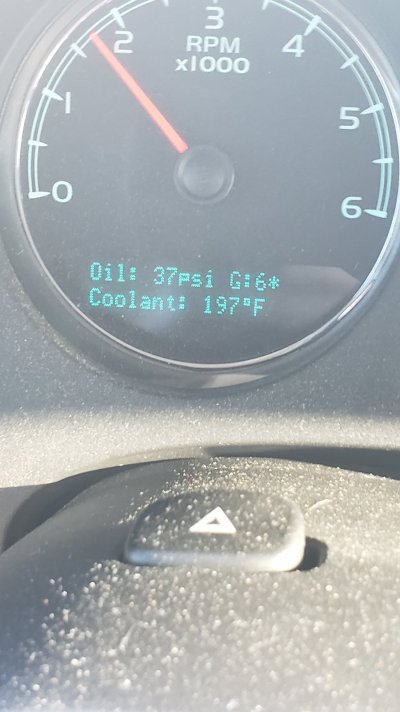
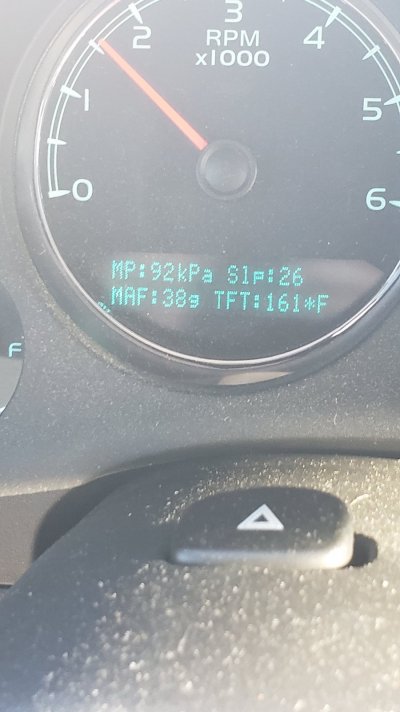
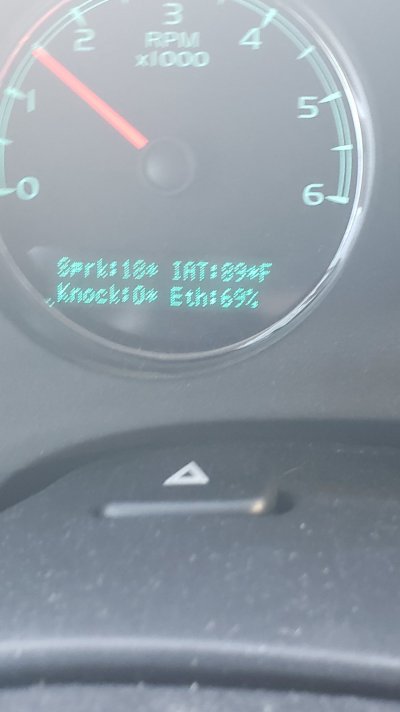
Here's the DIC displays that I get with the AutoSync. These were pics from back in June that I also posted in another thread back then talking about engine Temps and when the fans kick on.

The AutoSync uses the mirror adjust D pad to switch between these screens. Up returns you to the default screen you have showing and down shows the backup camera on the Nav screen for like 5 seconds.

The right button shows this info....

20220618_184719.jpg

Left button brings up this....

20220618_184508.jpg

Pressing the left button again switches to this.....

20220618_184729.jpg

So yes, the TCC Slip info is in there somewhere, we just have to figure out the PID info for it for Torque to read it.
 
Joined
Apr 11, 2018
Posts
7,124
Reaction score
14,375
Location
St. Louis
Fired up the Tech-2 on a run last night and could only find the TCC slip speed in the TCM module, not the ECM.

Maybe Ken knows how to get the PIDs, he's been my "go to" guy for things like this. @kbuskill
The Torque app has a TCC Slip PID included with the GM predefined set but I don't get a response with it. I've changed the header from Auto to leaving it blank and I get a response, but it just stays at - 32 on the gauge. I think with the correct hex header it'll work on our trucks.
 
Joined
Apr 11, 2018
Posts
7,124
Reaction score
14,375
Location
St. Louis
Fired up the Tech-2 on a run last night and could only find the TCC slip speed in the TCM module, not the ECM.

Maybe Ken knows how to get the PIDs, he's been my "go to" guy for things like this. @kbuskill
@rjm20

Got it working on my Torque Pro app!!

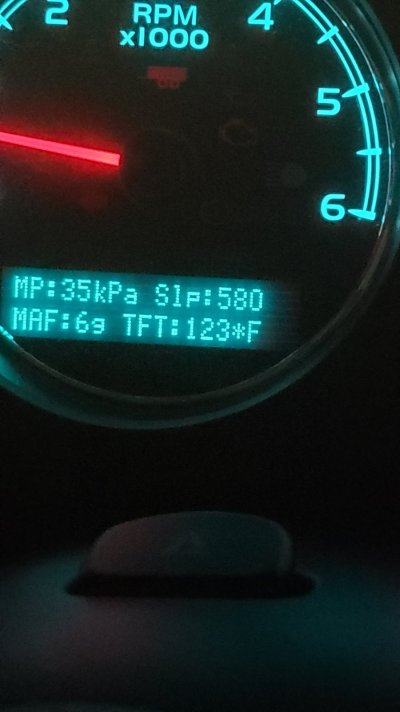
I was out adjusting my headlights and when I got done and went to pull it up the driveway I decided to open Torque and low and behold it was jiving with what my DIC said

In drive with foot on break. They both fluctuate and snapping a pic that corresponds to the screenshot is hard

Screenshot_20220811-223423_Torque.jpg
20220811_223502.jpg
 
Last edited:

swathdiver

Full Access Member
Joined
May 18, 2017
Posts
21,276
Reaction score
30,208
Location
Treasure Coast, Florida
Got it working on my Torque Pro app!!

I was out adjusting my headlights and when I got done and went to pull it up the driveway I decided to open Torque and low and behold it was jiving with what my DIC said

In drive with foot on break. They both fluctuate and snapping a pic that corresponds to the screenshot is hard

View attachment 377789
View attachment 377790
Awesome! So what would one need to do in order to see it on the Torque Pro?
 
Joined
Apr 11, 2018
Posts
7,124
Reaction score
14,375
Location
St. Louis
Awesome! So what would one need to do in order to see it on the Torque Pro?
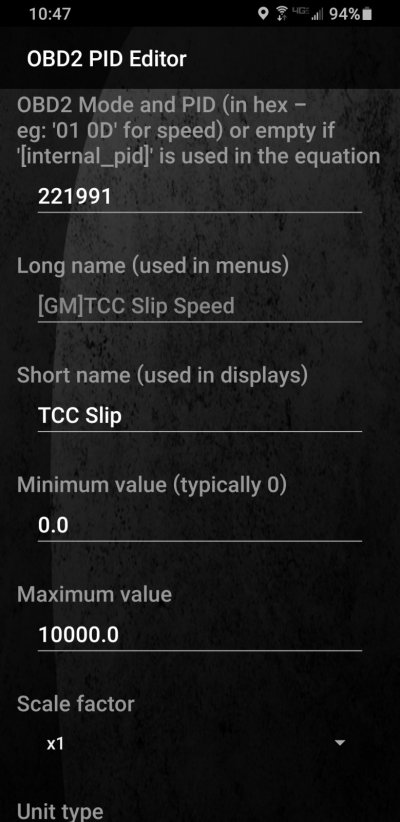
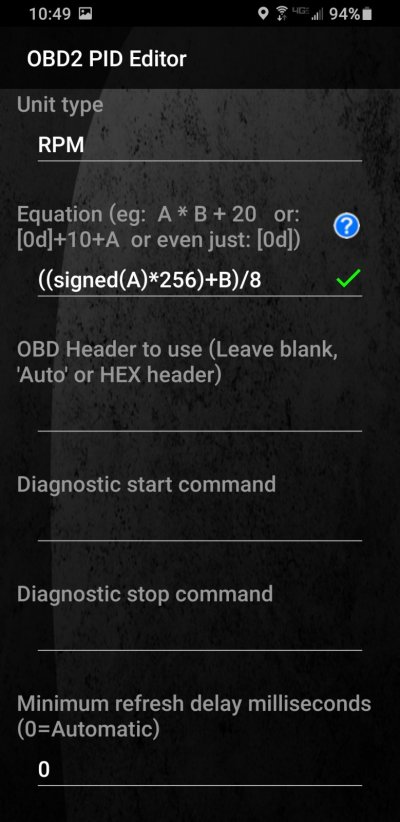
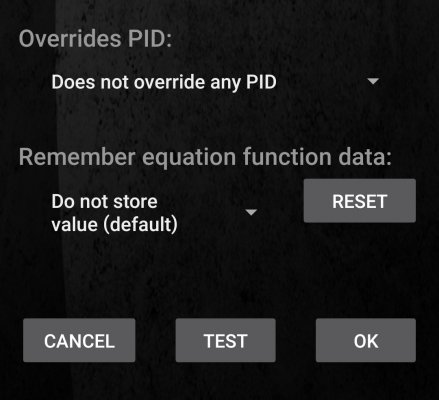
Well earlier today I reloaded the GM predefined set because I had the PID all messed up from messing with it. Even resetting it in the PID editor wouldn't put it back to original settings, soooo after doing that then re-adding the gauge it still wouldn't work and I went in and changed the header from Auto to just leaving blank like I posted earlier, but now it works.

Here's what I have for the PID info....

Screenshot_20220811-224758_Torque.jpg
Screenshot_20220811-224902_Torque.jpg
Screenshot_20220811-230504_Torque.jpg
 
Last edited:

swathdiver

Full Access Member
Joined
May 18, 2017
Posts
21,276
Reaction score
30,208
Location
Treasure Coast, Florida
Well earlier today I reloaded the GM predefined set because I had the PID all messed up from messing with it. Even resetting it in the PID editor wouldn't put it back to original settings, soooo after doing that then re-adding the gauge it still wouldn't work and I went in and changed the header from Auto to just leaving blank like I posted earlier, but now it works.

Here's what I have for the PID info....

View attachment 377791
View attachment 377792
View attachment 377793
Thanks Tom! I set it up in mine and will go out to the car later to test it out.
 
OP
OP
R

rjm20

TYF Newbie
Joined
Jun 29, 2022
Posts
14
Reaction score
6
Everyone. Original poster here. IT WORKs. I was running the regular GM PIDs when it was not working. The error was in the "OBD Header to use" section. Mine was set to AUTO but when I cleared it out to BLANK, it worked.

I apologize for being MIA, I was not getting notifications that this thread was active. Thanks again for helping me with this.
 

Thrust

Full Access Member
Joined
Oct 23, 2020
Posts
544
Reaction score
713
Location
ICT
Thanks @gooffeyguy. I added this PID and it works great. I did notice my temp gauge on the torque app shows 160F when the SUV gauge shows 185ish F. Why the difference?
 

swathdiver

Full Access Member
Joined
May 18, 2017
Posts
21,276
Reaction score
30,208
Location
Treasure Coast, Florida
New phone, could not transfer data from old one. Cannot get Current Gear or TCC Slip Speed to work. Think I'm going to add AUTO since mine is blank and see if it works.
 

Forum statistics

Threads
137,688
Posts
1,989,638
Members
102,689
Latest member
Woned2004
Back
Top