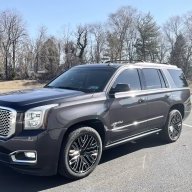
What did you do to your NNBS GMT900 Tahoe/Yukon Today?

Disclaimer: Links on this page pointing to Amazon, eBay and other sites may include affiliate code. If you click them and make a purchase, we may earn a small commission.

Tonyv__

Full Access Member
Joined
Apr 18, 2018
Posts
4,550
Reaction score
10,606
Location
Bucks county PA
it should go into learn mode and then eventually time out if nothing is synced, I think times out in like 2 minutes if no activity. same nbs, nnbs, k2

That’s exactly what I’m thinking. I’m being treated like a moron elsewhere saying “you can’t complete the learn cycle without sensors” and obviously I know that but what I’m trying to figure out is why the truck won’t even go into learn to begin with. Then other commenters are saying “ you already got your answer” lol.

Im thinking ok. Maybe they’re on to something because they’re right I don’t have any sensors. But they’re still not answering my question about why it will or won’t go into learn mode. Idk. I’m annoyed. I don’t feel like dumping a ton of money to diagnose though either.

 
Joined
Apr 11, 2018
Posts
7,124
Reaction score
14,375
Location
St. Louis
Wes is right.....

Screenshot_20230120-172402_Adobe Acrobat.jpg

Are you sure you're entering the learn mode proceedure correctly?
 

Tonyv__

Full Access Member
Joined
Apr 18, 2018
Posts
4,550
Reaction score
10,606
Location
Bucks county PA
it should go into learn mode and then eventually time out if nothing is synced, I think times out in like 2 minutes if no activity. same nbs, nnbs, k2
Part of me wonders if it’s worth it to get a clone tech 2 simply to manually install the sensors. I can 100% say they were linked before the battery change so I’m stumped as to why it’s not working. Wondering if the van was dealer serviced and they did it with their tech 2 or maybe it’s been programmed from new.
 
Joined
Apr 11, 2018
Posts
7,124
Reaction score
14,375
Location
St. Louis
My manual says to enter learn mode to press the lock & unlock buttons on remote at the same time, but mine won't and I have to hit the lock button first and hold it in then I press and hold the unlock button.

Doing this locks the doors before entering learn mode, and I usually roll down the driver's window and reach in through the window when doing it
 

swathdiver

Full Access Member
Joined
May 18, 2017
Posts
21,297
Reaction score
30,249
Location
Treasure Coast, Florida
Part of me wonders if it’s worth it to get a clone tech 2 simply to manually install the sensors. I can 100% say they were linked before the battery change so I’m stumped as to why it’s not working. Wondering if the van was dealer serviced and they did it with their tech 2 or maybe it’s been programmed from new

Tech-2 doesn't work on your 2015 Tony. Gotta use the MDI and GDS on a laptop.
 

Tonyv__

Full Access Member
Joined
Apr 18, 2018
Posts
4,550
Reaction score
10,606
Location
Bucks county PA
My manual says to enter learn mode to press the lock & unlock buttons on remote at the same time, but mine won't and I have to hit the lock button first and hold it in then I press and hold the unlock button.

Doing this locks the doors before entering learn mode, and I usually roll down the driver's window and reach in through the window when doing it
No factory fob because my van is all manual. I can access the menu from the buttons on the dash though
 

swathdiver

Full Access Member
Joined
May 18, 2017
Posts
21,297
Reaction score
30,249
Location
Treasure Coast, Florida
This is in reference to my 2008 express van. Which isn’t in my signature, but might as well be since I spend more time working on that than my Denali
Just went back and saw that. Yes, you should be able to enter learn mode whether the sensors are there or not as it is initiated from the RCDLR. Your Remote Control Door Lock Reciever may be bad and that's why nothing is working. Ought to be codes in the BCM for this.
 

Tonyv__

Full Access Member
Joined
Apr 18, 2018
Posts
4,550
Reaction score
10,606
Location
Bucks county PA
Just went back and saw that. Yes, you should be able to enter learn mode whether the sensors are there or not as it is initiated from the RCDLR. Your Remote Control Door Lock Reciever may be bad and that's why nothing is working. Ought to be codes in the BCM for this.
Hmm can I see them codes with anything other than a tech 2?
 

Doubeleive

Wes
Supporting Member
Joined
Nov 7, 2017
Posts
30,553
Reaction score
48,018
Location
Stockton, Ca.
That’s exactly what I’m thinking. I’m being treated like a moron elsewhere saying “you can’t complete the learn cycle without sensors” and obviously I know that but what I’m trying to figure out is why the truck won’t even go into learn to begin with. Then other commenters are saying “ you already got your answer” lol.

Im thinking ok. Maybe they’re on to something because they’re right I don’t have any sensors. But they’re still not answering my question about why it will or won’t go into learn mode. Idk. I’m annoyed. I don’t feel like dumping a ton of money to diagnose though either.
doesn't matter if there a tpms sensor to find or not, still goes into learn mode, try disconnecting the battery again, be sure the tpms fuse is good or just replace it anyway for the heck of it.
 

the_tool_man

Full Access Member
Joined
Oct 15, 2018
Posts
837
Reaction score
1,994
Location
Upstate South Carolina
I picked up the Yukon from the dealer and took it back to the shop to re-disable AFM, etc. Apparently the dealership didn't touch the ECM tune, because all the BB stuff was still there. The trans tune is gone, of course. Honestly, while I don't like the torque management, it is nice not having to feather the throttle so much in anticipation of the neck-snapping 2-1 downshift the BB tune had. I'm going to drive it with the stock trans tune for break-in, and then decide what do. For now, I'm just glad I have my truck back so I can finish moving!
 

Doubeleive

Wes
Supporting Member
Joined
Nov 7, 2017
Posts
30,553
Reaction score
48,018
Location
Stockton, Ca.
Yes. And yes. I think door has to be open too or something like that

is the check mark button working? are you able to use it to make other changes like language or oil reset, etc?
my 12 doesn't have that option I have to use the oem fob, my 18 does and I have to just press and hold the checkmark
 

Tonyv__

Full Access Member
Joined
Apr 18, 2018
Posts
4,550
Reaction score
10,606
Location
Bucks county PA
is the check mark button working? are you able to use it to make other changes like language or oil reset, etc?
my 12 doesn't have that option I have to use the oem fob, my 18 does and I have to just press and hold the checkmark
Yeah same my 15 is simple. Or maybe it’s simple because it just works like it should lol.

And yes can confirm that the check button works to reset other things on my van.

Well, damn. I was hoping it'd be a simple oversight.

I noticed the blinking in the video. This seems like a deeper issue. :(
Whack. Probably a good excuse to invest in a more in-depth scanner. Cause if I need to replace the part it needs to be programmed anyway
 

Doubeleive

Wes
Supporting Member
Joined
Nov 7, 2017
Posts
30,553
Reaction score
48,018
Location
Stockton, Ca.
Yeah same my 15 is simple. Or maybe it’s simple because it just works like it should lol.

And yes can confirm that the check button works to reset other things on my van.


Whack. Probably a good excuse to invest in a more in-depth scanner. Cause if I need to replace the part it needs to be programmed anyway
have you tired asking the dealer if they would be kind enough to assist with tpms? using there tool, or maybe be slick and go in for a oil change and tire rotation and let them deal with it, lol
mine would probably at least give it a shot in the service drive with there tool real quick without charging me for it.

does the wireless key fob work to lock and unlock? I think the tpms and key fob function run thru the same module
 

Forum statistics

Threads
137,766
Posts
1,991,616
Members
102,756
Latest member
dizhai

Latest posts

Back
Top