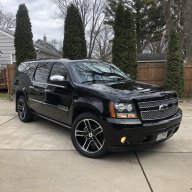
What did you do to your NNBS GMT900 Tahoe/Yukon Today?

Disclaimer: Links on this page pointing to Amazon, eBay and other sites may include affiliate code. If you click them and make a purchase, we may earn a small commission.

Doubeleive

Wes
Supporting Member
Joined
Nov 7, 2017
Posts
30,566
Reaction score
48,045
Location
Stockton, Ca.
I only have one of those little grills above the driver seat. None anywhere else.
the only other possible location I know of where there could be another one is in the headliner is drivers side rear way in back by the hatch, nothing there?
 

Doubeleive

Wes
Supporting Member
Joined
Nov 7, 2017
Posts
30,566
Reaction score
48,045
Location
Stockton, Ca.
Nope, only have one sensor above my head.
weird, then the calibration on mine would do you no good because mine has 2 sensors, my initial issue was it was looking for a 3rd but there isn't one.
you might want to take the rear hvac panel off and use the tech2 and observe it as you adjust the temp, I see you noted the commands being in reverse it seemed like that to me as well when I was testing mine I think that is normal.
if nothing else you could just install the most current calibration and see if that fixes it.
 

George B

¯\_(ツ)_/¯
Joined
Feb 5, 2020
Posts
7,882
Reaction score
18,994
Location
Oconomowoc, Wisconsin 53066
weird, then the calibration on mine would do you no good because mine has 2 sensors, my initial issue was it was looking for a 3rd but there isn't one.
you might want to take the rear hvac panel off and use the tech2 and observe it as you adjust the temp, I see you noted the commands being in reverse it seemed like that to me as well when I was testing mine I think that is normal.
if nothing else you could just install the most current calibration and see if that fixes it.
I just went on AC Delco TIS and looked up the calibrations and they are all current. I should have taken a screen shot of the sensor readings at ambient before I started the truck today. I believe one of the rear sensors was reading 77* when all the rest of the sensors were reading 73*. Not sure if that would be enough to cause it to not act right.
 

Doubeleive

Wes
Supporting Member
Joined
Nov 7, 2017
Posts
30,566
Reaction score
48,045
Location
Stockton, Ca.
I just went on AC Delco TIS and looked up the calibrations and they are all current. I should have taken a screen shot of the sensor readings at ambient before I started the truck today. I believe one of the rear sensors was reading 77* when all the rest of the sensors were reading 73*. Not sure if that would be enough to cause it to not act right.
there is one of the little sensors in the back vent tube either right where it splits up/down or right after I don't remember, I just know I bought one because I thought it was the problem on mine because I couldn't find the 3rd one it was saying it was looking for. I took it out and confirmed it had 5volts at the harness and then tested it by blowing warm air across it while checking the ohm's and it tested good. it's kind of hidden because they are black and small but they are there apparently there several in all these trucks front and rear about 6 or 7 of them. I think a new one was about $20 or so, if yours is giving a funky reading I would just swap it out and see what happens
 

George B

¯\_(ツ)_/¯
Joined
Feb 5, 2020
Posts
7,882
Reaction score
18,994
Location
Oconomowoc, Wisconsin 53066
there is one of the little sensors in the back vent tube either right where it splits up/down or right after I don't remember, I just know I bought one because I thought it was the problem on mine because I couldn't find the 3rd one it was saying it was looking for. I took it out and confirmed it had 5volts at the harness and then tested it by blowing warm air across it while checking the ohm's and it tested good. it's kind of hidden because they are black and small but they are there apparently there several in all these trucks front and rear about 6 or 7 of them. I think a new one was about $20 or so, if yours is giving a funky reading I would just swap it out and see what happens
I let it settle a bit and all the ambient sensors seem correct. I also compared the duct readings to a good thermometer and found them accurate.
What I notice about the temp and mode doors is that they all seem to work correctly when I am adjusting modes and temperatures across the full range. Both the front and rear follow as expected for both temp and mode. It's in auto that I see the challenge. when in auto max AC and max heat follow as expected and the mode door counts are the same as in manual but it's when it tries to mix in between that I get an issue. say I set it for 75* and it's winter so it should want to heat, the front will heat and blow to the floor while the rear will stay in split mode and not move it's temp door to a warm setting so it blows cold out the upper vents.

For now the fix is to just tell the kids to close the upper vents and use the rear control to adjust but I think it should work better that that.
 

George B

¯\_(ツ)_/¯
Joined
Feb 5, 2020
Posts
7,882
Reaction score
18,994
Location
Oconomowoc, Wisconsin 53066
One thing I don’t know is how the rear controller plays a part. It has a different calibration in it than what TIS says it should have. This is a pre-programmed one I got from rock auto.
 

Doubeleive

Wes
Supporting Member
Joined
Nov 7, 2017
Posts
30,566
Reaction score
48,045
Location
Stockton, Ca.
I’m gun shy when it comes to trying to program that. I am afraid of bricking the module.
I would do the calibration on the rear unit, it's easy just get it all ready and then when you go to tell it to do the calibration just let it do it's thing and don't touch anything. no wiggling wires around anything just let it be. typical calibration is 10 minutes or less
 

George B

¯\_(ツ)_/¯
Joined
Feb 5, 2020
Posts
7,882
Reaction score
18,994
Location
Oconomowoc, Wisconsin 53066
I would do the calibration on the rear unit, it's easy just get it all ready and then when you go to tell it to do the calibration just let it do it's thing and don't touch anything. no wiggling wires around anything just let it be. typical calibration is 10 minutes or less
You mean mode door calibration?
I was taking about reprogramming the rear seat controller and display.
I can try a calibration on all the mode actuators.
 

Doubeleive

Wes
Supporting Member
Joined
Nov 7, 2017
Posts
30,566
Reaction score
48,045
Location
Stockton, Ca.
You mean mode door calibration?
I was taking about reprogramming the rear seat controller and display.
I can try a calibration on all the mode actuators.
I mean the rear ac control head, there are no calibrations for the actuators
 

Rocket Man

Mark
Supporting Member
Joined
Dec 25, 2014
Posts
26,679
Reaction score
52,949
Location
Oregon
I’m gun shy when it comes to trying to program that. I am afraid of bricking the module.
That’s funny but not funny. I did brick my HVAC control module on my Silverado by trying to update the calibration on it. It stopped programming right in the middle of the operation. I called TDIS tech support and she walked me through a couple attempts to get it going again, then finally told me to disconnect the Tech II and the display went blank, no communication. We decided it was because of my Pioneer stereo. Any aftermarket electronics need to have their fuses pulled especially if they tap into the OBD like the Pioneer. She said during programming, the BCM attempts to “ wake up” all the modules and query them for their calibration #’s and if it detects a module but can’t talk to it, it just waits and waits forever. Lesson learned. I found a used one online but new ones are $400-$500.
 

Just Fishing

Can't fix stupid
Joined
Aug 30, 2020
Posts
4,502
Reaction score
10,125
Location
Utah
with the techII it's in the body menu/hvac, it's under the same menu list where it shows the after blow function and a couple other things, you just go into the option "display ambient temp" then hit save and back out

I found it under "module setup" after selecting auto hvac in the body menu.

tried to apply and it says something about having the wrong vehicle selected :confused:

Under the same area, I found something called "afterblow"
Me thinking "Great!" I enabled it.

Now i wait for pleasure :cool:
(I have no idea what it does)
 

Rocket Man

Mark
Supporting Member
Joined
Dec 25, 2014
Posts
26,679
Reaction score
52,949
Location
Oregon
I found it under "module setup" after selecting auto hvac in the body menu.

tried to apply and it says something about having the wrong vehicle selected :confused:

Under the same area, I found something called "afterblow"
Me thinking "Great!" I enabled it.

Now i wait for pleasure :cool:
(I have no idea what it does)
It’s not that kind of afterblow , I found out. ;)
 

Doubeleive

Wes
Supporting Member
Joined
Nov 7, 2017
Posts
30,566
Reaction score
48,045
Location
Stockton, Ca.
I found it under "module setup" after selecting auto hvac in the body menu.

tried to apply and it says something about having the wrong vehicle selected :confused:

Under the same area, I found something called "afterblow"
Me thinking "Great!" I enabled it.

Now i wait for pleasure :cool:
(I have no idea what it does)
after blow turns on the hvac fan on after the vehicle sits for 15 minutes to dissipate any moisture, probably don't have to worry about it out in the desert
 

Forum statistics

Threads
137,787
Posts
1,992,268
Members
102,780
Latest member
ASG-MikeS
Back
Top