BCM file

Disclaimer: Links on this page pointing to Amazon, eBay and other sites may include affiliate code. If you click them and make a purchase, we may earn a small commission.

6_OH_HoE

TYF Newbie
Joined
Nov 7, 2021
Posts
3
Reaction score
1
I'm looking to see if I can find a BCM or IPC file. I know any random file will not work on my specific truck I'm not programming my truck with it I plan to do some testing with the file itself. Preferably I would like to have a later GMT900 file 10'-14' but I'll take what I can get.
 

Joseph Garcia

Elite Member
Supporting Member
Joined
Aug 2, 2018
Posts
10,303
Reaction score
14,923
Welcome to the Forum from NH.

Lots of knowledgeable folks here who freely share their knowledge, experiences, and perspectives. Knowledge is power.

I hope that you will become a participating member in the Forum's discussions.

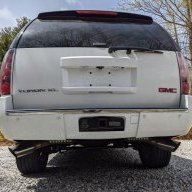
Pics of the truck, please.

What specific file are you looking for, and what is the file extension suffix. I have an original GM tune file for my ECM, but when I extracted it for BlackBear Performance's review using the AutoCal device, it produced a file with a .ctz extension suffix. Would this be any help to you?
 
OP
OP
6_OH_HoE

6_OH_HoE

TYF Newbie
Joined
Nov 7, 2021
Posts
3
Reaction score
1
What specific file are you looking for, and what is the file extension suffix. I have an original GM tune file for my ECM, but when I extracted it for BlackBear Performance's review using the AutoCal device, it produced a file with a .ctz extension suffix. Would this be any help to you?
Specifically either the BCM or instrument cluster file.

I believe they are .bin files but for my purpose the extension type doesn't matter. From my understanding these would be the files sent to you from the Delco site and you would use a NVX nano (or similar adapter) along with the GM software (I forget the name). I'd like to save the money for the subscription, adapter ,and possibly getting my account banned cause I've seen where GM is cracking down on the use of Chinese adapters. The long and short of what I'm trying to do is from my understanding those files can be opened in a text editor and be read in plain text. Hence meaning that there should be a way to change options in the same manner that BDperformance does now. If this holds true that would mean that the driver door controller should be able to be changed as well.
 

j91z28d1

Full Access Member
Joined
Feb 28, 2022
Posts
4,604
Reaction score
5,863
for a non China way to flash the file, use OBDxpro, it's 150 and open source with good support over on pcm hacking...

you might find some help for a file there but as for us mortals, gm doesn't give you any way to save the file from their site. it's all done within their locked software you have to use which runs inside a Java setup, nothing is saved to your computer and when you're done there's nothing useful let behind.
as I understand it, best way to go about what you're trying to do is buy a bcm, open it up. find out the manufacturer of the chip and use their software to access the data on it, not involving gm at all. chip sets are like Lego they are made generic with a huge manual and base software, it's then up to the buyer to hire software engineers to write the code for what's needed for the unit to do what they need.

I could be wrong on all that, but that's how I understand it. it took years for the diy guys years to get into the first obd2 ecm's.

 
OP
OP
6_OH_HoE

6_OH_HoE

TYF Newbie
Joined
Nov 7, 2021
Posts
3
Reaction score
1
  • These are the directions I found for the location of the files and info. Without spending the money on the interface, sps etc. If anyone that has these and can look if they have an xml file for a bcm.

  • On the Data Transfer page, it will download some files and then program your car with them. The backend process involves pulling your VIN's Build RPO Codes from GM's database, downloading an XML file which calculates which cluster flags to set based on a set of RPO codes, and then set the right flags on the cluster using the two together. The cluster in your car is already configured correctly, but we're doing this to grab the files from the SPS2 software's cache directory.
  • Once the programming is complete, go to the following directory on your laptop: C:\Users\<you>\sps\type4\<#####>\ where <you> is your laptop username and <#####> is a random number. In this directory, you will find two files: BuildRecord.bld and XMLFile.xml. Copy these files out to a safe location on your laptop (as a backup).
  • You will also need to get the security PIN from the cache. This is located in C:\Users\<you>\sps\spsDebug\VIT2_fd_0.txt as SecCodeVeh. Copy the entire file to a safe location on your laptop (it contains the VIN too so it's easier to copy).
 

Forum statistics

Threads
137,749
Posts
1,991,158
Members
102,739
Latest member
D Rollins
Back
Top