
You are using an out of date browser. It may not display this or other websites correctly.
You should upgrade or use an alternative browser.
You should upgrade or use an alternative browser.
What did you do to your NNBS GMT900 Tahoe/Yukon Today?
- Thread starter phattyford
- Start date
Disclaimer: Links on this page pointing to Amazon, eBay and other sites may include affiliate code. If you click them and make a purchase, we may earn a small commission.

Charlie207
Full Access Member
Do they work with Bose/NAV?Could always go for the gusto...
View attachment 469987
I know the Esky is different, but they make them for those too.View attachment 469988View attachment 469989
CMoore711
Full Access Member
- Joined
- Jul 18, 2017
- Posts
- 1,586
- Reaction score
- 1,525
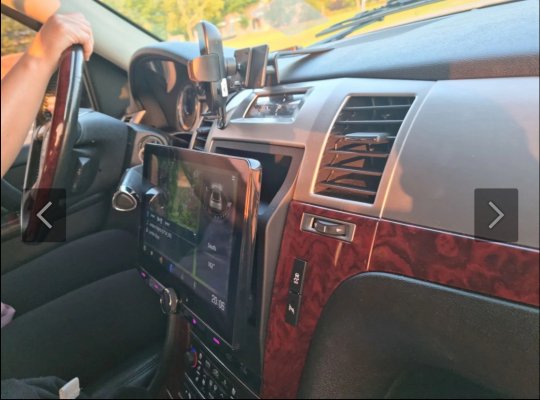
The pictures that I saw showed even using the single DIN and the radio all the way at the top, it still hit the shifter. I wanted a 9” screen until I found that out on the Cadillac Forum. I don’t really want to downgrade to a 7” screen but I hate the add-on CarPlay screen I added.
It’s damn close…. And definitely has me nervous…
This is much lower in height position than I’d prefer and seems to be the most in the way:

CMoore711
Full Access Member
- Joined
- Jul 18, 2017
- Posts
- 1,586
- Reaction score
- 1,525
These are a bit higher where I’d prefer it. But it looks like it’d pretty damn close while shifted into drive: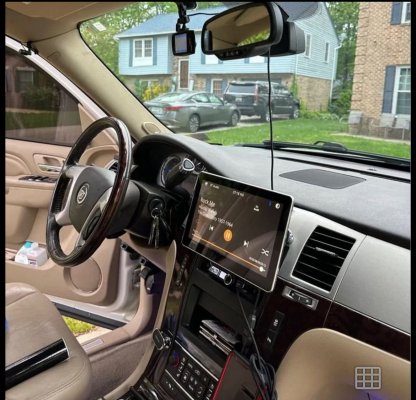
CMoore711
Full Access Member
- Joined
- Jul 18, 2017
- Posts
- 1,586
- Reaction score
- 1,525
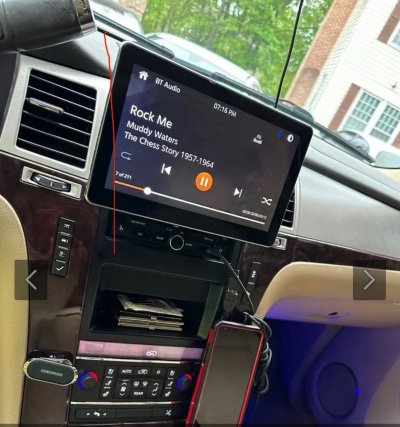
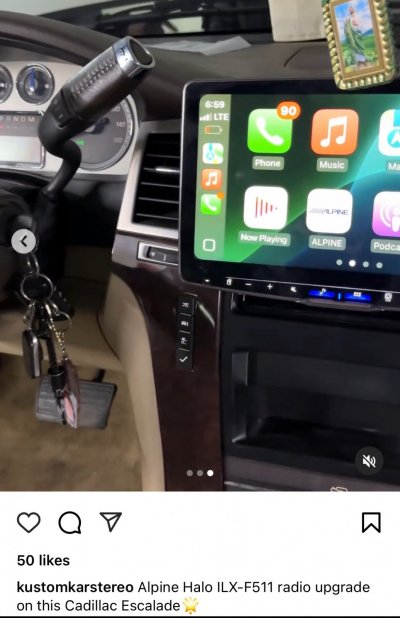
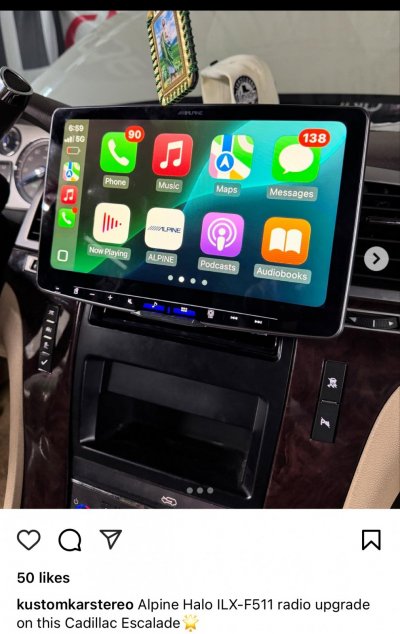
Then here is the big 11” Alpine Halo unit. Not convinced that there isn’t some slight blockage of the center HVAC vents with this one and concerns with the shifter:


Sparksalot
Elite Member
You need some Aerosmith playing.Here is my big 10 inch.
Not even close to hittingView attachment 469983.
Yeah, the Escalade radio is VERY limiting. There is no depth unless you move the radio down to where the buttons are on the stock radio and you need a shallow radio to put it up top (which is nice those are commonly available now since everyone streams), but neither give you the room for a floating screen radio without the shifting hitting the screen [in drive] from the research I did. You also have to downgrade from the factory 8” screen to a 7.”


I have to stop looking at these tings

Look at these tings then….

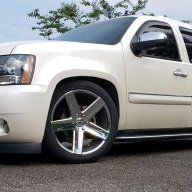
kbuskill
***CAUTION*** I do my own stunts!
Yes, my truck is an '08 Burb LTZ with Bose and was a factory Nav.Do they work with Bose/NAV?
Yes, my truck is an '08 Burb LTZ with Bose and was a factory Nav.
Which brand is that one? I almost like those but the no name brands all make me very nervous about sound quality and, I’m sure, there will be zero support for any issues.
kbuskill
***CAUTION*** I do my own stunts!
Here is a link to the Escalade version...

 phoenixautomotiveinc.com
They have different processor options for different prices.
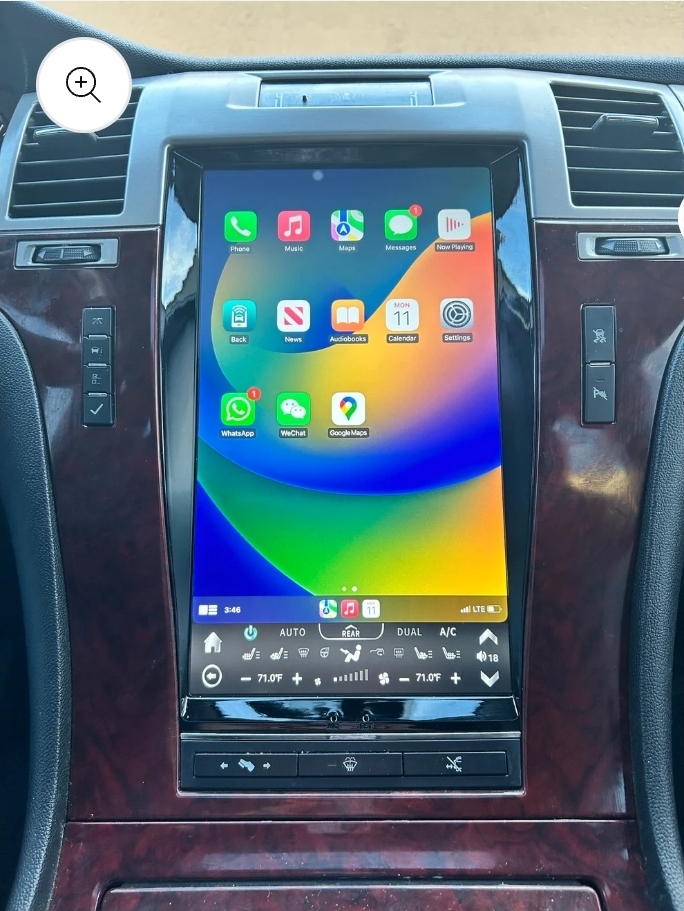
I will say that my only real complaint is they advertise the one for my truck as a 13" screen and it is actually an 11.8" according to the sticker that came on it, and when I asked if they sent the wrong one they said "No, we went back to the 11.8" due to quality issues with the 13"."
To which I asked, why not just advertise it as an 11.8" or even a 12"? And they said well it is still a 13" screen... I said well you may as well just advertise it as a 15" screen with that kind of logic... lol
There are other companies out there that offer similar headunits but this company is the only one I have ever dealt with.
Shop now [ NEW ] 13.6" Android 13 VERTICAL SCREEN Navigation Radio for Cadillac Escalade 2007 - 2014
Transform your Cadillac Escalade's interior with a 13.6" vertical screen Android 13 navigation radio. Experience a modern and feature-rich infotainment system.
phoenixautomotiveinc.com
They have different processor options for different prices.
I will say that my only real complaint is they advertise the one for my truck as a 13" screen and it is actually an 11.8" according to the sticker that came on it, and when I asked if they sent the wrong one they said "No, we went back to the 11.8" due to quality issues with the 13"."
To which I asked, why not just advertise it as an 11.8" or even a 12"? And they said well it is still a 13" screen... I said well you may as well just advertise it as a 15" screen with that kind of logic... lol
There are other companies out there that offer similar headunits but this company is the only one I have ever dealt with.
kbuskill
***CAUTION*** I do my own stunts!
Phoenix Automotive.Which brand is that one? I almost like those but the no name brands all make me very nervous about sound quality and, I’m sure, there will be zero support for any issues.
Their customer service is slow but they eventually get back to you.
Isn’t there a version that keeps the stock HVAC control? I feel like I’ve seen that in some pictures. I’d rather have that version. I don’t see it on their site. Do you still have to cannibalize the factory radio to make those work? Any adapters/harnesses needed like the Maestro RR?
Last edited:
kbuskill
***CAUTION*** I do my own stunts!
I'm not sure if this was directed at me or someone else.Isn’t there a version that keeps the stock HVAC control? I feel like I’ve seen that in some pictures. I’d rather have that version. I don’t see it on their site. Do you still have to cannibalize the factory radio to make those work? Any adapters/harnesses needed like the Maestro RR?
With the one I posted you simply take the automatic climate control panel out, remove the front panel and unplug the wiring harness from the original front panel and plug that harness into the back of the new headunit. The original control board is still used by doing this and you just screw it to the back of the new unit and plug your factory harnesses back into it.
No Maestro required, and I'm not sure about any version that keeps the factory A/C controls in place. The screen would have to be much smaller obviously.
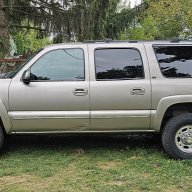
I like it a lot.How do you like that?
The larger one that kbuskill has cost more than i was willing to spend.
CMoore711
Full Access Member
- Joined
- Jul 18, 2017
- Posts
- 1,586
- Reaction score
- 1,525
You’re really raining on my radio parade…Yeah, the Escalade radio is VERY limiting. There is no depth unless you move the radio down to where the buttons are on the stock radio and you need a shallow radio to put it up top (which is nice those are commonly available now since everyone streams), but neither give you the room for a floating screen radio without the shifting hitting the screen [in drive] from the research I did. You also have to downgrade from the factory 8” screen to a 7.”
Not sure if I want to go with this type:

The good ones like this are just as expensive as the floating screen style.
You’re really raining on my radio parade…
Not sure if I want to go with this type:
View attachment 470029
The good ones like this are just as expensive as the floating screen style.
I know. That’s what stopped me from doing it. The only reason I started thinking about it again is I just can’t stand the second screen I added for CarPlay. It functions fine but the look is just not what I want and two screens is so bright at night. I did find this radio that has pretty much all the features I want and is pretty reasonably priced, but all the adapters and crap to make it work is almost as much as the radio.
Charlie207
Full Access Member
I don't care about a big distracting screen. I just want something that works withy factory Bose/Nav, and doesn't cost 1/10th of what my car is worth.I'm not sure if this was directed at me or someone else.
With the one I posted you simply take the automatic climate control panel out, remove the front panel and unplug the wiring harness from the original front panel and plug that harness into the back of the new headunit. The original control board is still used by doing this and you just screw it to the back of the new unit and plug your factory harnesses back into it.
No Maestro required, and I'm not sure about any version that keeps the factory A/C controls in place. The screen would have to be much smaller obviously.
A stereo should be $300 if I can get an 60" TV with Wifi and Bluetooth that controls my entire house with voice commands for the same price.
There are plenty of $300 radios but they don’t have much more additional features and you do still need some sort of adapter harness. The Maestro RR seems to be the best quality one, but, obviously, at a cost.
Similar threads
- Replies
- 6
- Views
- 1K


- Replies
- 3
- Views
- 4K

- Replies
- 56
- Views
- 12K


