Radio and interior lights won't turn off...

Disclaimer: Links on this page pointing to Amazon, eBay and other sites may include affiliate code. If you click them and make a purchase, we may earn a small commission.

M1Gunner

Full Access Member
Joined
Feb 7, 2015
Posts
1,078
Reaction score
1,238
Location
Gainesville, Fl
Not sure if anyone else has had this issue but here's my problem and how I fixed it. I couldn't find anything online about this so hopefully this will help someone else out!

I drive a 2004 z71 Tahoe. I noticed that upon removing the key from the ignition then opening the driver door that the radio would continue playing music and the interior lights would not turn off. I would have to get out, close the door, open the door and then close it again for the anything to turn off. When I would open the driver door the interior lights would not come on. The door ajar warning wouldn't react... etc.

After looking over some wiring schematics I narrowed the root of the issue down to a component of drivers door latch assembly, the mini wedge switch. This door switch is an input to the BCM telling it that hey I'm open or hey I'm closed.

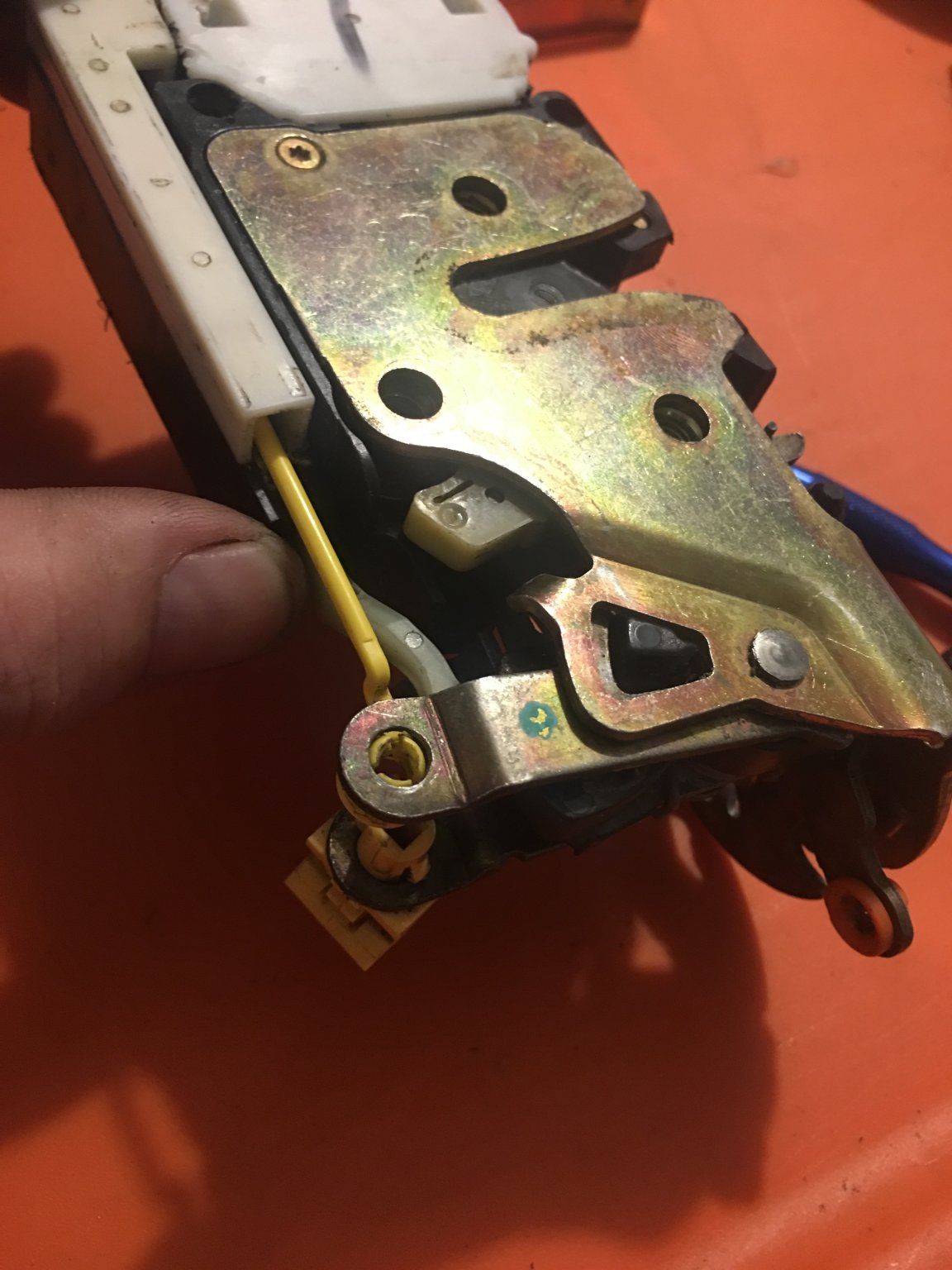
I removed the drivers door latch assembly which has three harness connectors that plug into it. The connector with the dark blue and grey/blk wiring is for the mini wedge switch. I disassembled the latch assembly and quickly realized the root of my issue.

Here is the complete latch assembly
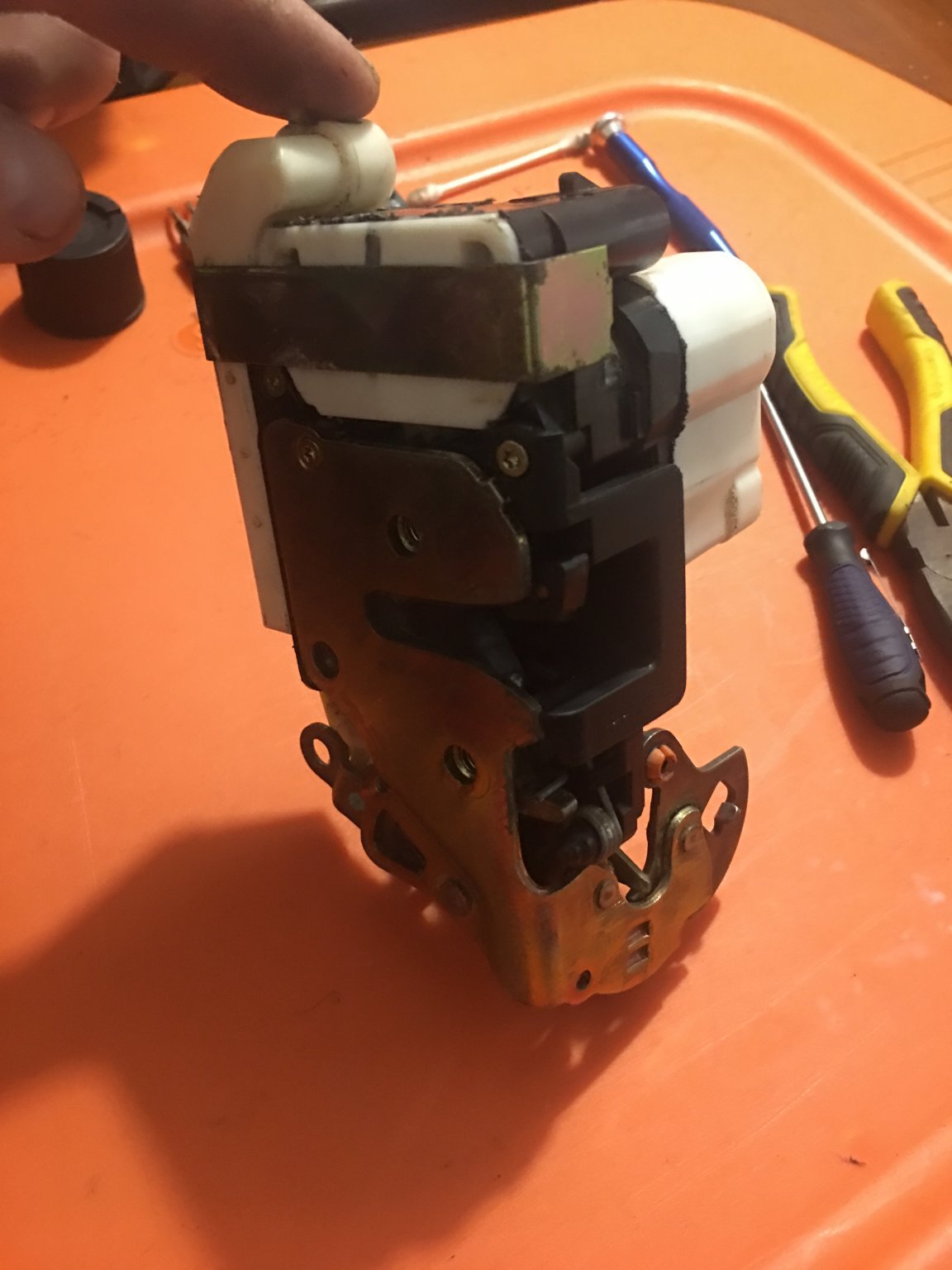
IMG_2092.JPG


Remove the metal strap from the top and the two small screws closest to the top
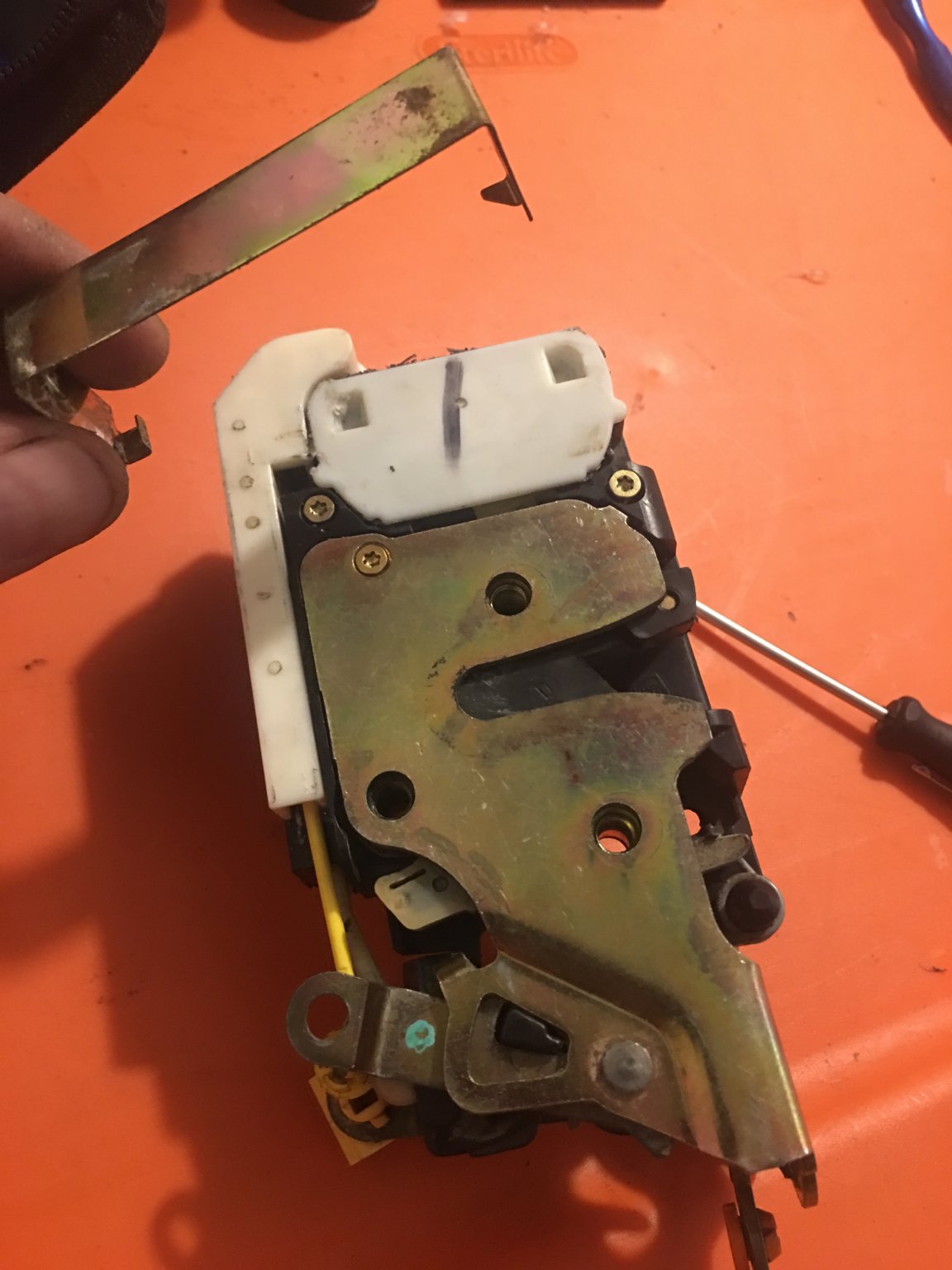
IMG_2093.JPG


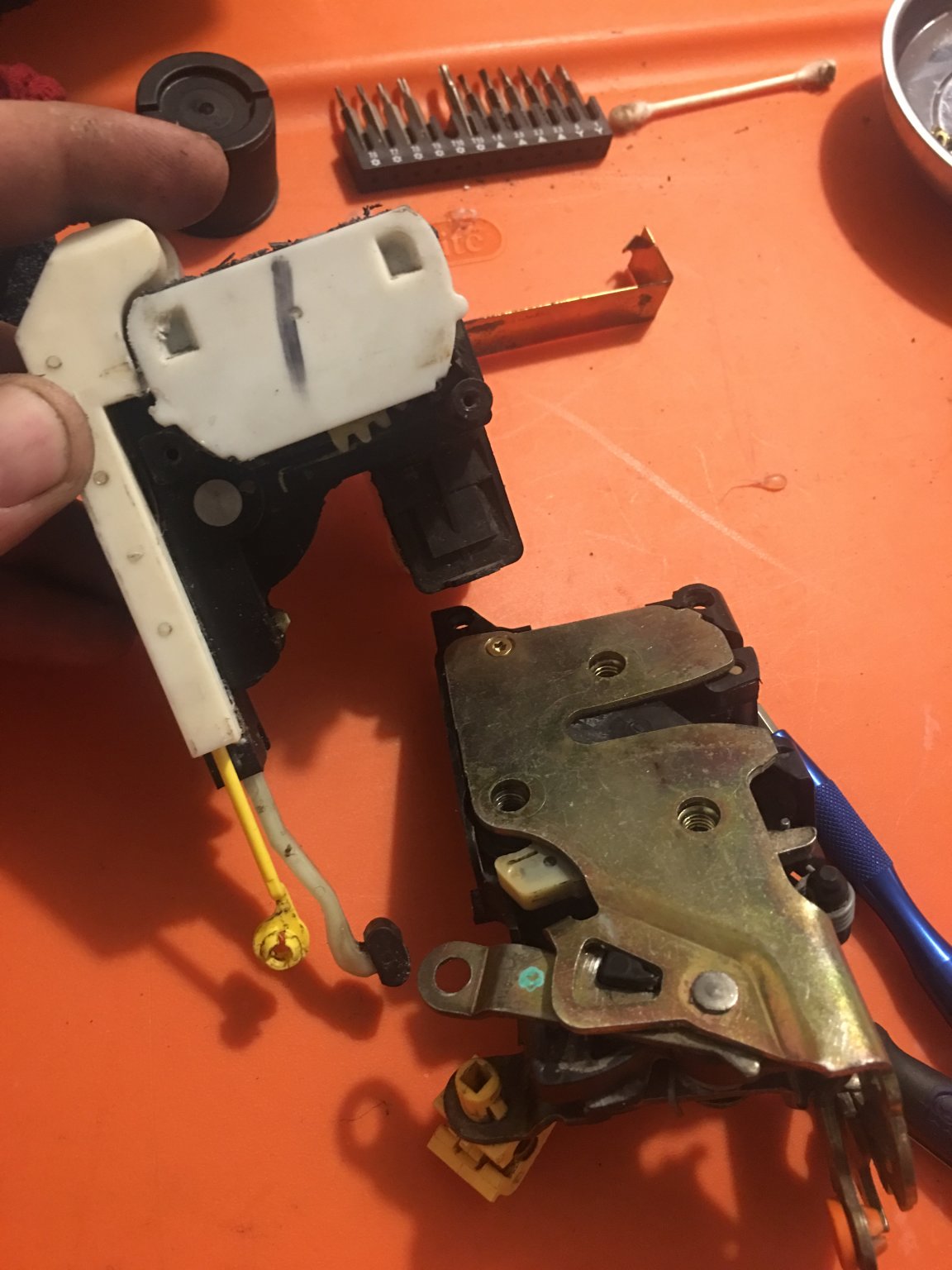
Pop free the yellow arm
IMG_2094.JPG


Seperate the the two pieces
IMG_2095.JPG


Remove the white plastics backing plate
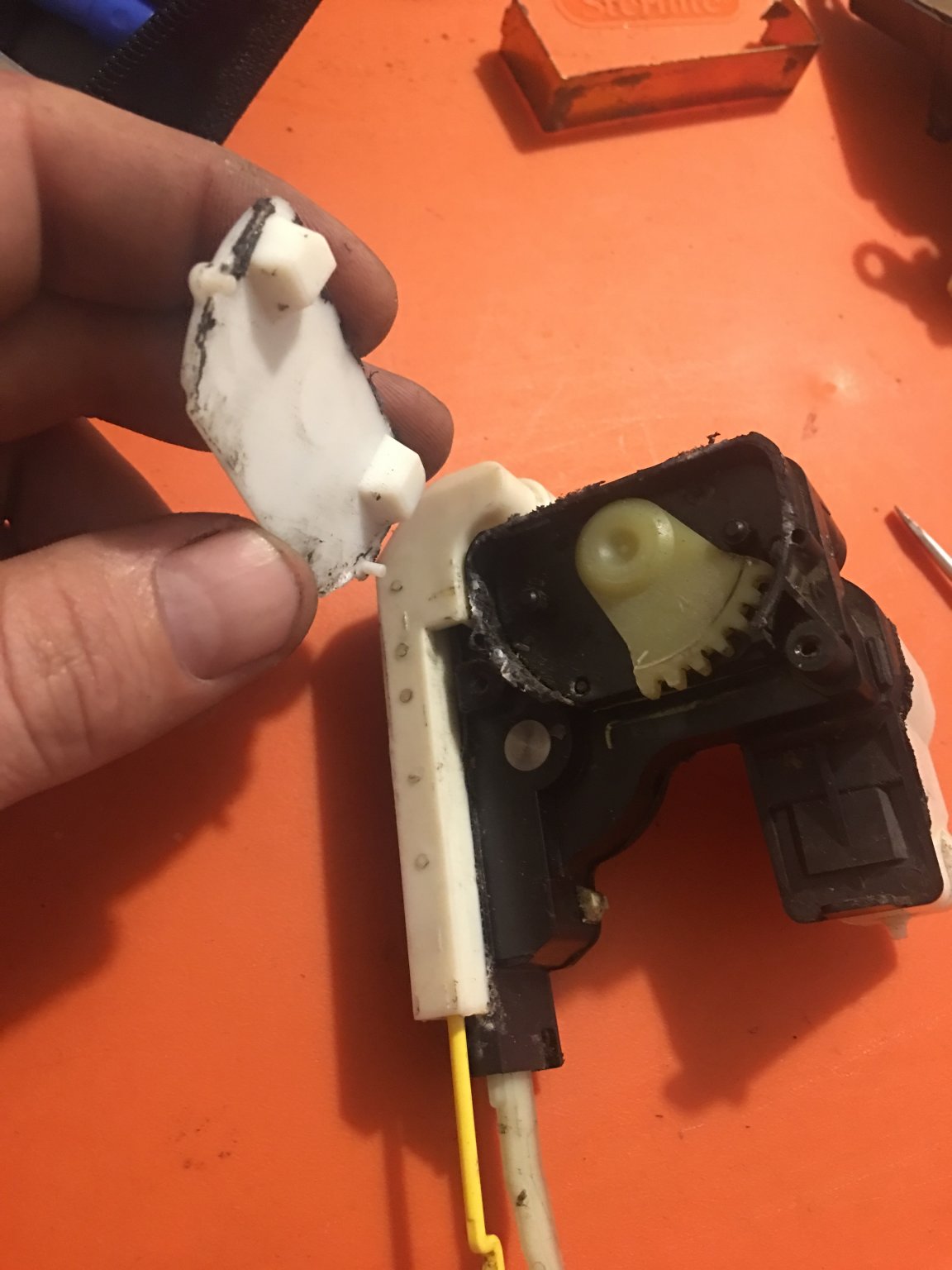
IMG_2096.JPG


...continued.
 
Last edited:
OP
OP
M1Gunner

M1Gunner

Full Access Member
Joined
Feb 7, 2015
Posts
1,078
Reaction score
1,238
Location
Gainesville, Fl
2 of 2

Remove the gear
IMG_2097.JPG


Very gently pry off the black plastic plate behind the gear
IMG_2098.JPG


Once the plate was removed the cause of my concern was clearly evident
IMG_2099.JPG


And as you can see I had some nasty corrosion built up preventing the switch from functioning properly
IMG_2100.JPG


I used 400 grit sandpaper, rubbing alcohol and a couple q-tips to clean up the contacts.
IMG_2102.JPG


Assemble in reverse order...

Once I had it all back together I plugged the latch assembly back into the harness and tested it using a screwdriver as the "door striker". Turned the key to off and "opened" the door and everything worked beautifully like new.

NOTE: the drivers door module is unplugged in order to remove the door panel. The module must be plugged back in in order to properly test the function of the door latch assembly!

Hopefully no one else experiences this problem but if you do I hope this helps!
 
Last edited:

adventurenali92

Full Access Member
Joined
Feb 16, 2015
Posts
7,722
Reaction score
9,173
Location
Big Bear Lake, ca
So it's just gunked up and needs to be cleaned? Or did you have to replace any of those parts. My 2006 is doing it every once in and I need a solution.
 
OP
OP
M1Gunner

M1Gunner

Full Access Member
Joined
Feb 7, 2015
Posts
1,078
Reaction score
1,238
Location
Gainesville, Fl
So it's just gunked up and needs to be cleaned? Or did you have to replace any of those parts. My 2006 is doing it every once in and I need a solution.

Just needs to be cleaned! The contacts in the switch built up a bit of corrosion making poor/no connection, dissabling it.

Why buy a new one $$$ when you can just clean it.
 
OP
OP
M1Gunner

M1Gunner

Full Access Member
Joined
Feb 7, 2015
Posts
1,078
Reaction score
1,238
Location
Gainesville, Fl
Good info. Thanks for taking the time to make the write-up!

I appreciate @iamdub! When I couldn't find any info on this I figured someone else may come across this issue and be completely lost. I like to pitch in when I can and if I can help save someone a headache, some time and money while doing so then mission accomplished!
 

Danny3737

Full Access Member
Joined
Jan 3, 2016
Posts
1,382
Reaction score
2,046
Did you put any dielectric grease on the contact parts? That will help with any corrosion build up in the future.
 
OP
OP
M1Gunner

M1Gunner

Full Access Member
Joined
Feb 7, 2015
Posts
1,078
Reaction score
1,238
Location
Gainesville, Fl
Did you put any dielectric grease on the contact parts? That will help with any corrosion build up in the future.

Absolutely! Thanks for pointing that out bc I failed to mention it but I figure that's a applied task lol.
 

07Burb

GM fan for life
Staff member
Moderator Supporting Member Administrator
Joined
Jan 3, 2011
Posts
50,933
Reaction score
19,329
Great write up!
 

Danny3737

Full Access Member
Joined
Jan 3, 2016
Posts
1,382
Reaction score
2,046
Sorry, should have started out that is was a nice write up. I'm sure many will benefit from it.
 

adventurenali92

Full Access Member
Joined
Feb 16, 2015
Posts
7,722
Reaction score
9,173
Location
Big Bear Lake, ca
Just needs to be cleaned! The contacts in the switch built up a bit of corrosion making poor/no connection, dissabling it.

Why buy a new one $$$ when you can just clean it.
Good to know thanks for the info! That's one thing I wanna try and dive into in the next couple weeks as the ski season dies down and I'm not working crazy amounts of hours.
 
OP
OP
M1Gunner

M1Gunner

Full Access Member
Joined
Feb 7, 2015
Posts
1,078
Reaction score
1,238
Location
Gainesville, Fl
Good to know thanks for the info! That's one thing I wanna try and dive into in the next couple weeks as the ski season dies down and I'm not working crazy amounts of hours.

The whole repair only took approx. 30 min. Just be extremely cautious and take your time when popping those backing plates off. The way they're glued on can cause them to break easily. I just used a razor knife and a mini screwdriver to work my way around prying them loose. A heat gun may work to help loosen up the glue too?
 

iamdub

Full Access Member
Joined
Apr 23, 2016
Posts
20,821
Reaction score
45,012
Location
Li'l Weezyana
I appreciate @iamdub! When I couldn't find any info on this I figured someone else may come across this issue and be completely lost. I like to pitch in when I can and if I can help save someone a headache, some time and money while doing so then mission accomplished!

It's highly likely as this is a common problem. Your efforts aren't in vain!
 

MadDogDelpho

Texcellent
Joined
Nov 20, 2016
Posts
1,692
Reaction score
2,297
Location
Texas
Been having the same problem with my passenger door, but this is the third one I've installed, and I noticed that the LED bulb that I just recently installed in the door is burnt out as well. Could these be related?
 
OP
OP
M1Gunner

M1Gunner

Full Access Member
Joined
Feb 7, 2015
Posts
1,078
Reaction score
1,238
Location
Gainesville, Fl
Been having the same problem with my passenger door, but this is the third one I've installed, and I noticed that the LED bulb that I just recently installed in the door is burnt out as well. Could these be related?

Absolutely, the reason is, if the mini wedge switch in that passenger door latch assembly doesn't send a signal to the pcm saying "hey, I'm open!" Then the pcm won't know to supply the lighting circuit a ground to illuminate the courtesy lamp... or turn the radio off or sound the door ajar warning etc.

EDIT: No offense, but are you sure the bulb itself is burned out? Have you tried supplying that bulb power or tried it in another socket to test the bulb?
 
Last edited:

Forum statistics

Threads
137,758
Posts
1,991,300
Members
102,742
Latest member
CKendrick
Back
Top