09 Tahoe - Wireless Headphones only plays on right side

Disclaimer: Links on this page pointing to Amazon, eBay and other sites may include affiliate code. If you click them and make a purchase, we may earn a small commission.

Just Fishing

Can't fix stupid
Joined
Aug 30, 2020
Posts
4,506
Reaction score
10,136
Location
Utah
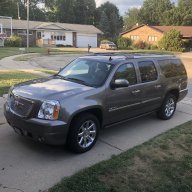
New to me 2009 Tahoe!

Loving the truck, however tinkering with all of the buttons we found that only the Left side of the wireless headphones play audio.

The original headphones were a tad beat, so i figured it's probably just the headphones and replaced them.

New headphones = same issue!

The prior owner also added an aftermarket radio, so I'm assuming it was part of that.
But i have no idea if it was related to the install.

Radio: Pioneer AVIC-5201NEX
Everything seems to work pretty well, short of the headphone jacks on the rear audio control panel.
The rear panel will let the rear passenger change stations and the source.. that's a tad annoying.

Playing a DVD, it will allow the rear passengers to hear audio through the headsets and i can still listen to the radio or what ever through the main speakers.


I thumbed through the Pioneer manual to see if there were any options that might be affecting the headphones, but i found nothing.


I also thumbing through the FSM, but most of it seems to think i need a tech2...

There was a mention that it's possible there is a grounding issue, however i'm still not finding much on a possible location.
If anyone has any experience on the subject... :beer:

 

Big Mama

Full Access Member
Joined
Jul 21, 2015
Posts
3,881
Reaction score
2,499
Location
Virginia
Yeah, can’t be of much help but welcome from Virginia. Some of the aftermarket audio guys will chime in. A Tech2 is a solid purchase. It’ll pay for itself quickly.
 
OP
OP
Just Fishing

Just Fishing

Can't fix stupid
Joined
Aug 30, 2020
Posts
4,506
Reaction score
10,136
Location
Utah
Yeah, can’t be of much help but welcome from Virginia. Some of the aftermarket audio guys will chime in. A Tech2 is a solid purchase. It’ll pay for itself quickly.

Thank you, and i was looking at a chinese knock off of a tech2 for $300
It has me tempted... :D
 

kbuskill

***CAUTION*** I do my own stunts!
Joined
Mar 11, 2017
Posts
5,825
Reaction score
9,836
Location
NE. FL.
Can you be more specific.

You say only the left side of the wireless headphones work.

Do you mean that you can only hear audio in your left ear on both wireless headphones?

Or do you mean the wireless headphones only work when sitting on the left side of the truck?

Or?

Have you tried plugging in wired headphones to the jacks on the back of the console to see if you have audio on both sides?
 
OP
OP
Just Fishing

Just Fishing

Can't fix stupid
Joined
Aug 30, 2020
Posts
4,506
Reaction score
10,136
Location
Utah
Yes, sorry.

Only the right side plays on both headphones.

Left side on either headphones has no audio.

You can sit anywhere you want, same thing. Lol
 

kbuskill

***CAUTION*** I do my own stunts!
Joined
Mar 11, 2017
Posts
5,825
Reaction score
9,836
Location
NE. FL.
I would suspect that one of the RCA jacks that feed audio to the RSE has either come unplugged or is otherwise malfunctioning.

I edited my post after you responded.

Have you tried wired headphones?
 
OP
OP
Just Fishing

Just Fishing

Can't fix stupid
Joined
Aug 30, 2020
Posts
4,506
Reaction score
10,136
Location
Utah
I edited my last reply, getting my self mixed up.

I did try wired headphones, but got no audio.
But there is a very good chance im doing it wrong on the rear rsa panel...
 

kbuskill

***CAUTION*** I do my own stunts!
Joined
Mar 11, 2017
Posts
5,825
Reaction score
9,836
Location
NE. FL.
I edited my last reply, getting my self mixed up.

I did try wired headphones, but got no audio.
But there is a very good chance im doing it wrong on the rear rsa panel...

Do you know what adapter the previous owner used to maintain the RSE and SWCs and such?

Maestro perhaps?

I would pull the HU and check the connections.
 
OP
OP
Just Fishing

Just Fishing

Can't fix stupid
Joined
Aug 30, 2020
Posts
4,506
Reaction score
10,136
Location
Utah
Yeah, noidea!

I'll add that to the list.

They also added a backup camera, tied into power at the rear hatch.
I saw the cheapest crimp connector that harbor freight sells... :rolleyes:

Complete with hard blue plastic shield thing that's totally loose and able to relocate it self on the wire... lol

I Figure it would not hurt to double check the entire install anyways. :jester:

I'm loving the pioneer head unit. :headbang:
 

wjburken

Elite Member
Supporting Member
Joined
Dec 26, 2017
Posts
10,314
Reaction score
29,542
Location
Eastern Iowa
If you listen to the movie or radio over the speakers, do you get both left and right channels?

I want to say the wireless connection is IR line-of-sight as the headphones will not work well in the front seat unless my wife leans her seat almost all the way back.

As others have stated, double check all the connections.
 
OP
OP
Just Fishing

Just Fishing

Can't fix stupid
Joined
Aug 30, 2020
Posts
4,506
Reaction score
10,136
Location
Utah
Movie, radio, Bluetooth, etc. on the main speakers sounds perfect.

Part of why i thought headphones were the issue to begin with.
Once fixed, we have 3 1/2 pairs.

I even thought about turning two headphones into one...
:jester:
 
OP
OP
Just Fishing

Just Fishing

Can't fix stupid
Joined
Aug 30, 2020
Posts
4,506
Reaction score
10,136
Location
Utah
I went out to try it again.
Sure enough, no change no matter where i sit in relation to the rf

I also tried the headphone jack again, then noticed that my headphones are fkd.

I'll try and find another set...
 

Doubeleive

Wes
Supporting Member
Joined
Nov 7, 2017
Posts
30,579
Reaction score
48,077
Location
Stockton, Ca.
I agree with Ken, I would pull the headunit out enough to check the rca connectors on the back for the a/v out, you can verify at that point if the issue is a bad connection after the headunit by plugging the right into the left and see if you still have left side audio and then go from there. I would guess the issue is most likely a disconnected rca as that would be the easiest thing to come undone.
 

wjburken

Elite Member
Supporting Member
Joined
Dec 26, 2017
Posts
10,314
Reaction score
29,542
Location
Eastern Iowa
I went out to try it again.
Sure enough, no change no matter where i sit in relation to the rf

I also tried the headphone jack again, then noticed that my headphones are fkd.

I'll try and find another set...
If you have a friend that has the RSE, try your headphones in their vehicle just to make sure your sets are good.
 
OP
OP
Just Fishing

Just Fishing

Can't fix stupid
Joined
Aug 30, 2020
Posts
4,506
Reaction score
10,136
Location
Utah
Hoping I'll have some time this weekend to mess with the system.
I'm also looking at that tech2 pretty seriously right now, but it's going to wait for another two weeks at least.
...but this weekend who knows, a few beers in and not sober me likes to buy sober me gifts (not sober me is very thoughtful)... :D

Feels like i have been forking out money left and right, getting this old Tahoe perfect and ready for a nice long lake trip with the boat.
I really only want the headphones working should my wife's siblings kids come along...
So other than that part of me that likes to tinker and get everything 100% working, it's a low priority.
But checking the unknown of the connections that the installer may have made, is a bit higher on the list. ;)

Seeing just the wiring of the backup camera has me concerned...

Red flags,
A cheap pos connector i would expect from a total noob or a hack installer
Wrong sized connector for the wire
wire is totally unsupported
Power tied into god knows what. :confused:

the biggest wtf,
The installer tried to route the wires through the oem location, right above the license plate.
I noticed the exterior trim piece was a bit loose, and there was a good 1/8in gap on the left side...
From what i saw, they ended up damaging the plastic exterior piece and gave up.
So, they ended up drilling a small hole through the lower license plate plastic screw grommet, then routed the wire behind the license plate.
Nothing wrong with that, and the wires are totally invisible when the plate is on...

So I decided to replace the rear badge since it was at the end of it's life, and took the mess apart.
I ended up using a bit of epoxy to repair the damaged screw/bolt mounts since it was pretty fkd.
It's now stronger than ever, and no more gap! :buffer:


Rear camera install Pros,
POS connector was Crimped nicely!
Good use of zip ties.
wire Routing looks pretty good.

Personally every connection i make will be crimped, soldered, and shrink wrapped with marine grade stuff. :angels2:


Back to the headphones.
There are brand new batteries in the original and the aftermarket replacements.
The no name batteries that came with the aftermarket ones tossed in favor name brand (didn't want the cheapies to leak and destroy the headphones).

To pull the HU, it looks like i need to pop off the front trim panel and not the entire surround like in earlier years.
I have the fancy trim, so I'm holding off to either make a tool from plastic, or to purchase a tool made for it.
 

kbuskill

***CAUTION*** I do my own stunts!
Joined
Mar 11, 2017
Posts
5,825
Reaction score
9,836
Location
NE. FL.
Hoping I'll have some time this weekend to mess with the system.
I'm also looking at that tech2 pretty seriously right now, but it's going to wait for another two weeks at least.
...but this weekend who knows, a few beers in and not sober me likes to buy sober me gifts (not sober me is very thoughtful)... :D

Feels like i have been forking out money left and right, getting this old Tahoe perfect and ready for a nice long lake trip with the boat.
I really only want the headphones working should my wife's siblings kids come along...
So other than that part of me that likes to tinker and get everything 100% working, it's a low priority.
But checking the unknown of the connections that the installer may have made, is a bit higher on the list. ;)

Seeing just the wiring of the backup camera has me concerned...

Red flags,
A cheap pos connector i would expect from a total noob or a hack installer
Wrong sized connector for the wire
wire is totally unsupported
Power tied into god knows what. :confused:

the biggest wtf,
The installer tried to route the wires through the oem location, right above the license plate.
I noticed the exterior trim piece was a bit loose, and there was a good 1/8in gap on the left side...
From what i saw, they ended up damaging the plastic exterior piece and gave up.
So, they ended up drilling a small hole through the lower license plate plastic screw grommet, then routed the wire behind the license plate.
Nothing wrong with that, and the wires are totally invisible when the plate is on...

So I decided to replace the rear badge since it was at the end of it's life, and took the mess apart.
I ended up using a bit of epoxy to repair the damaged screw/bolt mounts since it was pretty fkd.
It's now stronger than ever, and no more gap! :buffer:


Rear camera install Pros,
POS connector was Crimped nicely!
Good use of zip ties.
wire Routing looks pretty good.

Personally every connection i make will be crimped, soldered, and shrink wrapped with marine grade stuff. :angels2:


Back to the headphones.
There are brand new batteries in the original and the aftermarket replacements.
The no name batteries that came with the aftermarket ones tossed in favor name brand (didn't want the cheapies to leak and destroy the headphones).

To pull the HU, it looks like i need to pop off the front trim panel and not the entire surround like in earlier years.
I have the fancy trim, so I'm holding off to either make a tool from plastic, or to purchase a tool made for it.

Hazard Fraught, I mean Harbor Freight, has plastic interior trim panel tools that work pretty good...
Trim And Molding Tool Set, 5 Pc.
https://www.harborfreight.com/trim-and-molding-tool-set-5-pc-64126.html

The "wood grain" trim has to be pulled from around the center stack, it just pops out with a few clips around the edge.

Then you need a 9/32" socket, extension, ratchet or nut driver to remove the 8 screws that hold everything in.

You have to start at the bottom and remove the buttons for the adjustable pedals, TC, Parking assist, heated washer fluid (if you have it) etc.

Followed by the A/C control panel and finally the HU.

The switches and A/C panel don't need to be unplugged just pull them down out of the way.

Hope this helps.
 
Last edited:

petethepug

Michael
Joined
May 4, 2016
Posts
3,788
Reaction score
4,356
Location
SoCal
Wireless headphones, one side works. Does the truck have monitors in both d/s & p/s headrest or is this an issue with the center pull down screen between the front seats or both?

What was the original level of equipment on the truck for the DVD player(s) and is it equipped with the oe control equipment for the GM stand alone rear headrest DVD headrests (option code AYE)

If the truck has the oem headrest DVD player you’ll need to use the remote to get into the menu on the headrest and verify the the RSE (rear screen entertainment) screen is sourced to that DVD player or the center overhead screen or ...

Again, it all depends on what the original equipment is on the truck. You will need a specific remote to control the factory headrest screens. Search the inter webs like hell for the best price. I also think they’re discontinued. See pic below and be sure that if you purchase a different version than below you can return it.

56cda949518a665ac8765ff07b46e466.jpg


Sent from my iPhone using Tapatalk
 
OP
OP
Just Fishing

Just Fishing

Can't fix stupid
Joined
Aug 30, 2020
Posts
4,506
Reaction score
10,136
Location
Utah
I played with this a little over the weekend.
I have not yet pulled the Head Unit out to take a look to see what was installed etc.

The tv screen is a single that's attached to the roof, folds down etc.

However i did find a good set of headphones to test the jacks out.
Both rear Jacks don't appear to work at all.


Playing around with the replacement/aftermarket wireless headphones...
While testing i noticed that if i have a dvd playing, and the main screen on the pioneer unit has the movie playing as well.
If the headphones have channel "A" selected i get full stereo out of them!
The volume also increases when i turn up the main volume.
With this i also have the main speakers playing the same thing, going up with the headphones... :rolleyes:

if i change the HU to play the radio, i then need to select channel B in order to continue playing the DVD
Channel A will play the radio, pretty much clones what ever the HU has selected
but with the single side playing...
 
OP
OP
Just Fishing

Just Fishing

Can't fix stupid
Joined
Aug 30, 2020
Posts
4,506
Reaction score
10,136
Location
Utah
I also tried to buy one of those tech 2 clones that i had been watching, but they are sold out.
teaches me to share the link to a good price before i buy one. :D
 

Forum statistics

Threads
137,809
Posts
1,992,726
Members
102,794
Latest member
Drewphil
Back
Top