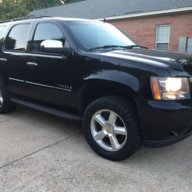
08 Tahoe clock adding an hour

Disclaimer: Links on this page pointing to Amazon, eBay and other sites may include affiliate code. If you click them and make a purchase, we may earn a small commission.

TanklessPro

TYF Newbie
Joined
Jun 1, 2017
Posts
10
Reaction score
0
Hello all,
My 08 LTZ keeps adding an hour to the clock. I have the NAV screen. Apparently it does not like daylight savings time. Any clues besides changing the entire unit?

 

Doubeleive

Wes
Supporting Member
Joined
Nov 7, 2017
Posts
30,584
Reaction score
48,092
Location
Stockton, Ca.
Hello all,
My 08 LTZ keeps adding an hour to the clock. I have the NAV screen. Apparently it does not like daylight savings time. Any clues besides changing the entire unit?
no clue but maybe......it could have something to do with the compass being set for a wrong area and it's getting some kind of data from that and changing the time zone?, really just a thought....is your nav set for the right area also? no idea if that is even possible, live on the cusp of a timezone? just thoughts.....
 
OP
OP
TanklessPro

TanklessPro

TYF Newbie
Joined
Jun 1, 2017
Posts
10
Reaction score
0
no clue but maybe......it could have something to do with the compass being set for a wrong area and it's getting some kind of data from that and changing the time zone?, really just a thought....is your nav set for the right area also? no idea if that is even possible, live on the cusp of a timezone? just thoughts.....
I’ll give that a try.
 

Doubeleive

Wes
Supporting Member
Joined
Nov 7, 2017
Posts
30,584
Reaction score
48,092
Location
Stockton, Ca.
when did it start doing this hour thing?

Starting in 2007, the United States and Canada will start Daylight Saving Time (DST) on the second Sunday of March and end on the first Sunday of November. From 1987 to 2006, DST began on the first Sunday in April and ended on the last Sunday of October.Mar 1, 2007
 
OP
OP
TanklessPro

TanklessPro

TYF Newbie
Joined
Jun 1, 2017
Posts
10
Reaction score
0
It just started doing this. I don’t drive it much, may be once a week.
 

Fless

Staff member
Moderator
Joined
Apr 2, 2017
Posts
16,403
Reaction score
33,933
Location
People's Republic of Colorado
@TanklessPro, if there is a way to check or set the date, look for that. Not sure if it would be automatic but, if not, it could have reverted to the wrong date (and year), like some time during DST.
 
OP
OP
TanklessPro

TanklessPro

TYF Newbie
Joined
Jun 1, 2017
Posts
10
Reaction score
0
@TanklessPro, if there is a way to check or set the date, look for that. Not sure if it would be automatic but, if not, it could have reverted to the wrong date (and year), like some time during DST.
No date option. I went through the compass and nav settings and everything was fine.
 

mt.davis

TYF Newbie
Joined
Jul 22, 2015
Posts
16
Reaction score
8
Location
Pensacola, FL
My 2008 Yukon SLT w/ nav did this as well. I was able to update the time but as soon as I turned the car off then back on, the time would revert to the original time. I learned to live with the clock being wrong for a portion of each year!!
 

Doubeleive

Wes
Supporting Member
Joined
Nov 7, 2017
Posts
30,584
Reaction score
48,092
Location
Stockton, Ca.
well you would probably have to ask the dealer that's where I would start and it's probably not going to be free unless you have some kind of warranty covering it, otherwise find out your specific radio/nav part number and start looking around online, there may be cheaper options, personally that was the first thing I yanked from my truck, out of date pos.....
 

DaveB

TYF Newbie
Joined
May 13, 2016
Posts
4
Reaction score
1
@TanklessPro, if there is a way to check or set the date, look for that. Not sure if it would be automatic but, if not, it could have reverted to the wrong date (and year), like some time during DST.
I have this same issue... GPS Coverage area screen on the nav says that the truck is in CST land, but we are really out here in California, which makes the time 2 hours off. Tried disconnecting GPS antenna, re-start, stop, re-connect as suggested elsewhere but no luck. Tried the hidden Nav screen to manually set the time to proper, but within a few minutes it reverts to 2 hours off. Open to other suggestions. For real. Thanks...
 

Fless

Staff member
Moderator
Joined
Apr 2, 2017
Posts
16,403
Reaction score
33,933
Location
People's Republic of Colorado
This is kind of curious. I recently - within the past 3 weeks - installed a Kenwood aftermarket radio in my Hoe, and just the other day noticed that the time was about 20 min fast. I know I set it correctly when I installed it (****, OCD, whatever), so I went ahead and reset it. It went immediately back to the wrong time. Digging through the menus I was able to turn off the "automatic time sync" and then was able to set and keep the correct time. Some of that automatic stuff is just wrong.
 

Forum statistics

Threads
137,817
Posts
1,992,843
Members
102,795
Latest member
Drewphil

Latest posts

Back
Top