Can't seem to program my garage door opener to Homelink

Disclaimer: Links on this page pointing to Amazon, eBay and other sites may include affiliate code. If you click them and make a purchase, we may earn a small commission.

KMeloney

Full Access Member
Joined
May 2, 2009
Posts
3,460
Reaction score
709
Hey all,

I've watched various YouTube clips, and I've read the manual, but I just can't seem to get my garage door opener to be learned by Homelink ('23 Yukon).

Seems that the problem, for starters, is that I ONLY get a fast-blinking Homelink light to begin with, where everything says that Homelink will start by blinking slowly (and then blink quickly when the opener has been learned). I think I'm starting off on the wrong foot here.

Btw, I have not yet tried to sync these things by way of pushing buttons on the actual garage door unit inside of the garage itself. I don't have easy access to it, so that's going to be the absolute last resort.

Anyone have any thoughts on this? Thanks.
 

Jimbo123

Member
Joined
Dec 28, 2023
Posts
53
Reaction score
56
Hold buttons 1 and 3 together for about 30 seconds. Then press and release the button you want to program on the homelink, then press and hold your garage door remote button.

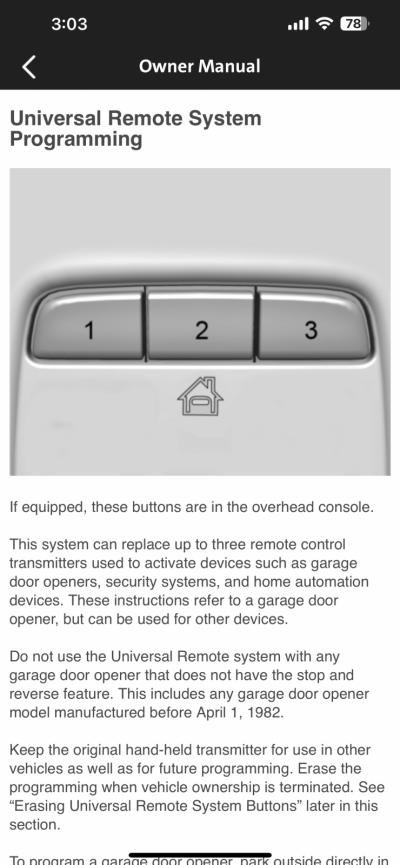
**Make sure you're using the homelink buttons on the overhead console, NOT the ones on the mirror**
 

WalleyeMikeIII

Full Access Member
Joined
Feb 22, 2022
Posts
2,753
Reaction score
2,618
Location
Sunny and Snowy Minnesota
if there is a learn button on the door opener, there is no way to program the truck w/ out hitting that button. Most openers these days have a “rolling code” technology. First you teach the truck what frequency to use to comm w/ the opener…but then you have to tell the opener to learn the current code that your truck is sending out.

What model garage door opener do you have?
 
OP
OP
KMeloney

KMeloney

Full Access Member
Joined
May 2, 2009
Posts
3,460
Reaction score
709
Ok... But how will I know that I've held the buttons long enough if everything I've seen/read says that the initial blink of the light should START as a slow blink and then TURN to a FAST blink? I'm starting with a fast blink with the push of any of the buttons.
 
OP
OP
KMeloney

KMeloney

Full Access Member
Joined
May 2, 2009
Posts
3,460
Reaction score
709
(My post above was in response to Jimbo's post, btw.)
 
OP
OP
KMeloney

KMeloney

Full Access Member
Joined
May 2, 2009
Posts
3,460
Reaction score
709
if there is a learn button on the door opener, there is no way to program the truck w/ out hitting that button. Most openers these days have a “rolling code” technology. First you teach the truck what frequency to use to comm w/ the opener…but then you have to tell the opener to learn the current code that your truck is sending out.

What model garage door opener do you have?

Wait, are you asking if there's a learn button the opener remote, or the in-garage mechanism that raises/lowers the door? There's def no learn button on the remote. I don't know what it says on the in-garage mechanism.

I don't recall the model of opener. I'll have to report back on that. Thanks.
 

WalleyeMikeIII

Full Access Member
Joined
Feb 22, 2022
Posts
2,753
Reaction score
2,618
Location
Sunny and Snowy Minnesota
Wait, are you asking if there's a learn button the opener remote, or the in-garage mechanism that raises/lowers the door? There's def no learn button on the remote. I don't know what it says on the in-garage mechanism.

I don't recall the model of opener. I'll have to report back on that. Thanks.
When I said “garage door opener,”. I was referring to the motor, chain/belt, and track that is mounted to your garage roof and garage door; actuating it opens/closes your garage door.

I would refer to the thing you clip on your visor as the “remote operator” for the “garage door opener.”

How new is your “garage door opener?” Most of the big branded ones (Genie/Chamerlain/lift master) have all had learn buttons on them for about 25-30 years now. But there were definitely some that don’t have the rolling code.

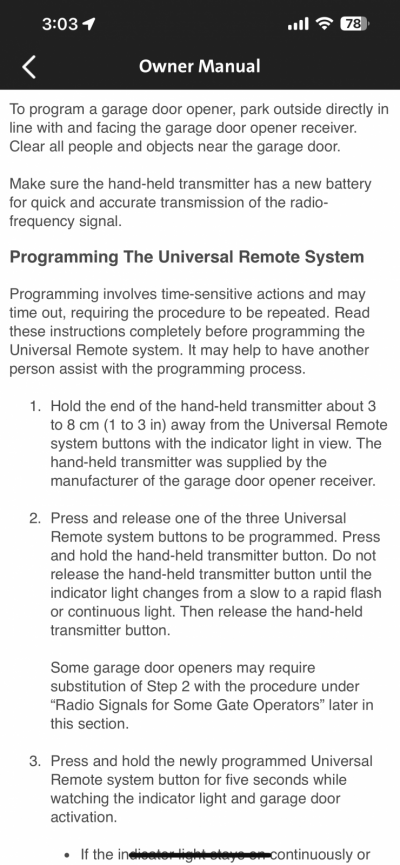
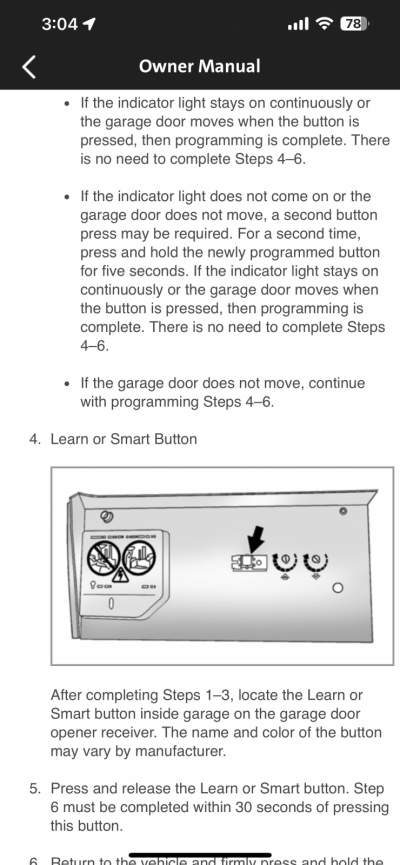
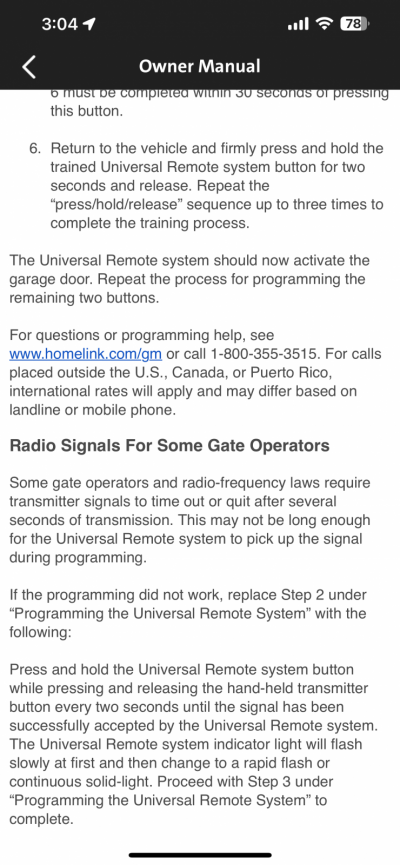
The instructions in the owners manual are pretty clear how to do the programming sequence.

Suggest finding the learn button on your garage door opener prior to beginning any programming.

My gut says you have the vehicle already programmed (steps 1-3 of the instructions in the owners manual.). And you just need to do steps 4-6 to complete the job…
 

Attachments

  • IMG_9753.png
    IMG_9753.png
    544.3 KB · Views: 182
  • IMG_9754.png
    IMG_9754.png
    706.8 KB · Views: 201
  • IMG_9755.png
    IMG_9755.png
    611.5 KB · Views: 176
  • IMG_9756.png
    IMG_9756.png
    701.4 KB · Views: 176

John52269

TYF Newbie
Joined
Oct 12, 2021
Posts
29
Reaction score
17
Remote System For questions or programming help, www.homelink.com/gm or call1-800-355-3515. I also had an issue setting up. They figured it out for me. You’re better off calling them for quicker service.
1f60e.png
 
OP
OP
KMeloney

KMeloney

Full Access Member
Joined
May 2, 2009
Posts
3,460
Reaction score
709
Really appreciate your time and your thorough response. Ok, I'm on the same page with you now.

I guess I simply need to get access to the opener, and that I won't be able to do the programming without it.
 

RST Dana

Elite Member
EMT/First Responder Firefighter Supporting Member
Joined
Jan 15, 2018
Posts
1,978
Reaction score
1,861
Location
OH
if there is a learn button on the door opener, there is no way to program the truck w/ out hitting that button. Most openers these days have a “rolling code” technology. First you teach the truck what frequency to use to comm w/ the opener…but then you have to tell the opener to learn the current code that your truck is sending out.

What model garage door opener do you have?
I have a learn button on my opener and homelink absolutely lets you program with only using the remote.
 
OP
OP
KMeloney

KMeloney

Full Access Member
Joined
May 2, 2009
Posts
3,460
Reaction score
709
I have a learn button on my opener and homelink absolutely lets you program with only using the remote.
...On your '20 model, or a '21 or later model? Because I can't get it to program on my '23 with just using the remote.
 

RST Dana

Elite Member
EMT/First Responder Firefighter Supporting Member
Joined
Jan 15, 2018
Posts
1,978
Reaction score
1,861
Location
OH
...On your '20 model, or a '21 or later model? Because I can't get it to program on my '23 with just using the remote.
20 and later looks to be the same. Just watched a YouTube video on my iPad and it’s exactly the same steps.

 
OP
OP
KMeloney

KMeloney

Full Access Member
Joined
May 2, 2009
Posts
3,460
Reaction score
709
Right -- and I've said already that I've watched similar videos and have followed the manual's directions for using the remote, and it won't work for me.
 

StephenPT

Full Access Member
Joined
Jan 16, 2022
Posts
1,252
Reaction score
1,266
Location
St. Helens, OR
My Genie belt drive has a program button located on the outside of the opener. Some need the light cover flipped down to access the program button. I remember when I setup HomeLink on my Honda Pilot, I had trouble with it until I figured out the program button. Genie has a YT video that shows the process of using the program button @ 4min mark.


No Homelink on my SLE, so the opener is just clipped to the sunvisor. :p
 

Blackcar

Full Access Member
Joined
Mar 31, 2018
Posts
922
Reaction score
866
OP keeps saying he cant get to lift motor inside garage??
 
Back
Top