
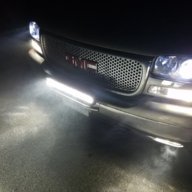
I think it looks amazing man, thanks! I will try to get some pics in the same lighting.
Sent from iPhone 7 plus using Tapatalk Pro
you never added yours?

Disclaimer: Links on this page pointing to Amazon, eBay and other sites may include affiliate code. If you click them and make a purchase, we may earn a small commission.
I think it looks amazing man, thanks! I will try to get some pics in the same lighting.
Sent from iPhone 7 plus using Tapatalk Pro
I know it might seem like nit-picking, but could you make the "I" also in caps?yup! here ya go


I know it might seem like nit-picking, but could you make the "I" also in caps?
Thanks!
Other wise, it looks great
Hadnt had a chance to get better pic yet?you never added yours?

I cant attach the one you made me pete, i gave it a halfas*** try and gave up. I, and many others, have said it before but you do some really good stuff there pete.
How do i get it in there good? Lol how do i use it as my sig? Can i do it on my phone?no worries. as long as i am not doing these for the heck of it.
i think you can just click the image icon in your toolbar and paste the image url into the pop-up box. but i usually just type the codes because sometimes the pop-up doesn't work.
How do i get it in there good? Lol how do i use it as my sig? Can i do it on my phone?
Sent from iPhone 7 plus using Tapatalk Pro
Doesn't seem to work on my phone, i hit that button and it turns blue then when i click to paste, the blue goes away and it doesn't paste anything.ha, i have never used my phone on this Forum. i always use my desktop. Just go to your signature area on your profile and click this icon. Then paste the image url in, and that should do it.


Stupid phuckin Photobucket just did it to me. Only thing I had on there was my sig pic and now for some reason when I hit that icon to add a pic from your server it just goes to a cursor on my sig page and won't let me add a URL. WTF? Anybody else having problems with the forum not letting them add a pic in your signature?Doesn't seem to work on my phone, i hit that button and it turns blue then when i click to paste, the blue goes away and it doesn't paste anything.
Yeah but there has to be a PLACE to type it! When I click on that icon where there used to be a box open up and it would say what sites were acceptable to host from and there would be that box to paste or type a URL. Now there's just a blinking cursor in my actual signature area. No box pops up. Nothing but a stupid blinking cursor. Try it on yours- you don't need to change anything with your sig, just try to click that image icon and see what happens.Forum has been acting weird for me lately. Even clicking "like" takes forever.
@RedRocket - As far as your sig, you can always type the IMG code in by hand. So for yours, you would just type this exactly as you see it here.

Yeah but there has to be a PLACE to type it! When I click on that icon where there used to be a box open up and it would say what sites were acceptable to host from and there would be that box to paste or type a URL. Now there's just a blinking cursor in my actual signature area. No box pops up. Nothing but a stupid blinking cursor. Try it on yours- you don't need to change anything with your sig, just try to click that image icon and see what happens.
You're a damn genius, son. It worked!yeah, thats what i am saying, that image icon isn't working for us for some reason. so just type those IMG tags with their brackets surrounding your URL that you paste at the cursor just like i did in the previous post. you're basically just hard-coding it instead of using the tool bar
sidenote: last night i saw a ton of spam BS posts on the forum. someone should make shure we didn't get hijacked cuz everything is VERY slow today
You're a damn genius, son. It worked!
Wheres yours? @SevenevezPOW! nice job, RR

Wheres yours? @Sevenevez
it's beauty changes almost every week! hopefully soon it will be worthyI always use my phone, no laptop


