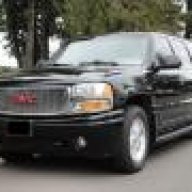
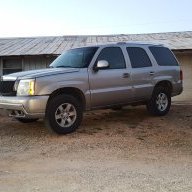
Denali and AWD Traction Control. Seems to work more than I would like to..

Disclaimer: Links on this page pointing to Amazon, eBay and other sites may include affiliate code. If you click them and make a purchase, we may earn a small commission.

Searay45db

Full Access Member
Joined
Sep 8, 2016
Posts
152
Reaction score
21
Location
Philadelphia
On my new to me 05' XL Denali, I have noticed that when I go over bumpy roads or intersections, traction control kicks in. It's kind of a drag. Yes I know I can turn it off, but not all that practical. Is that the way they are or is there something I might have to check?


Thanks!
 

Rocket Man

Mark
Supporting Member
Joined
Dec 25, 2014
Posts
26,679
Reaction score
52,956
Location
Oregon
You can turn off traction control in your Denali? My 02 is just AWD and there are no controls, but I can't tell there's anything except full traction. I can't feel any "drag" in any situation. It just hooks up no matter how hard I drive it.
 

Chip18

Full Access Member
Joined
Sep 3, 2016
Posts
211
Reaction score
32
Location
Dayton NV
I think "something is off on yours??" On or 2004 Denali I can pretty much ignore speed bumps at will! A new thing for me as with all my cars I have to crawl sideways over them!

Is the DIC throwing any codes??? And I've not looked but most likely there are sensors and stuff that maybe loose or corroded??
 

adventurenali92

Full Access Member
Joined
Feb 16, 2015
Posts
7,737
Reaction score
9,212
Location
Big Bear Lake, ca
Yeah on the 2003+ models there is a button to the bottom right of the stereo that allows traction control to be disengaged. I've heard a lot of differing things happening with the traction control system. Mine is always engaged but I don't feel it kick in like what you describe @Searay45db . our roads up here in the mountains are pretty jacked up right now with all the bs construction they are doing. The main boulevard through town is just a messy patch work of uneven pavement where they have torn into it and then patched it back up. Going over the bumps and uneven pavement and such doesn't seem to phase my traction control system. Like @Chip18, Said there could be loose or corroded sensors. Id check into that and also I'd say have a scanner tool plugged in to your diagnostic port to see if your DIC had any past error codes thrown for the traction system that may have been cleared.
 

Chip18

Full Access Member
Joined
Sep 3, 2016
Posts
211
Reaction score
32
Location
Dayton NV
Yeah ... I'm new these but if the TC, is kicking in on bumps and stuff?? Something is just not right??

By and large with "TC" if everything is functioning properly ... you should not even know it's there??? On one occasion when making a hard left turn ... I saw the light flash??? But I tend to stay on the throttle, got the front wheels and dropped the hammer! The steering wheel was now pointed straight "apparently the TC said "oh ...never mind" I dropped the hammer and the thing snacked my head back ..."Outstanding !!!"

I finally got to drive it in "Rain" today! I won't mention the "Brown out conditions" as that's area specific. :)

But ... to the point ... on rain slick roads and driving hard ... the "TC" never engaged. If your "TC" is engaging frequently and over bumps ... something is just not right???
 
OP
OP
Searay45db

Searay45db

Full Access Member
Joined
Sep 8, 2016
Posts
152
Reaction score
21
Location
Philadelphia
It's not pulling any codes. Guess I will have to read up on the sensors and where they are...
 
OP
OP
Searay45db

Searay45db

Full Access Member
Joined
Sep 8, 2016
Posts
152
Reaction score
21
Location
Philadelphia
Nope, but I did find a service bulleting on this for this year. Not sure if it was done. It's pretty old, so I suspect that the dealer will probably charge me for this....ya gotta love it.
 

Rivieraracing

Full Access Member
Joined
May 2, 2009
Posts
3,810
Reaction score
82
Location
Oregon
You can turn off traction control in your Denali? My 02 is just AWD and there are no controls, but I can't tell there's anything except full traction. I can't feel any "drag" in any situation. It just hooks up no matter how hard I drive it.

That is the best thing about my '02 in questionable weather, can mash the pedal almost 100% of the time and go in a completely straight line (except wet/icy Oregon conditions)
 

retiredsparky

Full Access Member
Joined
Jul 9, 2016
Posts
379
Reaction score
121
I agree with the above posters who think you have a sensor or cable connection that has an intermittent connection that is affected by the rough road. Look for corrosion on the cable connectors. A sensor may have come loose inside of it's plastic case or in the hub.

Jack your truck up and wiggle the tires to see if you have worn bearings in the hubs. The reluctor wheel wobbling (attached to the hub internally) can cause various problems with the ABS and traction control.
 
OP
OP
Searay45db

Searay45db

Full Access Member
Joined
Sep 8, 2016
Posts
152
Reaction score
21
Location
Philadelphia
TECHNICAL

Bulletin No.: 03-05-25-007D

Date: May 01, 2009

Subject: Antilock Brake (ABS) Activation At Low Speeds (Clean Wheel Speed Sensor Mounting Surface)

Models:
2002-2006 Cadillac Escalade, Escalade EXT
2003-2006 Cadillac Escalade ESV
1999-2006 Chevrolet Silverado
2001-2006 Chevrolet Suburban, Tahoe
2002-2006 Chevrolet Avalanche
2003-2006 Chevrolet Express
2007 Chevrolet Silverado Classic
1999-2006 GMC Sierra
2001-2006 GMC Yukon, Yukon Denali, Yukon XL, Yukon Denali XL
2003-2006 GMC Savana
2007 GMC Sierra Classic
2003-2006 HUMMER H2


Supercede:This bulletin is being revised to add the 2007 Silverado/Sierra Classic models. Please discard Corporate Bulletin Number 03-05-25-007C (Section 05 - Brakes).


Condition

Some customers may comment on ABS activation at low speeds, usually below 8 km/h (5 mph). Upon investigation, the technician will find no DTCs set.

Cause

The cause of this condition may be an increased air gap between the wheel speed sensor and the hub reluctor ring due to rust and debris built up on the sensor mounting surface.

Correction

Measure AC voltage and clean the wheel speed sensor mounting surfaces.

1. Raise and support the vehicle. Refer to Lifting and Jacking the Vehicle in the General Information sub-section of the Service Manual.
2. Disconnect both the front wheel speed sensor connectors at the frame and harness.
3. Place a Digital Volt Meter (DVM) across the terminals of each wheel speed sensor connector.
4. Rotate the wheel clockwise approximately one revolution per second. The minimum reading should be at least 350 ACmV's. If the reading is less than 350 ACmV's, remove the wheel speed sensor. Refer to the applicable Wheel Speed Sensor Replacement procedure in the ABS sub-section of the Service Manual.
5. Plug the wheel speed sensor bore in order to prevent debris from falling into the hub during service.
6. Clean the wheel speed sensor mounting surface using a wire brush, sand paper, emery cloth, scotch brite, or other suitable material. Be sure to thoroughly clean the wheel speed sensor surface. There should be no rust or corrosion.
7. Check the sensor head to determine if it has been warped/distorted due to the corrosion build up or other causes. Check the mounting surface on the sensor head for flatness by placing it on the edge of a metal machinists scale or other suitable straight edge to measure the flatness. Check the sensor for flatness in multiple (minimum 3) positions/directions. If the sensor head is distorted, replace the sensor.
8. Apply (spray) two thin coats of the specified rust penetrating lubricant (corrosion inhibitor) to the complete sensor mounting surface on the bearing hub. Allow to dry for 3-5 minutes between coats. Use ONLY Rust Penetrating Lubricant, P/N 89022217 (in Canada, P/N 89022218).
9. When the corrosion inhibitor is dry to the touch (about 10 minutes), apply a thin layer of bearing grease to the hub surface and sensor O-ring prior to sensor installation. Use ONLY Wheel Bearing Lubricant, P/N 01051344 (in Canada, P/N 993037).
10. Install either the original sensor or a new one in the hub. Ensure that the sensor is seated flush against the hub. Refer to the applicable Wheel Speed Sensor Replacement procedure in the ABS sub-section of the Service Manual.
11. Place the DVM across the sensor terminals and recheck the voltage while rotating the wheel. The voltage should now read at least 350 ACmV's.

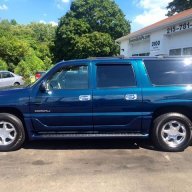
150637761.gif
 
OP
OP
Searay45db

Searay45db

Full Access Member
Joined
Sep 8, 2016
Posts
152
Reaction score
21
Location
Philadelphia
Bulletin No.: 04-08-49-006C

Date: January 05, 2005

TECHNICAL

Subject:
Service Stability Message Displayed, DTC C0550 Set (Reprogram EBCM)


Models:
2004-2005 Cadillac Escalade, Escalade ESV, Escalade EXT
2004-2005 Chevrolet Avalanche, Suburban, Tahoe
2004-2005 GMC Yukon, Yukon Denali, Yukon XL


Supercede:

This bulletin is being revised to correct the Subject line. Please discard Corporate Bulletin Number 04-08-49-006B (Section 08 - Body and Accessories).

Condition

Some customers may comment that while driving downhill and making a turn, the Service Stability message will display in the Driver Information Center (DIC). This will occur prior to ABS activation and once stopped, the message will go off.

Upon investigation, the technician may find DTC C0550 stored in history.

Cause

The cause of this condition may be that the "Long Accel Gain" parameters in the EBCM are sensitive to certain driving conditions.

Correction

Technicians are to reprogram the EBCM with an updated software calibration. This new service calibration was released with TIS satellite data update version 9.5 available September 20, 2004. As always, make sure your TECH 2(R) is updated with the latest software version.

Warranty Information


111774417
 

Rocket Man

Mark
Supporting Member
Joined
Dec 25, 2014
Posts
26,679
Reaction score
52,956
Location
Oregon
Do you think your ABS is activating at slow speed or is the Service Stability message showing up in the DIC? These TSB's are specific to these , and I didn't see you mentioning these exact issues in your previous posts.
 

retiredsparky

Full Access Member
Joined
Jul 9, 2016
Posts
379
Reaction score
121
I can see where both of these TSB's are logical in certain situations. A dirty surface at the sensor location would only be a problem if the sensors had been r & r'd without cleaning that surface. So it does make sense to check the sensor voltage as recommended.

Rough roads causing intermittent activation sounds more like a corroded connection or faulty sensor/worn hub bearings. Rough roads cause a lot of G-force (especially on trucks with large diameter rims and short sidewall tires) on the un-sprung part of the suspension where the sensors are mounted.
 

05alive

Full Access Member
Joined
Mar 2, 2015
Posts
413
Reaction score
314
Location
Masshole
Replace your ABS sensors. It's like 40 bucks for both. Easy job if you have access to a jack and some simple tools. If you feel up to it, clean the surface rust off your cv's.
 

MikeLade

Member
Joined
Jan 16, 2015
Posts
32
Reaction score
38
I had the same issue on my 03 Escalade.

After replacing all of the brake calipers and doing a brake fluid flush, the problem is gone. While I was at it, I upgraded to GMT900 brakes up front.
 

Forum statistics

Threads
138,118
Posts
1,999,600
Members
103,040
Latest member
CrackerJack135

Latest posts

Back
Top