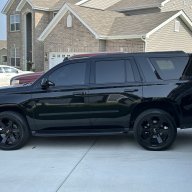
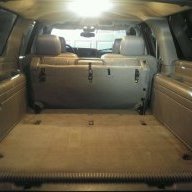
Using Roku in 2017 Suburban

Disclaimer: Links on this page pointing to Amazon, eBay and other sites may include affiliate code. If you click them and make a purchase, we may earn a small commission.

nchls28

TYF Newbie
Joined
Feb 11, 2018
Posts
2
Reaction score
1
Joined this forum because I didn't know where else to ask plus I know I'll be turning to this site for future questions/answers.

I bought a 2017 Chevy Suburban Premier with the rear seat entertainment system and I plugged a Roku streaming stick into the HDMI port. I get picture and sound on the home menu screen of the Roku and can navigate through all the channels however when I choose a video to watch I only get sound and the screen is black. When I back out of the video the picture resumes with the home screen for the Roku and all is good again. I plugged it into my TV in my house and video and sound works fine. Can't figure out what I'm missing... Curious if anyone else has hooked up the Roku streaming stick in their vehicle. Thanks for the help!

 

WIFFLEHOUSE

TYF Newbie
Joined
Jul 26, 2015
Posts
16
Reaction score
7
Location
Riverside, CA
I was having similar problems and ended up giving up on the roku and going with chromecast. Now the kids watch Netflix with no problem. Shame too cause I liked the roku.
 
OP
OP
N

nchls28

TYF Newbie
Joined
Feb 11, 2018
Posts
2
Reaction score
1
Thanks I'll give the Chromecast a try. Been using my phone to stream movies for the kids but it's a hassle because it ties up my phone the whole time and I can't plug it in to use Apple carplay
 

TechSupport

Full Access Member
Joined
May 24, 2016
Posts
315
Reaction score
72
Location
06516
When powering the roku don’t use the the usb outlet next to the HDMI. Use the 120volt outlet or the cigarette lighter usb. That should take care of your issue.
 

HotRod104

TYF Newbie
Joined
Jul 25, 2018
Posts
1
Reaction score
0
Greetings everyone,

Newbie here too. Just bought a 2017 Suburban with the RSE system and was trying to get a Roku Stick to work as well... ended up using the 120v power adapter and got the Roku setup screen, but it was severely not lined up or formatted for the screen and I can only see the lower left portion of the screen. Sorry, see that does not give a good description... the image of the screen is "zoomed" into the lower left portion of the display. So if I was looking at the "Setup Wireless Connection" menu I can only see the lower left portion of the virtual keyboard at all. I am wondering if this is just a Roku issue and that switching to a Chromecast or Fire Stick would work without issues... or if using a streaming device is just a no-go via the system. Any guidance or input is appreciated.
 

JMTexasGuy

TYF Newbie
Joined
Jul 29, 2018
Posts
12
Reaction score
5
Try going into the settings of the Roku and changing the output resolution from auto to 720P. The issue with auto is that it’ll try to match the output of the content you choose, but the screen will not handle higher resolutions. Manually setting it to 720p forces it to output the lower resolution for all content, thus fixing the issues.
 

jsun0079

TYF Newbie
Joined
Jan 28, 2019
Posts
3
Reaction score
0
I am having the same issue as HotRod104. Just got a 2018 Yukon and can't get Roku Express to work on RSE. The screen appears zoomed in so I can only see a small portion of the Roku menu. I am connecting using HDMI and tried powering with both the USB and 120v. I even tried setting up the Roku on my home tv and set the Roku display to 720p but when I took it out to the car, I got the same zoomed in screen. Any advice or should I go with a different device or does anyone have any recommendations for DLNA apps that work with Apple iOS?
 

07 Denali

Full Access Member
Joined
Apr 27, 2011
Posts
106
Reaction score
45
Thanks I'll give the Chromecast a try. Been using my phone to stream movies for the kids but it's a hassle because it ties up my phone the whole time and I can't plug it in to use Apple carplay
How are you able to stream movies from your iPhone?
 

Brandon Hubbard

TYF Newbie
Joined
Feb 27, 2019
Posts
15
Reaction score
8
I have not done this but assuming for iPhone... av video adaptor to hdmi to hdmi/lightening adapter.
 

Jonathan Leitner

TYF Newbie
Joined
May 29, 2019
Posts
1
Reaction score
0
I was so excited when the salesman was going over specs on the infotainment unit -- wireless projection to individual screens from your phone, and built in Wi-Fi in the vehicle? I wrongfully assumed that this mean the whole infotainment unit used the WiFi in the car, and we could cast to each screen.

Anyway, the first thing I had in my car was a Fire TV unit. It worked pretty well. We had a pii bluetooth keyboard paired to make typing easier, had it setup to the in car WiFI and life was good. At some point, my Fire TV updated-- and life turned bad. IT would no longer display on in car units. So I bought a Chromecast, and that worked *fairly* well. The only issue here, is that there are 6 of us in the car on trips, and the WiFi gets pretty bogged down at times; and controlling the Chromecast from your phone requires you to be on the same WiFi network... The older model worked better for us. I thought I would try a Roku, but I've run into the same issue as the OP.

I'm guessing, but I"m not sure, that the reason the Fire TV stopped working was because of HDCP. Has anyone run down any info on this, or the Roku zoom issue? I tried talking to Roku support, and they said that it was not a resolution issue, but an aspect ration issue; and I needed to contact the mfr of the the TV for help adjusting those settings-- which doesn't sound right to me at all.

So.. I'm stuck with the Chromecast for now I guess -- which by the way is an AMAZING thing in the House, but I'd rather the Roku or Fire TV in the Sub.
 

RST Dana

Elite Member
EMT/First Responder Firefighter Supporting Member
Joined
Jan 15, 2018
Posts
1,996
Reaction score
1,870
Location
OH
Apple TV with Netflix or Amazon Prime Video or Youtube TV works
 

Denalitank

TYF Newbie
Joined
Oct 8, 2020
Posts
8
Reaction score
4
My kids are 11 and 13. I was debating to do the roku setup in my '17 Yukon XL Denali. Ended up just ordering them HDMI to Type C cable from Amazon. Their LG (Android) phones to stream Netflix from. Less electronics and remotes I have to worry about.


Sent from my SM-G981U using Tapatalk
 

JML07denali

Full Access Member
Joined
Mar 23, 2014
Posts
874
Reaction score
368
2016 GMC Yukon SLT. I have a roku and it works just fine. I bought a HDMI to AV converter on Amazon and the picture looks great! Connect the RCA cables to back of the center console, then HDMI cable to the Roku stick. I power it from the 12v on the back console or from the front USB ports
7613ce7d4d176691fbda40c4b2488936.jpg


Sent from my iPhone using Tapatalk
 
Last edited:

Woodblocker55

Full Access Member
Joined
Apr 13, 2019
Posts
673
Reaction score
422
You need to search but there's a chrome cast that doesn't need a router to mirror but only some models work good .. I have ruko that has RCA plugs . Netflix download and hbo download work great now for remote play .

Sent from my LGL722DL using Tapatalk
 

STiGuy07

TYF Newbie
Joined
Feb 5, 2021
Posts
6
Reaction score
3
Hi, I know this is old but I'm a newbie.

Vehicle: 2017 Suburban Premier (w/ at&t internet)

Anyone have success connecting the roku stick directly into the back of center console and powering with the 110v plug?

Side note: from my living room, I connected it to my truck's wifi and made sure the resolution was set to 720 and not 1080.
 

STiGuy07

TYF Newbie
Joined
Feb 5, 2021
Posts
6
Reaction score
3
Update: I tried Roku stick and fire stick Lite (hdmi plug and power outlet connected). None were even recognized by my 2017 Suburban Premier! Very frustrating.

Is there a specific model that works (plug and play)?
 

17suburbanpremier

TYF Newbie
Joined
Jul 20, 2010
Posts
7
Reaction score
2
I have a 2017 suburban premier and I use the Roku express; the only thing I had to do was adjust the video to 720 so it would work on the dual screens in the back; kids love it and it works without fail.
 

Forum statistics

Threads
138,094
Posts
1,998,792
Members
103,016
Latest member
BadDaddy2003
Back
Top