Stubborn voice commands?

Disclaimer: Links on this page pointing to Amazon, eBay and other sites may include affiliate code. If you click them and make a purchase, we may earn a small commission.

jetfixer320

TYF Newbie
Joined
Jun 3, 2025
Posts
24
Reaction score
9
Location
Idaho
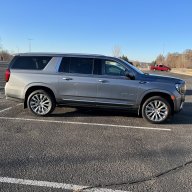
On my '25 Yukon whenever I push the speak button and make a Sirius XM radio station request of a station not programmed, my request pops up on the big screen "word for word" But then the female assistant voice always says something to the effect of "I don't recognize your command." I went to the dealership and the salesman said I needed to google sync the Yukon to my phone. (NO idea why, Sirius XM has nothing to do with Google installed on my phone) The salesman suggested I say "Hey Google" first, but it makes no difference.

If I ask it to place a phone call, it works fine.

These commands have always worked on my previous GM's, including the '24 Cadillac Blackwing I currently own. Did they change something on the '25's that requires different wording from me?

 
OP
OP
J

jetfixer320

TYF Newbie
Joined
Jun 3, 2025
Posts
24
Reaction score
9
Location
Idaho
It took some research, but I think I finally figured out the issue. Through several previous vehicles (Including my current '24 Cadillac Blackwing) I've always used the voice command "TUNE" to adjust the radio to a specific station, and it always worked.
From what I read, in this new Google-based system, you must begin your radio station change requests with the word "PLAY" as in: "Play Sirius XM channel 8"
Whenever tuning through Sirius XM stations, the system will recognize either the channel number OR the channel name. (For example, Play Sirius XM 8, or Play Sirius XM 80's on 8)
It will also tune AM & FM stations, HOWEVER you must ask for the radio station by frequency as in "Play AM 870" If you ask for the AM or FM radio station by its call letters, the system won't recognize the request.
 

Scarey

Full Access Member
Joined
Oct 15, 2024
Posts
308
Reaction score
269
I’ve been playing with the voice commands also. I wish there was a cheat sheet with the key phrases.
 

Doubeleive

Wes
Supporting Member
Joined
Nov 7, 2017
Posts
30,698
Reaction score
48,335
Location
Stockton, Ca.
I’ve been playing with the voice commands also. I wish there was a cheat sheet with the key phrases.
1. Phone Calls:

  • "Call [Contact Name]" (e.g., "Call Vanessa")
  • "Call [Contact Name] at [Location/Type]" (e.g., "Call Mom at home," "Call Jack on mobile")
  • "Dial [Phone Number]" (e.g., "Dial 313-555-1234")
  • "Voicemail" (to play messages)
  • "Redial"
  • "Switch phone" (to change between paired Bluetooth phones)
2. Audio/Media Control:

  • "Play [Song Title]" (e.g., "Play Amazing Grace")
  • "Play [Artist Name]" (e.g., "Play Ed Sheeran")
  • "Play [Album Name]"
  • "Play [Genre]" (e.g., "Play Blues")
  • "Tune to AM [Frequency]" (e.g., "Tune to AM 760")
  • "Tune to FM [Frequency]" (e.g., "Tune to FM 96.3")
  • "Tune to SiriusXM channel [Number]" (e.g., "Tune to SiriusXM channel 34")
  • "Next song" / "Previous song"
  • "Shuffle on/off"
  • "Play [USB/Bluetooth Audio/CD]"
3. Navigation (if equipped with built-in navigation or using Google Maps via Google built-in):

  • "Directions to [Address]" (e.g., "Directions to 111 Main Street")
  • "Navigate to [Point of Interest]" (e.g., "Navigate to the Museum of Natural History")
  • "Directions to [Contact Name]" (e.g., "Directions to John's house")
  • "Find [Type of business]" (e.g., "Find coffee shop")
  • "Go home" / "Take me home"
  • "Cancel route"
  • "Show map"
4. Climate Control (on compatible models with advanced climate integration):

  • "Set temperature to [Degrees]" (e.g., "Set temperature to 72 degrees")
  • "Turn on AC" / "Turn off AC"
  • "Increase fan" / "Decrease fan"
  • "Turn on auto mode"
  • "Turn on driver/passenger/rear seat heater/cooler" (if equipped)
5. General/System Commands:

  • "Help" (will usually bring up a list of commands on the screen)
  • "Cancel" (to stop the voice session)
  • "Go back"
  • "Main Menu"
  • "Settings"
  • "Pair phone"
  • "What's the weather?" (with Google Assistant)
  • "How much gas do I have left?" (some newer models may support this)
 

Doubeleive

Wes
Supporting Member
Joined
Nov 7, 2017
Posts
30,698
Reaction score
48,335
Location
Stockton, Ca.
the world is at your fingertips and has been since around 1990, before that you had a library.......
 
OP
OP
J

jetfixer320

TYF Newbie
Joined
Jun 3, 2025
Posts
24
Reaction score
9
Location
Idaho
2. Audio/Media Control:

  • "Play [Song Title]" (e.g., "Play Amazing Grace")
  • "Play [Artist Name]" (e.g., "Play Ed Sheeran")
  • "Play [Album Name]"
  • "Play [Genre]" (e.g., "Play Blues")
  • "Tune to AM [Frequency]" (e.g., "Tune to AM 760")
  • "Tune to FM [Frequency]" (e.g., "Tune to FM 96.3")
  • "Tune to SiriusXM channel [Number]" (e.g., "Tune to SiriusXM channel 34")
  • "Next song" / "Previous song"
  • "Shuffle on/off"
  • "Play [USB/Bluetooth Audio/CD]"
"Tune" has worked on nearly every previous GM product I've owned (They told me up front on my '15 Sierra Denali not to use the voice recognition software because it was awful. They were right!)
Now all of the sudden "Tune" gets changed to "Play"
Engineers... They're not happy unless their changing something.
Mine is a GMC, but I have a salesman buddy at the local Chevy/Cadillac dealer who says "Give it a year & they'll probably change it completely again" I believe him...
 
Last edited:

WalleyeMikeIII

Full Access Member
Joined
Feb 22, 2022
Posts
2,764
Reaction score
2,631
Location
Sunny and Snowy Minnesota
I’ve been playing with the voice commands also. I wish there was a cheat sheet with the key phrases.
Right there on pages 169 and 170 in my 2022 Owners Manual:
1753892795654.png
 

WalleyeMikeIII

Full Access Member
Joined
Feb 22, 2022
Posts
2,764
Reaction score
2,631
Location
Sunny and Snowy Minnesota
"Tune" has worked on nearly every previous GM product I've owned (They told me up front on my '15 Sierra Denali not to use the voice recognition software because it was awful. They were right!)
Now all of the sudden "Tune" gets changed to "Play"
Engineers... They're not happy unless their changing something.
Mine is a GMC, but I have a salesman buddy at the local Chevy/Cadillac dealer who says "Give it a year & they'll probably change it completely again" I believe him...
Because GM didn't design or implement the Google Assistant, which is what now has control over your vehicle...they just made the rest of the car contollable by it.

If you have a google phone or google home device or iPhone or AirPod or Alexa, "Play" is what you say to these digital assistants...
 
OP
OP
J

jetfixer320

TYF Newbie
Joined
Jun 3, 2025
Posts
24
Reaction score
9
Location
Idaho
I guess I've just been lucky that my previous vehicles would accept the term "Tune" so I ASSUMED (Ya'll know what that means) it was the correct command.
I'm now reminded of the words my father (tried) to drill into me: "When all else fails, read the directions!"

Sorry guys, my bad...
 

WalleyeMikeIII

Full Access Member
Joined
Feb 22, 2022
Posts
2,764
Reaction score
2,631
Location
Sunny and Snowy Minnesota
I guess I've just been lucky that my previous vehicles would accept the term "Tune" so I ASSUMED (Ya'll know what that means) it was the correct command.
I'm now reminded of the words my father (tried) to drill into me: "When all else fails, read the directions!"

Sorry guys, my bad...
No need to apologize.

Recommendation: download the OM from GMC.com and store it on your computer. It is hyperlinked and searchable, makes it super easy to look something up.
 

Forum statistics

Threads
138,040
Posts
1,997,656
Members
102,976
Latest member
Capybarbro
Back
Top