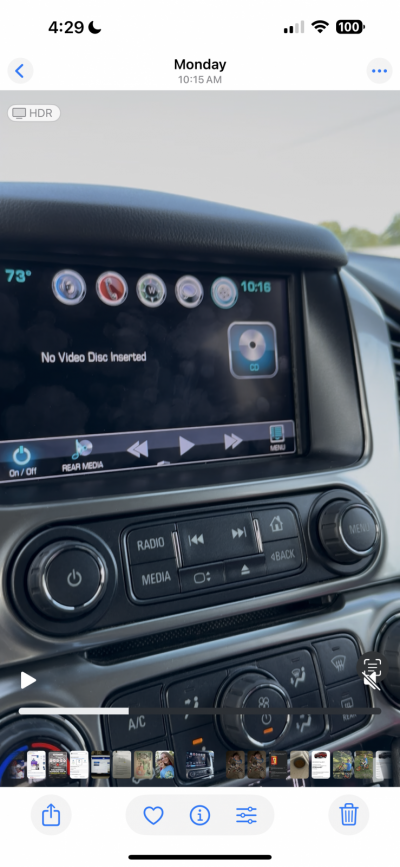
No Video Disc Inserted

Disclaimer: Links on this page pointing to Amazon, eBay and other sites may include affiliate code. If you click them and make a purchase, we may earn a small commission.

Bcw102

TYF Newbie
Joined
Sep 14, 2025
Posts
2
Reaction score
0
I have a 2017 Tahoe that I purchased used two months ago. Within a week the touchscreen became intermittently unresponsive. About a month in it began displaying No DVD Disc Inserted. It will do it repeatedly some days making the system useless then won’t do it again for days. You can flip back to media or radio and it will go back. I tried resetting the system by discharging the battery, pulling the DVD player fuse to isolate the system. I figured if it didn’t have power it wouldn’t try to read it, and a soft reset. The dealer has had it four different times, update, replaced HMI, tested other modules and couldn’t replicate the issue. They think it’s a wiring short which doesn’t make sense, a short would blow the fuse. Gm is giving me the run around. I can put in a movie and it will play with no errors. Does anyone have any ideas? Thanks!

 

Attachments

  • IMG_2516.png
    IMG_2516.png
    1 MB · Views: 24

Joseph Garcia

Elite Member
Supporting Member
Joined
Aug 2, 2018
Posts
10,283
Reaction score
14,885
Welcome to the Forum from NH.

Lots of knowledgeable folks here who freely share their knowledge, experiences, and perspectives. Knowledge is power.

I hope that you will become a participating member in the Forum's discussions.

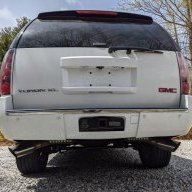
Pics of the truck, please.

I cannot personally assist you with your issue, but other members of this Forum much more knowledgeable than me in this area will chime in.
 

bill1013

Full Access Member
Air Force EMT/First Responder Firefighter
Joined
Jul 7, 2020
Posts
578
Reaction score
1,280
Location
Waianae, Hawaii
You might try disconnecting the battery for around 10 to 15 minutes. This will reset most electrical systems. Of course you’ll have to reset the time and probably the radio presets, but hopefully you won’t have any “No DVD/CD” lights illuminated.
 
OP
OP
B

Bcw102

TYF Newbie
Joined
Sep 14, 2025
Posts
2
Reaction score
0
You might try disconnecting the battery for around 10 to 15 minutes. This will reset most electrical systems. Of course you’ll have to reset the time and probably the radio presets, but hopefully you won’t have any “No DVD/CD” lights illuminated.
Thank you however that was the first thing I did. I then pulled the fuse to isolate the dvd player from receiving a signal. That did not work either. The dealer updated the software and replaced HIM module and neither have worked.
 

Forum statistics

Threads
137,686
Posts
1,989,610
Members
102,687
Latest member
JohanZ
Back
Top