
You are using an out of date browser. It may not display this or other websites correctly.
You should upgrade or use an alternative browser.
You should upgrade or use an alternative browser.
2015 HMI Unlock - Video in Motion
- Thread starter tenbigblinds
- Start date
Disclaimer: Links on this page pointing to Amazon, eBay and other sites may include affiliate code. If you click them and make a purchase, we may earn a small commission.
So my unlocked module arrived, I read and reread the posts about installing it and the directions that came in the box. Once you figure out how the connectors come out (tab on top) it was a quick install and worked perfectly. Nice bit of kit.
So my unlocked module arrived, I read and reread the posts about installing it and the directions that came in the box. Once you figure out how the connectors come out (tab on top) it was a quick install and worked perfectly. Nice bit of kit.
which module did you end up getting? with or without phone connection? any photos of the install or what the end result looks like?
Thanks.
I already had the factory Nav, so this was just the unlocked module. I did not opt for the phone connection. It's not part of the module - it's actually a kit that works through the RCA jacks located in the back of the center console for cars equipped with RSE. I had already amassed the parts to complete it when I came across the GM Nav kit. I was hoping the GM-Nav kit was something that tied into the brains of the HMI and was a plug and play solution. It's not and requires some cutting and soldering for a clean install. At this point I've only set it up b going through the rca jacks. What i put together works well, but it's still a compromise, as you must convert a digital signal to an analog signal no matter what kit you buy. The GM screens are not Hi Def and have no capacity for a direct HDMI connection.
The module install is just a matter of swapping the factory modules located behind the glove box. It's about a 30 minute install. A little awkward to get to, but easily doable.
The module install is just a matter of swapping the factory modules located behind the glove box. It's about a 30 minute install. A little awkward to get to, but easily doable.
tenbigblinds
Full Access Member
- Joined
- Mar 24, 2015
- Posts
- 173
- Reaction score
- 16
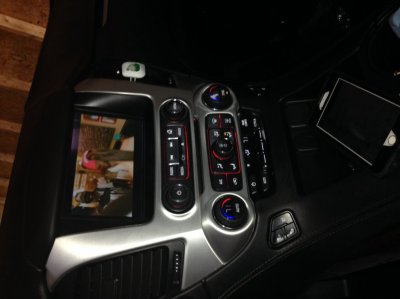
Received the new converter. It works perfectly without the green bar across the bottom. I absolutely couldn't function without the unlock. I have about 700 movies loaded on a 4TB hard drive and they constantly play on the screen each time I drive. I do use the NAV and simply display that on the small dash screen... Love my ride! Ive just turned 10K miles and couldn't be happier!
2015i Yukon SLT 5.3L
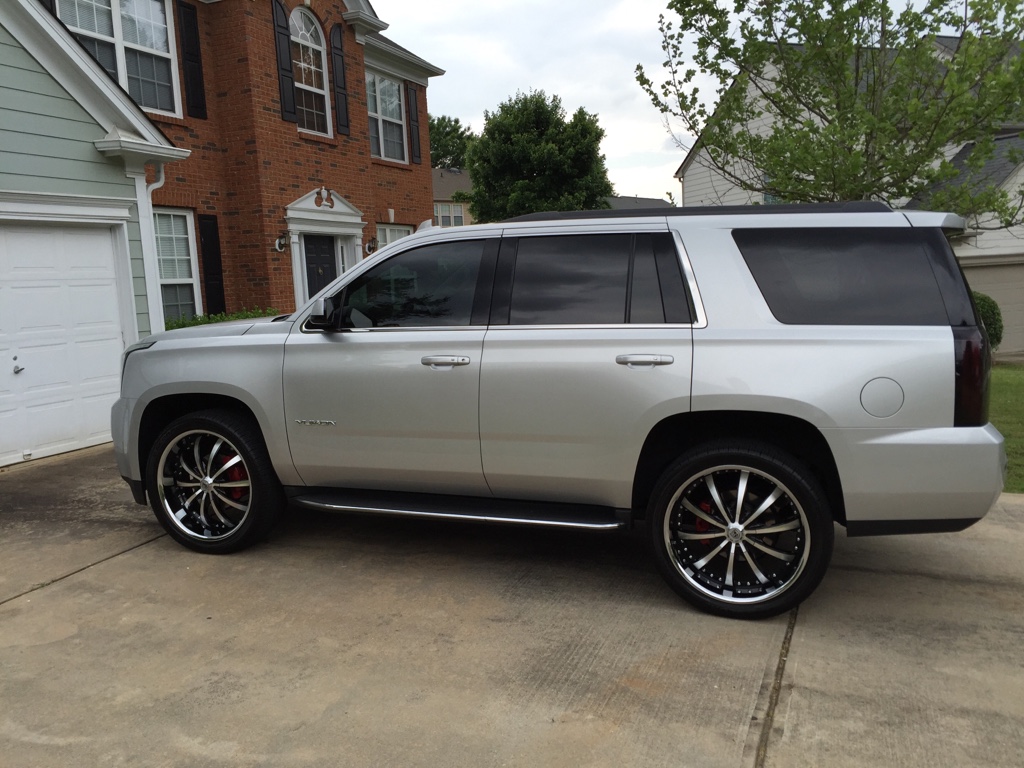
- Open Road (Nav & Rear Entertainment), Marimoto HID Upgrade, 24" Lexani Luxury Wheels, Pirelli Scorpion 305/35/24, WeatherTech Digital Fit, HMI (Video in Motion & Cell Mirroring) Upgrade, vLED Fogs/Plate/Backups/AirRaid Jr.... Looking to do more!
---------- Post added at 03:09 AM ---------- Previous post was at 03:07 AM ----------
 https://vimeo.com/129062691
2015i Yukon SLT 5.3L
- Open Road (Nav & Rear Entertainment), Marimoto HID Upgrade, 24" Lexani Luxury Wheels, Pirelli Scorpion 305/35/24, WeatherTech Digital Fit, HMI (Video in Motion & Cell Mirroring) Upgrade, vLED Fogs/Plate/Backups/AirRaid Jr.... Looking to do more!
2015i Yukon SLT 5.3L
- Open Road (Nav & Rear Entertainment), Marimoto HID Upgrade, 24" Lexani Luxury Wheels, Pirelli Scorpion 305/35/24, WeatherTech Digital Fit, HMI (Video in Motion & Cell Mirroring) Upgrade, vLED Fogs/Plate/Backups/AirRaid Jr.... Looking to do more!
---------- Post added at 03:09 AM ---------- Previous post was at 03:07 AM ----------
2015i Yukon SLT 5.3L
- Open Road (Nav & Rear Entertainment), Marimoto HID Upgrade, 24" Lexani Luxury Wheels, Pirelli Scorpion 305/35/24, WeatherTech Digital Fit, HMI (Video in Motion & Cell Mirroring) Upgrade, vLED Fogs/Plate/Backups/AirRaid Jr.... Looking to do more!
photios
Member
- Joined
- Apr 15, 2015
- Posts
- 33
- Reaction score
- 4
Received the new converter. It works perfectly without the green bar across the bottom. I absolutely couldn't function without the unlock. I have about 700 movies loaded on a 4TB hard drive and they constantly play on the screen each time I drive. I do use the NAV and simply display that on the small dash screen... Love my ride!
Have you found a way to disable the prompts when using the nav? I love the fact that the nav can be used on the small info display above the steering wheel, but... if something is being played on the main front screen, a prompt is displayed, covering up whatever is playing, requiring an input to resume. I'd love to turn those prompts off.
Last edited by a moderator:
Have you found a way to disable the prompts when using the nav? I love the fact that the nav can be used on the small info display above the steering wheel, but... if something is being played on the main front screen, a prompt is displayed, covering up whatever is playing, requiring an input to resume. I'd love to turn those prompts off.
+1 would love to get rid of those.
Also, is there a way to disable the initial "don't drive distracted" prompt? seems to only occasionally come up.
tenbigblinds
Full Access Member
- Joined
- Mar 24, 2015
- Posts
- 173
- Reaction score
- 16
No known way to disable the popup... I just accept it and press forward! Man I love my Yuk!
2015i Yukon SLT 5.3L
- Open Road (Nav & Rear Entertainment), Marimoto HID Upgrade, 24" Lexani Luxury Wheels, Pirelli Scorpion 305/35/24, WeatherTech Digital Fit, HMI (Video in Motion & Cell Mirroring) Upgrade, vLED Fogs/Plate/Backups/AirRaid Jr.... Looking to do more!
2015i Yukon SLT 5.3L
- Open Road (Nav & Rear Entertainment), Marimoto HID Upgrade, 24" Lexani Luxury Wheels, Pirelli Scorpion 305/35/24, WeatherTech Digital Fit, HMI (Video in Motion & Cell Mirroring) Upgrade, vLED Fogs/Plate/Backups/AirRaid Jr.... Looking to do more!
Anybody know of a competent place to install the nav unlock modual in the bay area of
California? I'm now sitting in the recovery room from them finding blood clots in my legs and chest etc from a leg surgery a month ago.
I'll be down for the count for a while and can't do the install, but would like to get the features unlocked in the wife's car that I'll be sitting shotgun in for a while until i get the thumbs up to drive again
*wow...just read my post...yeah...they had me on some serious pain killers have no idea what i thought I was typing...
Anyways...fixed it...but I will be laid up for quite some time...
California? I'm now sitting in the recovery room from them finding blood clots in my legs and chest etc from a leg surgery a month ago.
I'll be down for the count for a while and can't do the install, but would like to get the features unlocked in the wife's car that I'll be sitting shotgun in for a while until i get the thumbs up to drive again
*wow...just read my post...yeah...they had me on some serious pain killers have no idea what i thought I was typing...
Anyways...fixed it...but I will be laid up for quite some time...
Last edited:
tenbigblinds
Full Access Member
- Joined
- Mar 24, 2015
- Posts
- 173
- Reaction score
- 16
Today my unit failed completely. No video output whatsoever. Sound works but no picture for any of the settings... Not even the backup camera.
I've had some weird things like this happening since the install of the HMI unit.
Anyone else having weird issues?
2015i Yukon SLT 5.3L
- Open Road (Nav & Rear Entertainment), Marimoto HID Upgrade, 24" Lexani Luxury Wheels, Pirelli Scorpion 305/35/24, WeatherTech Digital Fit, HMI (Video in Motion & Cell Mirroring) Upgrade, vLED Fogs/Plate/Backups/AirRaid Jr.... Looking to do more!
I've had some weird things like this happening since the install of the HMI unit.
Anyone else having weird issues?
2015i Yukon SLT 5.3L
- Open Road (Nav & Rear Entertainment), Marimoto HID Upgrade, 24" Lexani Luxury Wheels, Pirelli Scorpion 305/35/24, WeatherTech Digital Fit, HMI (Video in Motion & Cell Mirroring) Upgrade, vLED Fogs/Plate/Backups/AirRaid Jr.... Looking to do more!

WBHMSU
Seagal Enthusiast
- Joined
- Mar 31, 2015
- Posts
- 121
- Reaction score
- 5
Ugh, that's awful. Let us know how it goes with the vendor. This is on my list of things to get done. Good luck.
tenbigblinds
Full Access Member
- Joined
- Mar 24, 2015
- Posts
- 173
- Reaction score
- 16
Once I turned vehicle off, opened door and restarted it worked fine!
2015i Yukon SLT 5.3L
- Open Road (Nav & Rear Entertainment), Marimoto HID Upgrade, 24" Lexani Luxury Wheels, Pirelli Scorpion 305/35/24, WeatherTech Digital Fit, HMI (Video in Motion & Cell Mirroring) Upgrade, vLED Fogs/Plate/Backups/AirRaid Jr.... Looking to do more!
2015i Yukon SLT 5.3L
- Open Road (Nav & Rear Entertainment), Marimoto HID Upgrade, 24" Lexani Luxury Wheels, Pirelli Scorpion 305/35/24, WeatherTech Digital Fit, HMI (Video in Motion & Cell Mirroring) Upgrade, vLED Fogs/Plate/Backups/AirRaid Jr.... Looking to do more!
Reply to hmi failed
Today my unit failed completely. No video output whatsoever. Sound works but no picture for any of the settings... Not even the backup camera.
I've had some weird things like this happening since the install of the HMI unit.
Anyone else having weird issues?
it happened to me once. I restarted my phone and it started working again. But the backup camera and other features still worked. Only the video in motion had stopped
Today my unit failed completely. No video output whatsoever. Sound works but no picture for any of the settings... Not even the backup camera.
I've had some weird things like this happening since the install of the HMI unit.
Anyone else having weird issues?
it happened to me once. I restarted my phone and it started working again. But the backup camera and other features still worked. Only the video in motion had stopped
tenbigblinds
Full Access Member
- Joined
- Mar 24, 2015
- Posts
- 173
- Reaction score
- 16
I use a USB drive to watch movies. I rarely use the iPhone hookup.
2015i Yukon SLT 5.3L
- Open Road (Nav & Rear Entertainment), Marimoto HID Upgrade, 24" Lexani Luxury Wheels, Pirelli Scorpion 305/35/24, WeatherTech Digital Fit, HMI (Video in Motion & Cell Mirroring) Upgrade, vLED Fogs/Plate/Backups/AirRaid Jr.... Looking to do more!
2015i Yukon SLT 5.3L
- Open Road (Nav & Rear Entertainment), Marimoto HID Upgrade, 24" Lexani Luxury Wheels, Pirelli Scorpion 305/35/24, WeatherTech Digital Fit, HMI (Video in Motion & Cell Mirroring) Upgrade, vLED Fogs/Plate/Backups/AirRaid Jr.... Looking to do more!
WIFFLEHOUSE
TYF Newbie
curious to the outcome of the problems you guys are having. Ive tried contacting vendor via email, phone calls, and have left voicemails. wondering if they're still in business. please let me know
Maurice,
I had this happen just the other day. Left the house all was well. Stopped at a client for 15 minutes. Came out and nothing but sound. dash controls did not work, but I could adjust the volume from the steering wheel controls. I drove straight to the dealer to see if they could step out and put a tester on it just to get a code or something. Nope, sorry to busy, you will have to schedule an appointment next week. turned off truck for 15 min while speaking to service manager. When I came back everything was working. Going to keep an eye on it and this forum for updates. OH, and its STOCK no HMI mods
I had this happen just the other day. Left the house all was well. Stopped at a client for 15 minutes. Came out and nothing but sound. dash controls did not work, but I could adjust the volume from the steering wheel controls. I drove straight to the dealer to see if they could step out and put a tester on it just to get a code or something. Nope, sorry to busy, you will have to schedule an appointment next week. turned off truck for 15 min while speaking to service manager. When I came back everything was working. Going to keep an eye on it and this forum for updates. OH, and its STOCK no HMI mods
Hmi unlock
Well I had my system uninstalled. MVI was very curtious and will except the return as long as it's not a mangled uninstall. I may try the Nav TV brand. But not sure yet. Going to follow some more reviews and see what works best. Hate the hassle of dropping the truck off and picking it up for the same issue. For now just putting in the headrest tvs
Well I had my system uninstalled. MVI was very curtious and will except the return as long as it's not a mangled uninstall. I may try the Nav TV brand. But not sure yet. Going to follow some more reviews and see what works best. Hate the hassle of dropping the truck off and picking it up for the same issue. For now just putting in the headrest tvs
Maurice,
I had this happen just the other day. Left the house all was well. Stopped at a client for 15 minutes. Came out and nothing but sound. dash controls did not work, but I could adjust the volume from the steering wheel controls. I drove straight to the dealer to see if they could step out and put a tester on it just to get a code or something. Nope, sorry to busy, you will have to schedule an appointment next week. turned off truck for 15 min while speaking to service manager. When I came back everything was working. Going to keep an eye on it and this forum for updates. OH, and its STOCK no HMI mods
This happened to me as well, long before the HMI upgrade (which has worked perfectly) I called ONstar and they walked me through the reset (turning off engine - opening door - restarting etc...) and it lit right back up and has been working perfectly since. It must be fairly common since they had a plan in place to solve it over the phone.


