2008 Denali XL possible ECM Failure?

Disclaimer: Links on this page pointing to Amazon, eBay and other sites may include affiliate code. If you click them and make a purchase, we may earn a small commission.

OP
OP
R

Rich Reno

TYF Newbie
Joined
Oct 17, 2017
Posts
20
Reaction score
2
Location
Colorado
just curious, how is your voltage? how old is the battery? when it runs for a minute what kind of voltage are you getting? i'm wondering when you are getting funky readings on the autocal could be voltage related. just something to consider.

Voltage is consistent at about 12 down to 11.5 while cranking, and up to 14.5 when running.

Battery is about a year old. But I did throw a charger on it yesterday just to make sure it wasn't having issues. Also new alternator about the same time as the battery.

 

Doubeleive

Wes
Supporting Member
Joined
Nov 7, 2017
Posts
30,580
Reaction score
48,079
Location
Stockton, Ca.
If you can get your hands on a tech2 that will help with troubleshooting a lot, if you have a laptop or windows tablet you can pickup a vxdiag nano for about $100 (amazon/ebay) and that will give you tech2 win (pc based tech2) might be a worthy investment since it will pay for it's self over time.
 
OP
OP
R

Rich Reno

TYF Newbie
Joined
Oct 17, 2017
Posts
20
Reaction score
2
Location
Colorado
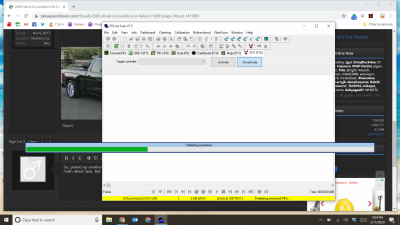
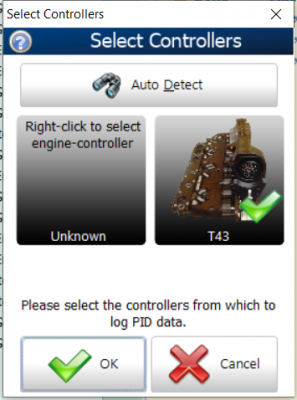
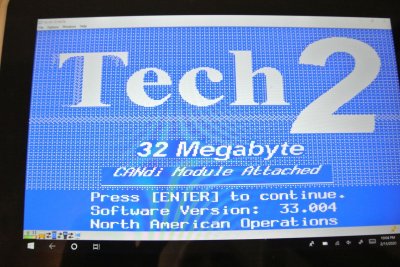
So, picked up another FPCM when I was across town today. Plugged it in, and now the fuel pressure shows 38kpa, or from my math about 5psi. But when trying to connect EFI live to do DVT functions it is just stuck on this screen for 7.5. and when I try to connect with v8, then I get the other screen. Considering the other struggles. i am leaning more towards the ECM being fried... as it shows that it can see my TCM, but nothing to the engine controller....

Screenshot 2020-02-11 17.04.12.png Screenshot 2020-02-11 17.06.42.png
 
OP
OP
R

Rich Reno

TYF Newbie
Joined
Oct 17, 2017
Posts
20
Reaction score
2
Location
Colorado
If you can get your hands on a tech2 that will help with troubleshooting a lot, if you have a laptop or windows tablet you can pickup a vxdiag nano for about $100 (amazon/ebay) and that will give you tech2 win (pc based tech2) might be a worthy investment since it will pay for it's self over time.

I just ordered one of these, should be in on Friday.

Is there an intuitive guide to using it. And do I have to have a 32 bit system?
 

Doubeleive

Wes
Supporting Member
Joined
Nov 7, 2017
Posts
30,580
Reaction score
48,079
Location
Stockton, Ca.
I just ordered one of these, should be in on Friday.

Is there an intuitive guide to using it. And do I have to have a 32 bit system?
no it will install on a 64bit, just turn off any and all antivirus and windows security before you install the software, it has to change some windows files to work because it's hacked, if you leave security enabled it will just be a big headache.
it will install a couple different things one of them is "vx-manager" always run that first, check for updates, run any updates, and then minimize it and let it run in the background.
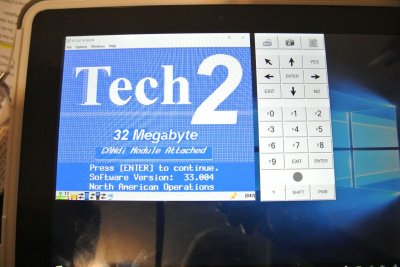
then you can open and run tech2win. if tech2win opens and runs full screen then you can just change the resolution down a little from the settings in the program so you have all the buttons visible.
 

Doubeleive

Wes
Supporting Member
Joined
Nov 7, 2017
Posts
30,580
Reaction score
48,079
Location
Stockton, Ca.
once you have the vx diag you should be able to verify the ecm, you should also be able to use tdsweb, I haven't tried tdsweb with the vxdiag but I have used it with a tech2 clone and it worked fine. a tdsweb subscription runs $40 for 2yrs of unlimited updates per vin.
 
OP
OP
R

Rich Reno

TYF Newbie
Joined
Oct 17, 2017
Posts
20
Reaction score
2
Location
Colorado
once you have the vx diag you should be able to verify the ecm, you should also be able to use tdsweb, I haven't tried tdsweb with the vxdiag but I have used it with a tech2 clone and it worked fine. a tdsweb subscription runs $40 for 2yrs of unlimited updates per vin.

I saw someone mention that, i think i actually have a a basic tds account and just didn't pay for it before once i realized that it wouldn't work with EFI live

If i do have to program a new ecu, how difficult is that with tech2win?
 

Doubeleive

Wes
Supporting Member
Joined
Nov 7, 2017
Posts
30,580
Reaction score
48,079
Location
Stockton, Ca.
I saw someone mention that, i think i actually have a a basic tds account and just didn't pay for it before once i realized that it wouldn't work with EFI live

If i do have to program a new ecu, how difficult is that with tech2win?
I haven't tried it with the tech2win but should be the same process, you just have to be sure to follow the directions, once you have the replacement ecu installed then you run the tech2 it will read the installed modules and calibrations, then you will be given various options/check boxes each option will have a rpo code and a general definition, once you select the ones you want it will install the calibrations and that takes anywhere from 10 minutes to an hour, so be sure to have a battery charger attached and whatever device you are using is plugged into a power source and not set to "sleep mode" after so many minutes, you can adjust all that in the power settings. when it's finished you just cycle the key and hopefully all goes well, if for some reason it doesn't program you can always double check everything and try again it doesn't limit you to how many times you can program it.
 
OP
OP
R

Rich Reno

TYF Newbie
Joined
Oct 17, 2017
Posts
20
Reaction score
2
Location
Colorado
I haven't tried it with the tech2win but should be the same process, you just have to be sure to follow the directions, once you have the replacement ecu installed then you run the tech2 it will read the installed modules and calibrations, then you will be given various options/check boxes each option will have a rpo code and a general definition, once you select the ones you want it will install the calibrations and that takes anywhere from 10 minutes to an hour, so be sure to have a battery charger attached and whatever device you are using is plugged into a power source and not set to "sleep mode" after so many minutes, you can adjust all that in the power settings. when it's finished you just cycle the key and hopefully all goes well, if for some reason it doesn't program you can always double check everything and try again it doesn't limit you to how many times you can program it.

I am having trouble getting the vx to show in the tech2 connection options. through vx manager i see the device, but the option to install gds2/t2w through the manager fails. I downloaded and installed the t2w software from their page, but for some reason they don't see each other.
 

Doubeleive

Wes
Supporting Member
Joined
Nov 7, 2017
Posts
30,580
Reaction score
48,079
Location
Stockton, Ca.
I am having trouble getting the vx to show in the tech2 connection options. through vx manager i see the device, but the option to install gds2/t2w through the manager fails. I downloaded and installed the t2w software from their page, but for some reason they don't see each other.
1st. open vx manager, you will hear a couple beeps, then minimize it
2nd open tech2win from the windows program files (not from vx manager)
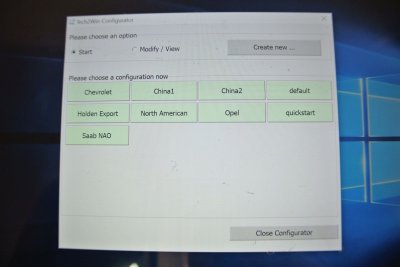
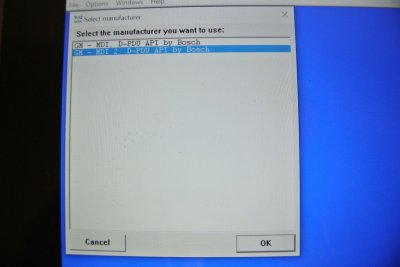
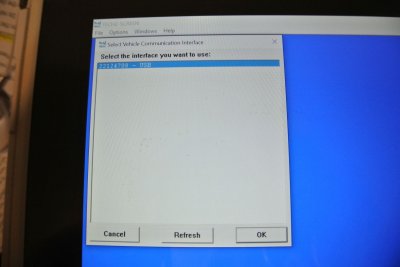
3rd select north american, then gm-mdi 2, hit ok, it will then only have one option 22124708, hit ok.
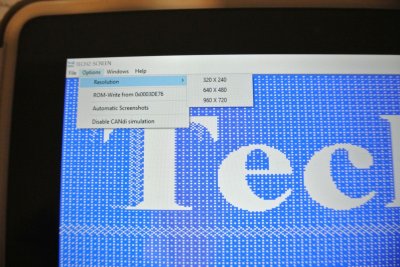
4th if tech2win opens full screen then select options and 640X480
 
OP
OP
R

Rich Reno

TYF Newbie
Joined
Oct 17, 2017
Posts
20
Reaction score
2
Location
Colorado
1st. open vx manager, you will hear a couple beeps, then minimize it
2nd open tech2win from the windows program files (not from vx manager)
3rd select north american, then gm-mdi 2, hit ok, it will then only have one option 22124708, hit ok.
4th if tech2win opens full screen then select options and 640X480

Ok, i finally got it to show the 22124708 connection, but whenever i pick something in tech2win that has to establish communication, then tech2win just closes the window after a few seconds.
 

Doubeleive

Wes
Supporting Member
Joined
Nov 7, 2017
Posts
30,580
Reaction score
48,079
Location
Stockton, Ca.
Ok, i finally got it to show the 22124708 connection, but whenever i pick something in tech2win that has to establish communication, then tech2win just closes the window after a few seconds.
can you elaborate? is it letting you select the make/model/year, etc or do you not get that far? if it is just closing and ending the program then you might have to re install it again
 
OP
OP
R

Rich Reno

TYF Newbie
Joined
Oct 17, 2017
Posts
20
Reaction score
2
Location
Colorado
can you elaborate? is it letting you select the make/model/year, etc or do you not get that far? if it is just closing and ending the program then you might have to re install it again

It would let me pick the make, model year and engine, but despite what i tried to read diagnostics on, eventually it was just like the program closed itself and i would have to start over. I was inputting the correct vehicle info, not sure if that was the problem or not.
 

Doubeleive

Wes
Supporting Member
Joined
Nov 7, 2017
Posts
30,580
Reaction score
48,079
Location
Stockton, Ca.
It would let me pick the make, model year and engine, but despite what i tried to read diagnostics on, eventually it was just like the program closed itself and i would have to start over. I was inputting the correct vehicle info, not sure if that was the problem or not.
There should be a tech2win install from the cd that came with the vx, uninstall the one you downloaded and try the one from the disc. or just unistall it and re-install
if you get stuck anywhere in the tech2 you can hit the back button
 
OP
OP
R

Rich Reno

TYF Newbie
Joined
Oct 17, 2017
Posts
20
Reaction score
2
Location
Colorado
Ok, finally had time to mess with everything and get it to actually communicate. When i go to the option to have it communicate with the modules, the ECM is listed as no comm, along with the FPCM. I tested the fact that i had communication by figuring out how to roll my window up and down. So going through all of the options and diagnostic tests that are available, i am leaning towards the ECM, as I assume that would be upstream of the FPCM?
 
OP
OP
R

Rich Reno

TYF Newbie
Joined
Oct 17, 2017
Posts
20
Reaction score
2
Location
Colorado
Ok, i am a bit stumped at this point. Reading with the tech 2, i can command the fuel pump to run, it give an output limit reached error, but it will read that it has pressurized the line up to about 400kpa. I can turn over the vehicle and it will run, but the fuel pump commanded state doesn't change, and the fuel pressure just slowly drops. I have checked both grounds front and back of this location and cleaned them up to make sure that it isn't something simple stupid. The one thing that was interesting to me was that when reading all of the pins of the FPCM, pin 32 which is the power from the fuse box, reads continuity to ground, but when I remove the fuse then it reads as open. Even when I cycle the key on, it doesn't break continuity at all. Am I crazy to think that this is the source of my problem? If it is though, how does that happen, and how do I fix it? Essentially both battery wires coming into the FPCM are negative and don't change operation regardless of anything I do.
 
OP
OP
R

Rich Reno

TYF Newbie
Joined
Oct 17, 2017
Posts
20
Reaction score
2
Location
Colorado
I figured out that it is just some weird thing with that pin and everything is fine. Regardless, the FPCM indicates that the engine never commands the pump to run. I got rid of the dorman module and got an AC delco one just to check. I saw some places to check the dark green/white stripe wire on the connector. The wire is fine and has good continuity through to the pin, but I am not sure where to follow that wire to? I gather from looking at the wiring schematics that it goes directly there and is just a signal wire. I can make a jumper to test this, but would need to know which wire to mess with, if someone can help?
 

Forum statistics

Threads
137,812
Posts
1,992,752
Members
102,794
Latest member
Drewphil
Back
Top