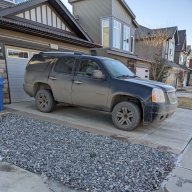
I suspect BCM... thoughts?

Disclaimer: Links on this page pointing to Amazon, eBay and other sites may include affiliate code. If you click them and make a purchase, we may earn a small commission.

OP
OP
T

TrybalRage

Full Access Member
Joined
Jun 13, 2009
Posts
120
Reaction score
108
Thanks Man!

At the end of this year GM is yanking all of our 2G (07-14) OnStar / VCIM connectivity. Until I can see if I can get a 3G (15-20) working in our Gen, diagnosing it is moot. It’s likely the antenna that’s taken a dump from water intrusion. The OnStar modules themselves don’t usually die. They are killed by I t’s internal (one time) battery dying from key left on in accessory position and battery disconnected.

The seat can be tricky. ISS automotive has refurb parts for the switching assemblies if that the fault. The gearing can also deteriorate and cause the motors to self destruct. The fix is to find a replacement and swap your seat guts into it.

Depending on your M/Y you may have a MSM close to a place rain falls on it through an open window.

Yeah if I don't need the OnStar, I could care less if it works. If it's causing problems however (like being plugged in and drawing my battery down) I'd like to address that. Right now it's not powering on at all - can't be seen by the scanner and no light on the mirror.

My MSM is under the driver's seat.

 
OP
OP
T

TrybalRage

Full Access Member
Joined
Jun 13, 2009
Posts
120
Reaction score
108
Ah, yes they are. At this time I am only going by the code and related diagnostics from alldata. Not sure how/if they relate to the memory switch itself on the door.
 

petethepug

Michael
Joined
May 4, 2016
Posts
3,788
Reaction score
4,355
Location
SoCal
Gotcha, Most of the issues I’ve had success fixing were resolved by servicing known, neglected and related components prior to completing a diagnostic on the area.
 
OP
OP
T

TrybalRage

Full Access Member
Joined
Jun 13, 2009
Posts
120
Reaction score
108
Also interesting is that the tech2 cannot seem to view live engine data. I can do all kinds of other stuff, but when I try to display data I get a "possible wrong vehicle selected" error no matter what I do.
 

Fless

Staff member
Moderator
Joined
Apr 2, 2017
Posts
16,255
Reaction score
33,590
Location
People's Republic of Colorado
Also interesting is that the tech2 cannot seem to view live engine data. I can do all kinds of other stuff, but when I try to display data I get a "possible wrong vehicle selected" error no matter what I do.

What selections are you making when you pick the vehicle? This is for your 2010 2500, right?
 
OP
OP
T

TrybalRage

Full Access Member
Joined
Jun 13, 2009
Posts
120
Reaction score
108
Yes. Model year 2010, chevrolet truck, code K, suburban, 6.0 L96 engine. I can read codes, make the bcm do all kinds of funky stuff with windows, seats, etc. I've been able to command evap solenoids in the past, but didn't try today.

But live data from engine, starts to load the screen then BEEP possible wrong vehicle selected.
 
OP
OP
T

TrybalRage

Full Access Member
Joined
Jun 13, 2009
Posts
120
Reaction score
108
Man I'm just starting to lose heart with this thing.

I've disassembled more than I've ever wanted to know about this truck to check grounds all over the place. Pulled apart every module's connector to add a little dielectric grease per TSB. Checked wiring in a dozen places, patched and/or covered and re-secured as potential issues were discovered.

Pulled the onstar module to check its wiring. Verified it's getting adequate power and ground even though sometimes my tech2 says it's not powering up. I can enable/disable the mirror LED through tech2. So it's got something.

I got the new memory seat module as Alldata indicated following the troubleshooting of my B3920 code. Disassembled the drivers seat, replaced, hooked everything up. Had some related codes, ok, cleared them all. Radio was out of the vehicle at this time.

Started it, I can see live engine data. Ok, that's awesome. Getting a bunch of codes related to seat and some other unplugged items like the radio. No biggie. Shut down, reconnect everything, clear all codes.

Figured I'd try to program the new seat module using SPS2. Ran into the same issues already noted about pass-through with the new system. Support is closed on weekends, so oh well, disconnected and shut down my laptop.

Did one more scan of codes for the hell of it. SAME B3920 CODE BACK. Come on. Oh, and 32(!) codes all for the ECBM. Ok, clear the B3920, back up and go through the chassis section to directly talk to the ECBM. No codes. No issues. Where'd they go?

I just have no idea why these random codes keep popping. Truck seems to run and drive fine right now, but codes just keep showing up at complete random for communication issues and this seat thing.
 

George Owens

Full Access Member
Joined
Jun 13, 2017
Posts
155
Reaction score
72
Man I'm just starting to lose heart with this thing.

I've disassembled more than I've ever wanted to know about this truck to check grounds all over the place. Pulled apart every module's connector to add a little dielectric grease per TSB. Checked wiring in a dozen places, patched and/or covered and re-secured as potential issues were discovered.

Pulled the onstar module to check its wiring. Verified it's getting adequate power and ground even though sometimes my tech2 says it's not powering up. I can enable/disable the mirror LED through tech2. So it's got something.

I got the new memory seat module as Alldata indicated following the troubleshooting of my B3920 code. Disassembled the drivers seat, replaced, hooked everything up. Had some related codes, ok, cleared them all. Radio was out of the vehicle at this time.

Started it, I can see live engine data. Ok, that's awesome. Getting a bunch of codes related to seat and some other unplugged items like the radio. No biggie. Shut down, reconnect everything, clear all codes.

Figured I'd try to program the new seat module using SPS2. Ran into the same issues already noted about pass-through with the new system. Support is closed on weekends, so oh well, disconnected and shut down my laptop.

Did one more scan of codes for the hell of it. SAME B3920 CODE BACK. Come on. Oh, and 32(!) codes all for the ECBM. Ok, clear the B3920, back up and go through the chassis section to directly talk to the ECBM. No codes. No issues. Where'd they go?

I just have no idea why these random codes keep popping. Truck seems to run and drive fine right now, but codes just keep showing up at complete random for communication issues and this seat thing.

Have you had any luck fixing this issue? I’ve been having intermittent issues like ecm bcm tcm tccm communication codes for like 6 months
 
OP
OP
T

TrybalRage

Full Access Member
Joined
Jun 13, 2009
Posts
120
Reaction score
108
Have you had any luck fixing this issue? I’ve been having intermittent issues like ecm bcm tcm tccm communication codes for like 6 months

Unfortunately no. I thought I had it, but then driving last week the whole thing happened again. All gauges to 0, multiple error codes, reduced power and stuck in 2nd gear until I disconnected the battery cable again.
 

George Owens

Full Access Member
Joined
Jun 13, 2017
Posts
155
Reaction score
72
Unfortunately no. I thought I had it, but then driving last week the whole thing happened again. All gauges to 0, multiple error codes, reduced power and stuck in 2nd gear until I disconnected the battery cable again.
I’ve changed the ecm, bcm, terminal resistor, battery, negative battery cable, mega fuse

I’m tryna add videos so you could possibly see if yours is doing the same but don’t know how
 

Fless

Staff member
Moderator
Joined
Apr 2, 2017
Posts
16,255
Reaction score
33,590
Location
People's Republic of Colorado
I’ve changed the ecm, bcm, terminal resistor, battery, negative battery cable, mega fuse

I’m tryna add videos so you could possibly see if yours is doing the same but don’t know how

Videos need to be hosted on a third party site (YouTube, etc.); then post the link to the video into your message on TYF.
 
OP
OP
T

TrybalRage

Full Access Member
Joined
Jun 13, 2009
Posts
120
Reaction score
108
I've changed the BCM, Drivers seat memory module, replaced the negative battery cable, added grounds, battery, new alternator... checked and cleaned every ground on the vehicle, checked and applied dielectric grease to every connector for the modules on the canbus plus the main splice connectors under the hood. Inspected the low speed splice packs for corrosion. Checked wiring at all known chafe points. Pulled main fuse box and left IP box to check for corrosion and apply dielectric grease there as well.

Tech2 will show that everything is fine... until it's not. Then there's no communication until I reset the power via battery cable. At this point I think it's just one of the modules randomly freaking out internally throwing the whole network out. Unfortunately when it happens it's never at a good time for me to do a diagnostic of the condition, I need to reset it and go.
 

George Owens

Full Access Member
Joined
Jun 13, 2017
Posts
155
Reaction score
72

This is what it does when I don’t have the range device plugged in

This is what it does when I DO have the range device plugged in


Now when I don’t have it plugged in and it acts up I plug in the range device while driving and it seems to reset it, I unplug it again and it acts normal for the time being
 

Fless

Staff member
Moderator
Joined
Apr 2, 2017
Posts
16,255
Reaction score
33,590
Location
People's Republic of Colorado
One thing to note about these more modern trucks that have a variety of modules is that each module may have its own dedicated ground pin in its harness. Gone are the days of the device's mounting connection carrying the ground through the frame or the body of the truck.

So wiring diagrams are mandatory to track down where they're supposed to be getting their ground. Just adding multiple grounds doesn't always mean anything to the module that's lacking a good ground.
 
OP
OP
T

TrybalRage

Full Access Member
Joined
Jun 13, 2009
Posts
120
Reaction score
108
This is what it does when I don’t have the range device plugged in

This is what it does when I DO have the range device plugged in

Now when I don’t have it plugged in and it acts up I plug in the range device while driving and it seems to reset it, I unplug it again and it acts normal for the time being

Your first video is what mine does when it acts up while driving. Sometimes it happens while it's sitting, however, and when that happens I get a no-crank condition.
 

George Owens

Full Access Member
Joined
Jun 13, 2017
Posts
155
Reaction score
72
Your first video is what mine does when it acts up while driving. Sometimes it happens while it's sitting, however, and when that happens I get a no-crank conditio
Your first video is what mine does when it acts up while driving. Sometimes it happens while it's sitting, however, and when that happens I get a no-crank condition.
Forgot to add the doors unlock lock too
 

petethepug

Michael
Joined
May 4, 2016
Posts
3,788
Reaction score
4,355
Location
SoCal
Damn nice info and thorough data on the troubleshooting. While reading blogs to put me to sleep I ran into a post where a guy had an issue similar to this from the CAN BUS lines.

Apparently the 5V line is run in series so that if one loses communication, everything downstream fails too. He found a CAN BUS line that was frayed at the end of the series, repaired it and all the modules were shaking hands again.
 
OP
OP
T

TrybalRage

Full Access Member
Joined
Jun 13, 2009
Posts
120
Reaction score
108
Damn nice info and thorough data on the troubleshooting. While reading blogs to put me to sleep I ran into a post where a guy had an issue similar to this from the CAN BUS lines.

Apparently the 5V line is run in series so that if one loses communication, everything downstream fails too. He found a CAN BUS line that was frayed at the end of the series, repaired it and all the modules were shaking hands again.

Yeah it's been a pain trying to find the issue. What's so weird is if I immediately disconnect and reconnect the battery, all is fine. I've been inspecting the wiring everywhere I can, repaired one section that was causing a different problem.

My codes pop on both the high-speed and low-speed networks. There is one common denominator... the VCIM (onstar) module. Both networks go through it. I may just try and find a used one to swap in and see what happens. It's just unfortunate that I cannot replicate the problem reliably. It happens when it wants to.
 

Apach 031

TYF Newbie
Joined
Jun 20, 2021
Posts
19
Reaction score
41
Yeah it's been a pain trying to find the issue. What's so weird is if I immediately disconnect and reconnect the battery, all is fine. I've been inspecting the wiring everywhere I can, repaired one section that was causing a different problem.

My codes pop on both the high-speed and low-speed networks. There is one common denominator... the VCIM (onstar) module. Both networks go through it. I may just try and find a used one to swap in and see what happens. It's just unfortunate that I cannot replicate the problem reliably. It happens when it wants to.
Can I just say, I've been watching this thread, and nice job everyone. Ive got a similar random issue that acts up every few weeks. Seeing you guys report your diagnostic process, and especially reporting back on what works and what doesn't, is just so refreshing. Too many threads for mystery ground and BCM issues with no follow up. Much appreciated, I'll keep watching!
 

Forum statistics

Threads
137,671
Posts
1,989,105
Members
102,675
Latest member
j_jerry79

Latest posts

Back
Top