Not a moisture problem inside the vehicle, a moisture problem outside the vehicle.
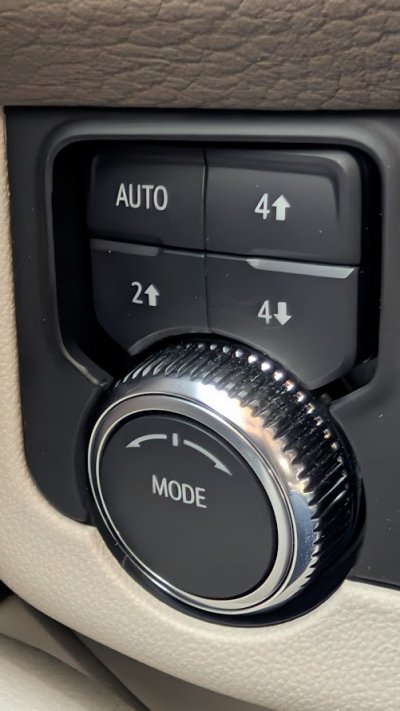
It does seem somewhat like a design issue given the location of the Drive Mode/4WD controller. Easy to hit your knee on it or in my case punch the button into the body of the switch.
I have had the vehicle over a year and have never had a need to use the 4 Wheel Drive feature.
However, this last week the monster Winter storm that hit most of the US came to visit me, but not terribly bad.
I finally got the truck cleared of ice and snow and ran an errand. When I came back out to get in the truck, I opened the door and put my right foot on the running board to get into the truck. Luckily I usually have a hand on on the interior door pull and usually grab the steering wheel when entering the truck.
Well unknown to me, the running board had a thin sheet of ice on it and my right foot slipped off, I almost fully exited the vehicle on my butt, but I had a hand on the interior door pull and the steering wheel. I rotated and pretty much landed my butt on the sill plate. Apparently while I was performing all these convoluted twists and turns, either my elbow or shoulder must have punched the Drive Mode/Transfer case button!
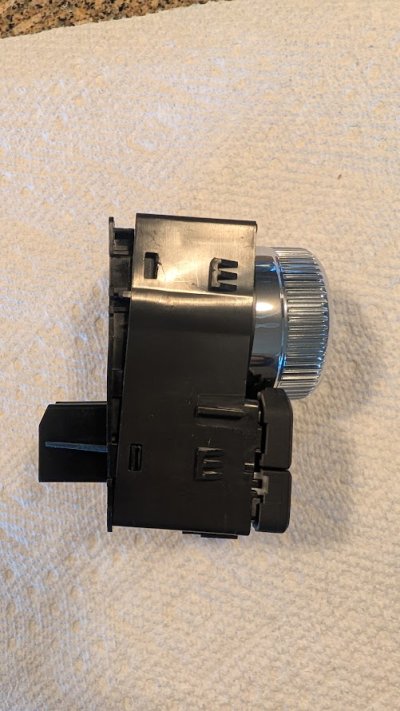
I apparently pushed the Drive Mode knob pretty hard, the lower portion of the switch unlatched from the bottom of the dash bezel and then it appears I drove the Drive Mode selector knob inside the switch and jammed the 2 lower Transfer Case selector buttons, 2 Wheel and 4 Wheel Low.
I had to leave the other morning at 0600 full darkness on the snow and ice covered roads so I was able by feel to select 4 Wheel Auto, but then when I was out on clear roads I tried multiple times to switch back to 2 Wheel with no luck. It was not until I came home later in the light and looked closer at the switch and realized I must of punched the sucker pretty hard.
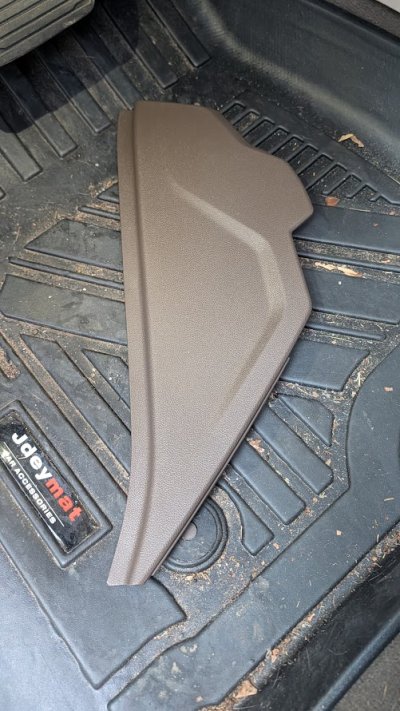
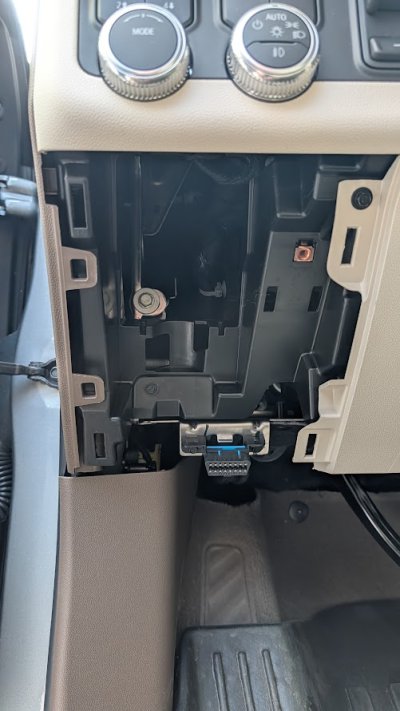
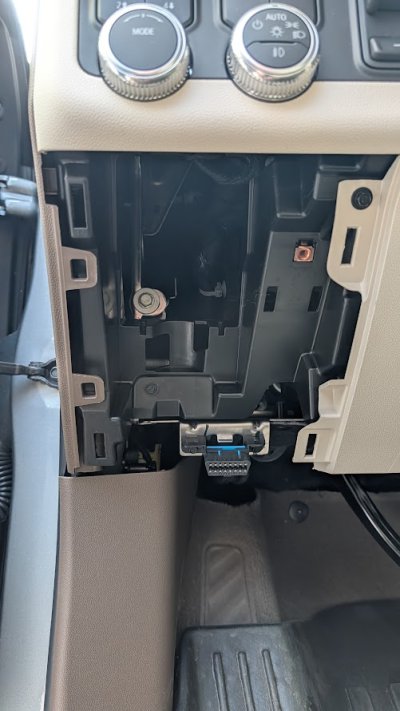
Initially I thought I just needed to snap the switch body back into the bezel which was easy by removing the snap in dash panel below the switch, but then I realized things did not look right.
So I pulled the dash apart to remove the Drive Mode/Transfer Case control module from the bezel, disassembled the switch and it appears I was able to get things back in the proper place. A few of the latching ears were broken off, so some epoxy to hold the switch body together seems to have done the trick. I am waiting for the epoxy to harden a bit more before reassembly and claiming victory. But as long as I did not crack the circuit board or break any solder joints, I should be good.
Moral of the story, be careful of these running boards in the Winter as they can ice up either when parked or even when driving!!!
All back together and it appears all it good, just need to wait until dark and make sure the lighting for the controller still works.
Pictures below. Only 2-7mm screws need to be removed, one for the upper switch panel on the side, one on the top of the Mode/Headlight bezel. Otherwise all panels snap off and on.