That red and black wire are specifically for voice commands. They connect to the Onstar module. I will post general directions below. They are not my directions, but these are what I used when installing OEM navigation in my Tahoe -
--------------------------------------------------------------------------------------
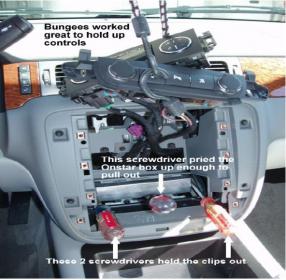
1. Using screwdrivers gently pry out the plastic side clips holding the Onstar box in place to release it. Use another screwdriver to lift up the front of the box so it can be pulled out. Note: The box will not come out very far.
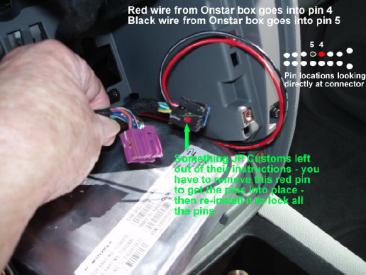
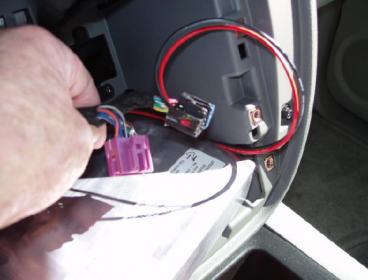
2. Select the VSS Kit GREY connector with the red (or white) & black wires with the female pins on the ends. This connector plugs into the back of the Onstar box. There will be an empty slot near the middle of the rear of the Onstar box. Note: Some VSS kits come with a red wire, some come with a white wire. They serve the same purpose, just a different color.
3. Slide the red (or white) wire with the female pin into the back of #1 connector pin 4. Slide the black wire with the female pin into the back of #1 connector pin 5. Note: Connector #1 is the black connector that plugs into the back of the navigation radio head unit.
4. Re-install the Onstar box.
--------------------------------------------------------------------------------------
Note: The pictures below correspond with the step number above.
I hope that helps! Let me know if you need any further explanation. Good Luck!!