Welcome to the Forum from NH.
Lots of knowledgeable folks here who freely share their knowledge, experiences, and perspectives. Knowledge is power.
I hope that you will become a participating member in the Forum's discussions.
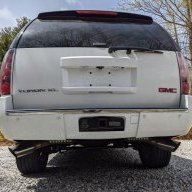
Pics of the truck, please.
Whenever we see multiple electrical issues at a time, we first check the battery health (bench load test at a parts store that has one), battery cables and battery connections (these cables generally rot from the inside out), all ground connections within the engine bay (clean and tight), and the major ground connection on the frame underneath the truck, approximately below the driver's foot. After that, we go through the actual fuse-by-fuse examination for both major fuse boxes.
Just so that we are all in synch, have you performed/verified all of the above? If not, please do.
You state that you replaced the BCM. Did you program it to your vehicle, afterward, (or have the seller program it to your truck's VIN before shipping it to you) as it is a required step? I'm thinking no, as you cannot get your bi-directional scanner to connect to the truck's systems.
Regarding your scanner's inability to connect with your truck's systems, Dr. Google suggests the following:
Your bi-directional scanner likely won't communicate with your GM SUV due to a problem with the vehicle's electrical system, such as a blown fuse for the OBD-II port, a bad connection at the OBD-II port, low battery voltage, or a wiring issue. To troubleshoot, check for a blown fuse, inspect the OBD-II port for damage, ensure your battery is stable, and try a simple ECU reset by disconnecting the battery.
Initial checks
- Check the fuse: Look for the fuse that powers the OBD-II port (often shared with the cigarette lighter) and check if it's blown. A blown fuse will need to be replaced.
- Inspect the OBD-II port: Look inside the port for any bent or broken pins, or signs of corrosion. Make sure the connection is clean.
- Check battery voltage: Low battery voltage can disrupt communication. Make sure your SUV's battery is in good condition and fully charged.
- Update scanner software: Ensure your scanner has the latest firmware and is compatible with your vehicle's specific protocol. Some newer GM vehicles may require specific software or tool capabilities.
Resetting the vehicle's computer
https://www.youtube.com/watch?v=xSF59iBXLdk&t=127
- Disconnect the battery: Disconnect both terminals of the vehicle's battery for at least 10 minutes.
- Press the brake pedal: While the battery is disconnected, press the brake pedal to help discharge any residual power in the system.
- Reconnect the battery: Reconnect the battery terminals.
- Try again: Turn the ignition to the "on" position (without starting the engine) and try communicating with the scanner again.
If the problem persists
- Disconnect potential parasitic draws: If a component like a stereo is drawing too much current, it can prevent communication. Try disconnecting the fuse for accessories to see if communication is restored.
- Test with a different tool: If possible, use a different scan tool to rule out a problem with your own tool.
- Seek professional help: If none of these steps work, the problem may be a more complex wiring issue or a faulty Electronic Control Unit (ECU). In this case, professional diagnostics will be necessary.
Let us know how this works out for you, after checking out the above.