
Alright so a couple of weeks ago i installed a Linkswell XL Tesla style radio in my 2015 Chevy Suburban. And quite frankly, i love it. Link to where to buy will be at the bottom of this post.
But to start out, lets talks about my struggles. Parts shipped right away and fast, when it arrived to me i had several issues. many things weren't working right and it seemed like it wasn't communicated properly with the canbus on the car. Also the backup camera wasn't working. Alright, great, these are fixable problems. But these problems is why you NEED to buy through a dealer. not amazon, not ebay, buy through a dealer. linkswell has horrible customer service from my reading around online, anyone who tries to save a couple of pennies has a heck of a time actually getting things fixed. These are china companies afterall. But when you buy through a dealer, the experience is different. They are a lot more responsive to their dealer network i reached out through my dealer as well as direct and never heard back via the direct methods. but i got fast communication back from the dealer, even if linkswell seemed to only deal with issues in the morning. But working with the dealer, who can call and speak to someone who can actually help saved me butt on this. So if you haven't caught on, if you want one, don't pinch pennies, buy through the dealer just in case. Alrighty the
Lets move on
So, no canbus comms and no backup camera. Linkswells had me do some diag on my end before agreeing with me as to the problem. i guess they aren't used to dealing with people that religiously modify vehicles... but i know the hoops, so i jumped through them. Initially they sent out a new canbus box, which is great. logical. makes sense. Radio not communicating with the box, and therefore not with the suburban. I get that, still no worky. This is where Linkswell decided to just replace the entire unit. They sent out a complete new unit. When i received it, i removed the screen, and swapped my screen. Left all wiring the same, and same canbox as before. And bam, everything worked, except the backup camera. Alright, thats at least on big problem solved. Now lets move onto the backup camera, here i was wondering if maybe its wiring in the burb, maybe the camera itself was dead? i would occasionally have issues with it with the stock head unit...but let's keep things simple first. it's runnign through an adapter harness, let's swap out that harness. Conveniently when Linkswell sent out a new radio, they sent everything. So i dug into the box and pulled out the camera harness. Without properly runnning the wires, i plugged it into the burb and ran the wire across to the screen and checked it to see if it worked, BAM. Camera is working. So both of my issues stemmed from my initial product, but replacement fixed BOTH issues. Awesome. Now let's get to experience the glory of a 15" screen.
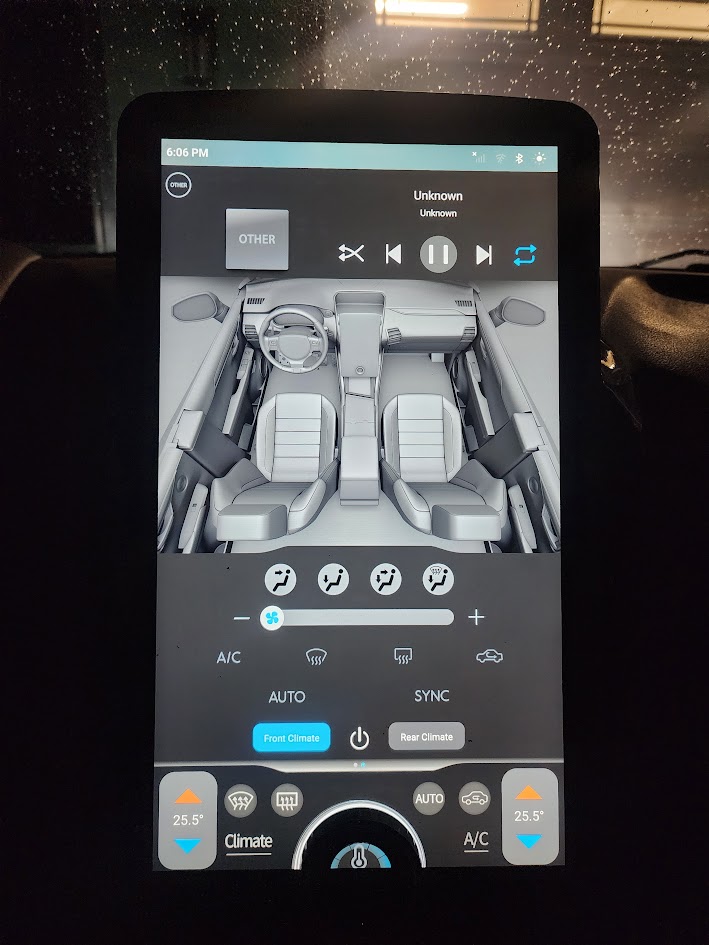
So on the bottom, it controls most of your basic functions, but if you swipe over, you get HVAC controls. this is the little piece on bottom around the dial. when you are in HVAC made, the dial works as fan speed, or you can click it so it functions as temp. You can also click on the climate screen to bring up the full screen climate controls. I keep mine on Auto, and just adjust the temp to my needs. But the full screen looks like this, and yes you can independently control the front and rear HVAC controls from the screen. The physical controls under the screen only control the front, unless you have the rear sync'd to the front. Now with that said, this is my ONLY gripe with the radio. The physical buttons are not back lit. Given, i haven't used them. But if they were to upgrade anything, it would be to add a back light to the physical buttons...
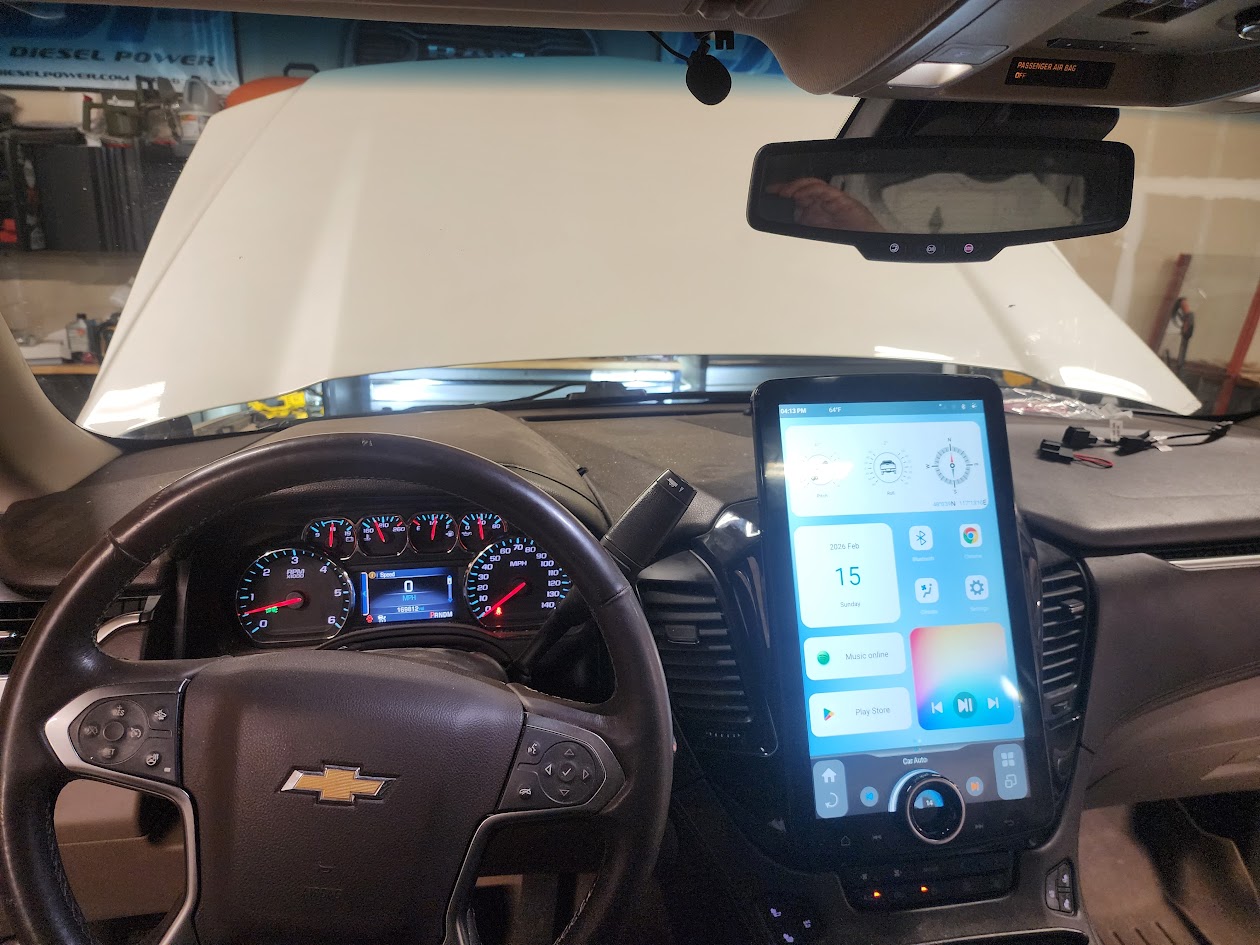
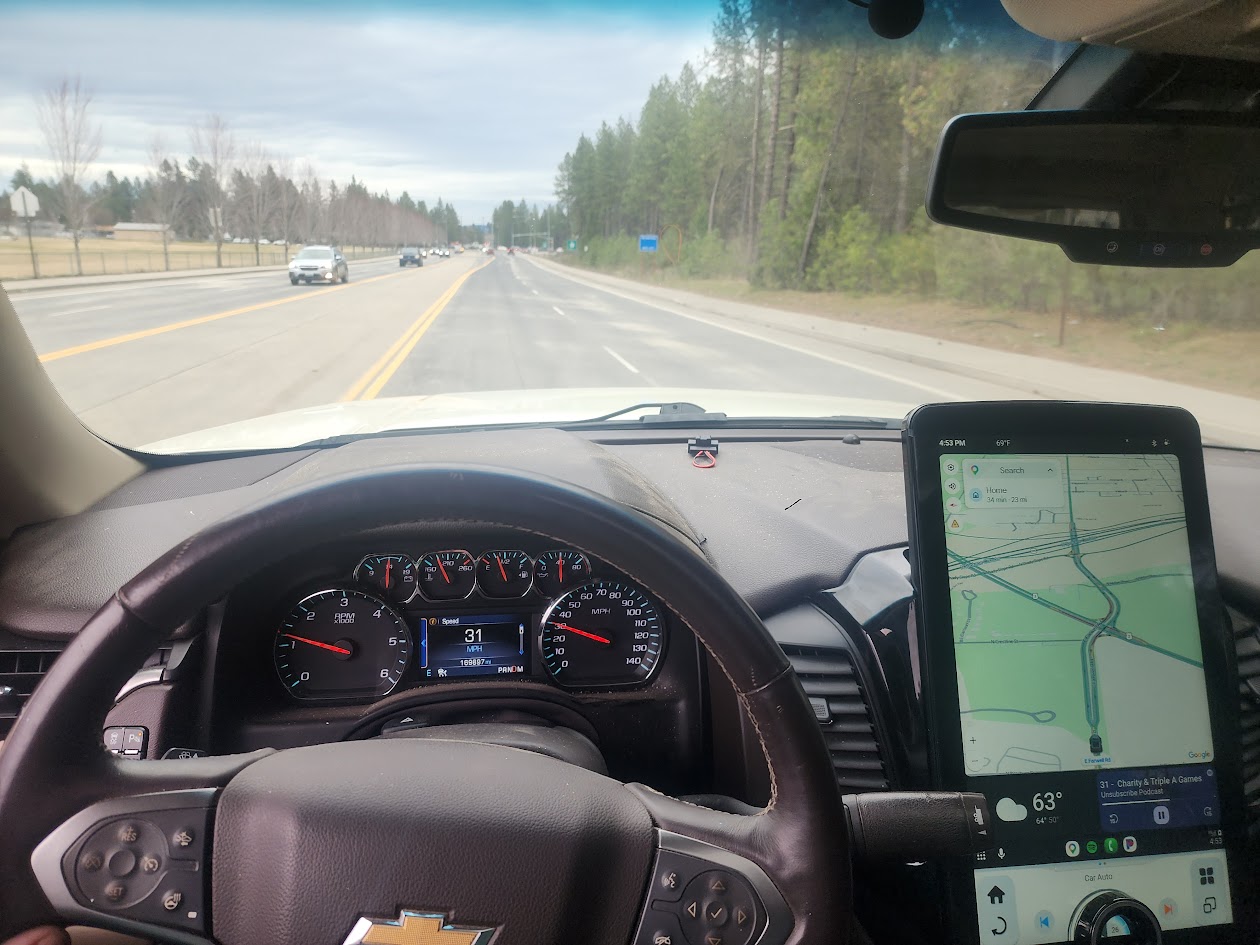
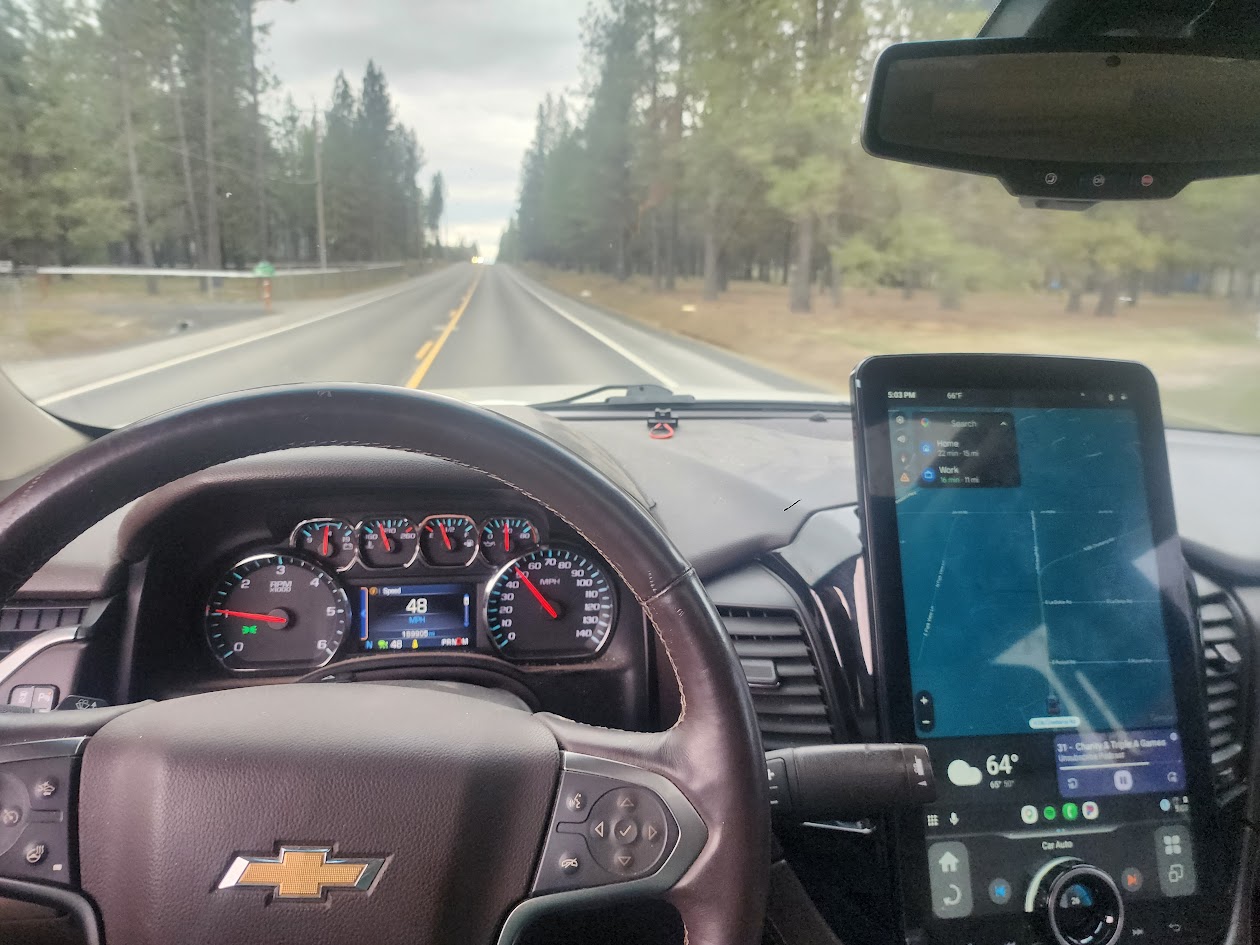
While the screen is big, is doesn't get in the way of your view. Maybe if you are short it might, but then raise the seat up. I am on android auto 99% of the time, so this is what it looks like in day made. And yes you can make preset brightness for day mode and night mode. Or you can easily adjust the brightness by swiping down and adjusting the brightness just like you would on your phone or tablet. This thing is essentially a giant tablet So think of it that way
And night mode
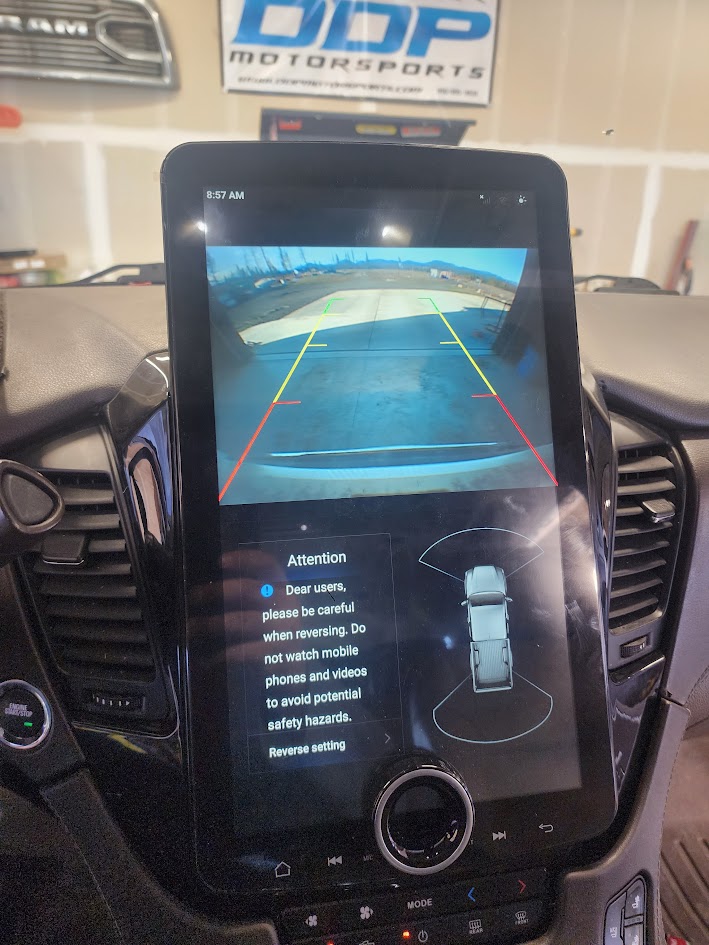
Also, backup camera. have the additional screen is nice. Sensors do show up and work on the screen as well as the dash for the parking sensors. IDK if the original screen was just lower quality, or smaller, but having the linkswell screen makes the backup camera much better. It does take a second or two for the reverse image to pop up, the screen will switch to backup right away, but the image will take a second to pop up, but thats a relatively minor thing. When reversing you should be taking your time anyways and looking around you
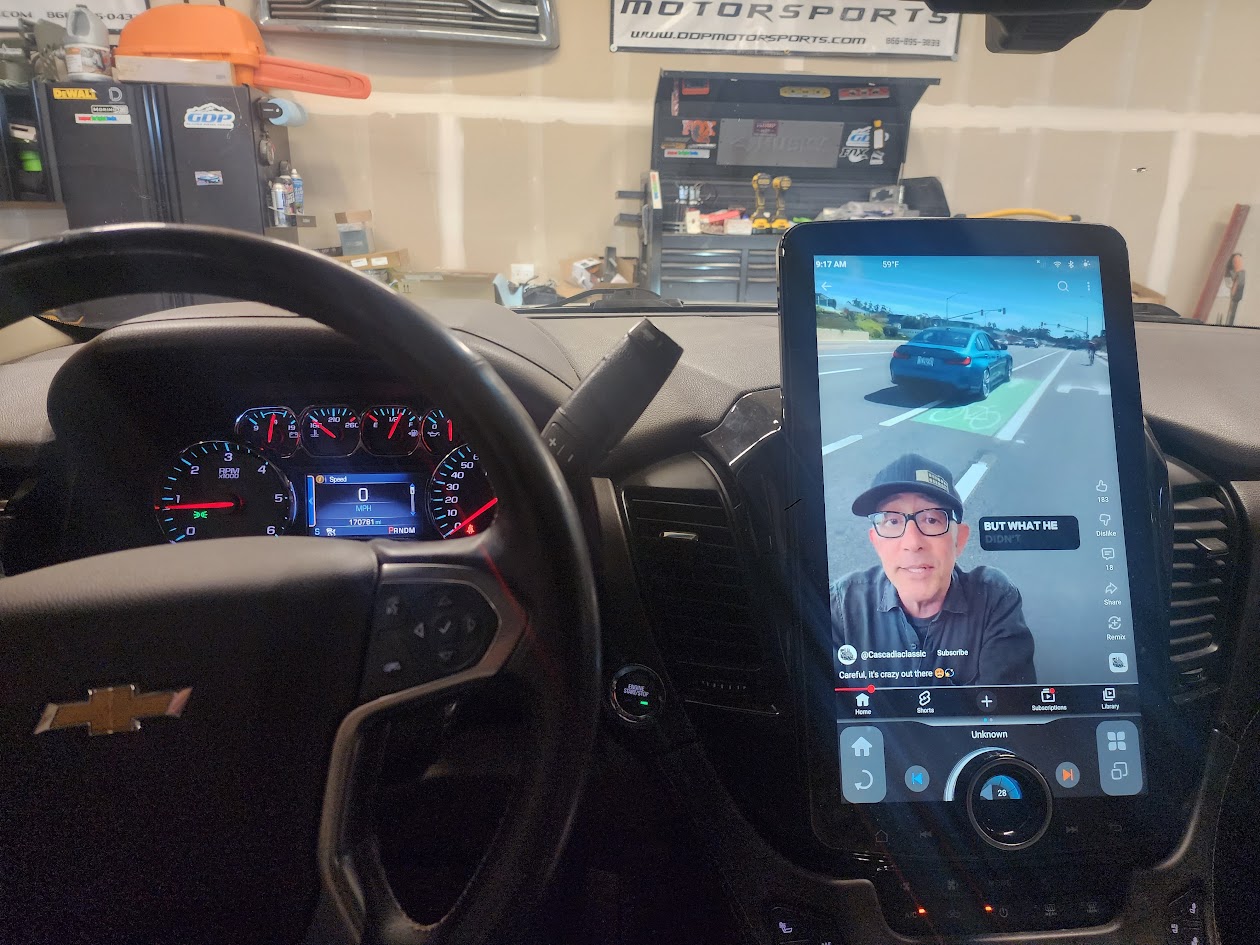
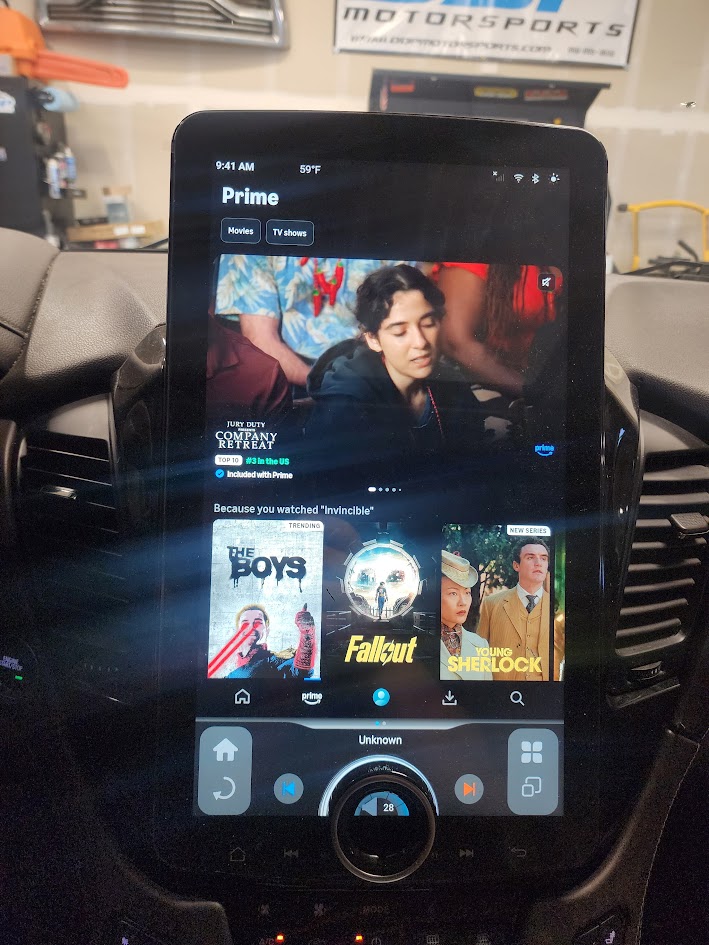
For these next couple of pictures, pardon the glare. not sure why it came up with so much glare, but it did. Like i said, this is basically an android tablet stuck into your dash. So anything you might want to put on your tablet, you can put on the new radio

Like maybe you tube, or Amazon prime so you could download a movie to watch on a long drive?
Or maybe you want to put on a cool live wallpaper? doing something like this adds 150 hp afterall...

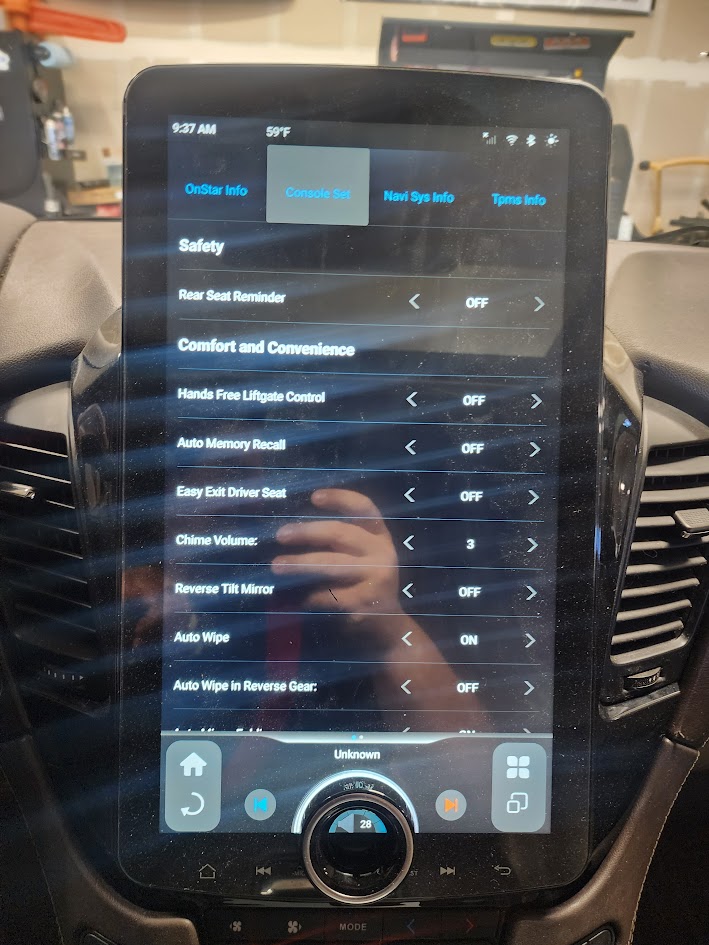
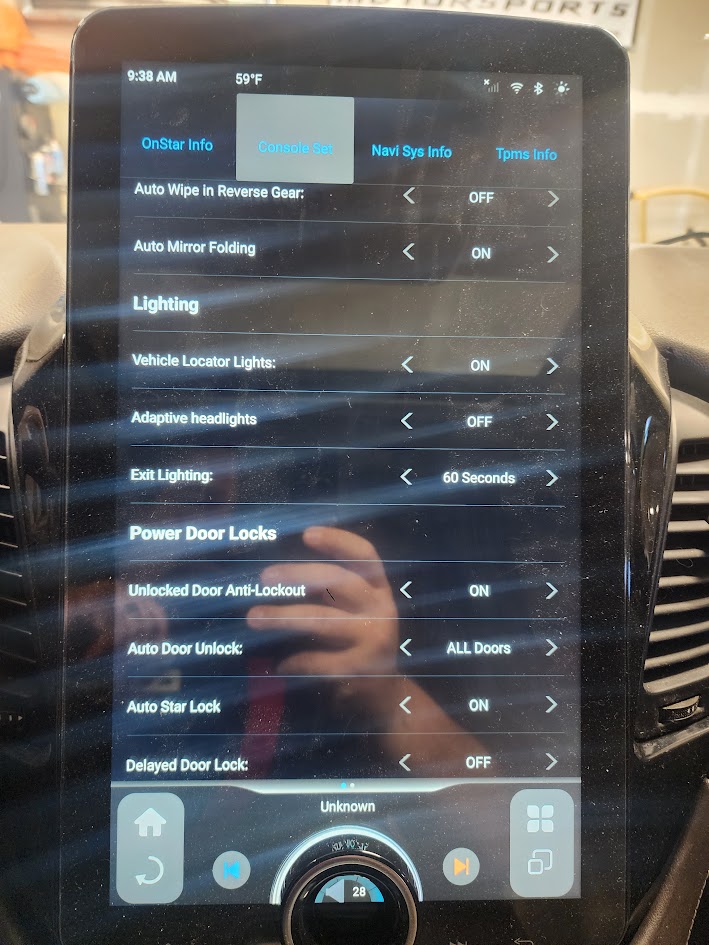
And the biggest issue with a lot of aftermarket radios, is the loss of factory functions. Which you don't loose with this, you can still get into all of the factory functions and then some. Some things show up and can't be adjusted, but a lot of this stuff can be adjusted, here are two pics, but there are pages and pages of things you can adjust in the car settings
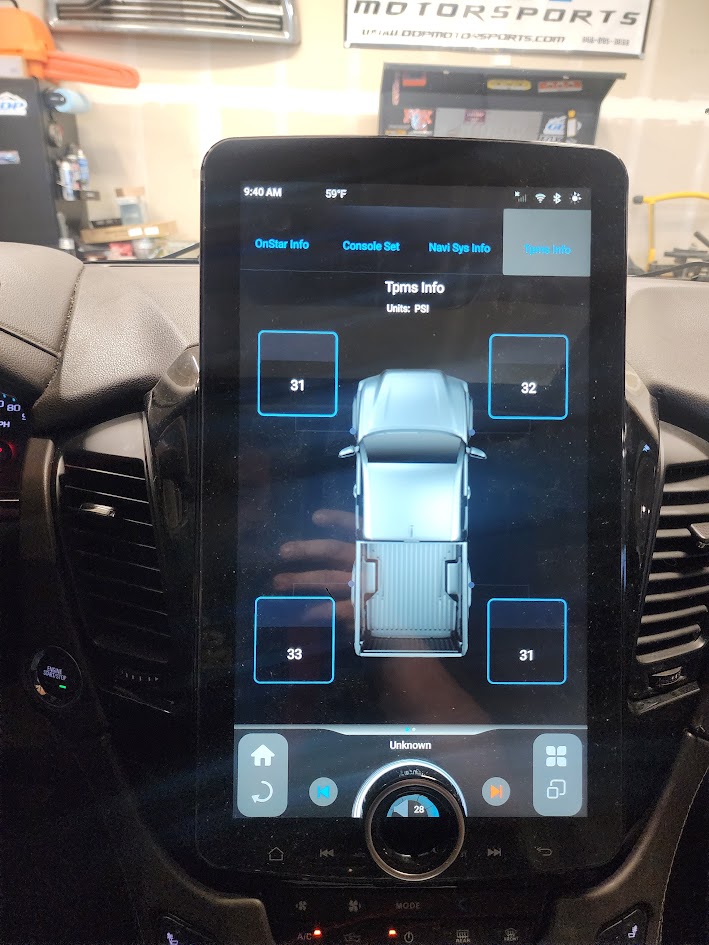
Also, yes currently it shows a pickup. And the screen will show what doors are open and that image shows a pickup as well. but tha'ts whatever, would be nice if they updated that image, but i don't think they will
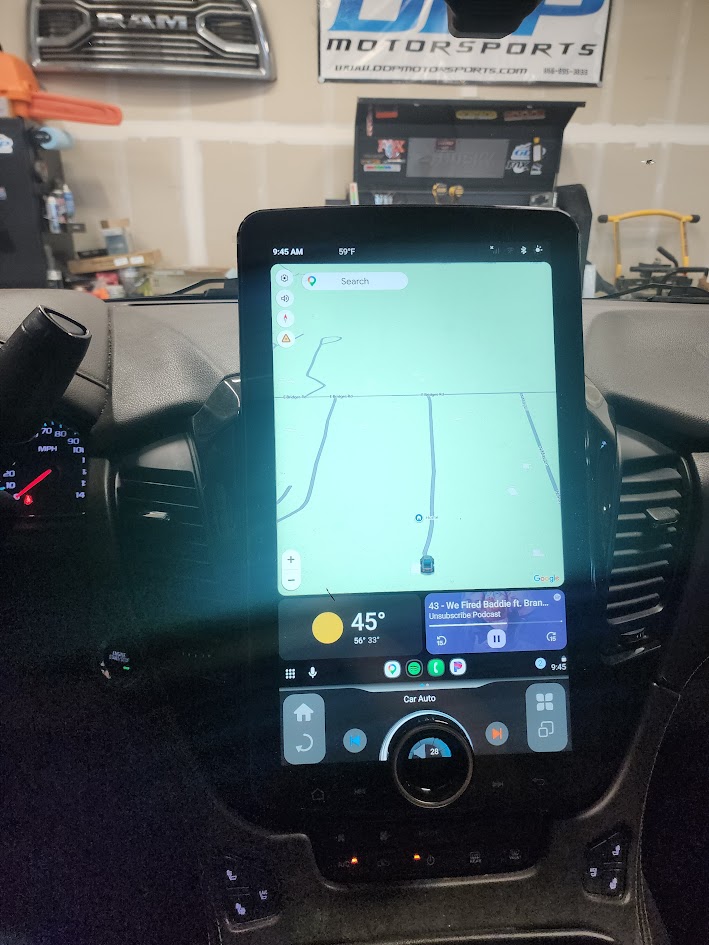
But at the end of the day, my screen usually looks like this. Android auto, having the giant screen makes android auto more enjoyable.
So if anyone has questions feel free to ask. I'm unbiased. I like tech, i like big screens, and i paid full price for this. So if i run into something i don't like, i will tell you. But so far, i really like this screen. If you want it, you can buy it below. if you want to go big screen, just not this big, they do have a smaller screen option, but it doesn't have the X knob as linswell calls it. And quite frnakly, i really like the X knob, that was a selling fact for the XL screen for me. And in use, i like it even more. To me, this is an amazing upgrade from factory. And worth every penny

 ddpmotorsports.com
But to start out, lets talks about my struggles. Parts shipped right away and fast, when it arrived to me i had several issues. many things weren't working right and it seemed like it wasn't communicated properly with the canbus on the car. Also the backup camera wasn't working. Alright, great, these are fixable problems. But these problems is why you NEED to buy through a dealer. not amazon, not ebay, buy through a dealer. linkswell has horrible customer service from my reading around online, anyone who tries to save a couple of pennies has a heck of a time actually getting things fixed. These are china companies afterall. But when you buy through a dealer, the experience is different. They are a lot more responsive to their dealer network i reached out through my dealer as well as direct and never heard back via the direct methods. but i got fast communication back from the dealer, even if linkswell seemed to only deal with issues in the morning. But working with the dealer, who can call and speak to someone who can actually help saved me butt on this. So if you haven't caught on, if you want one, don't pinch pennies, buy through the dealer just in case. Alrighty the
Lets move on
So, no canbus comms and no backup camera. Linkswells had me do some diag on my end before agreeing with me as to the problem. i guess they aren't used to dealing with people that religiously modify vehicles... but i know the hoops, so i jumped through them. Initially they sent out a new canbus box, which is great. logical. makes sense. Radio not communicating with the box, and therefore not with the suburban. I get that, still no worky. This is where Linkswell decided to just replace the entire unit. They sent out a complete new unit. When i received it, i removed the screen, and swapped my screen. Left all wiring the same, and same canbox as before. And bam, everything worked, except the backup camera. Alright, thats at least on big problem solved. Now lets move onto the backup camera, here i was wondering if maybe its wiring in the burb, maybe the camera itself was dead? i would occasionally have issues with it with the stock head unit...but let's keep things simple first. it's runnign through an adapter harness, let's swap out that harness. Conveniently when Linkswell sent out a new radio, they sent everything. So i dug into the box and pulled out the camera harness. Without properly runnning the wires, i plugged it into the burb and ran the wire across to the screen and checked it to see if it worked, BAM. Camera is working. So both of my issues stemmed from my initial product, but replacement fixed BOTH issues. Awesome. Now let's get to experience the glory of a 15" screen.
So on the bottom, it controls most of your basic functions, but if you swipe over, you get HVAC controls. this is the little piece on bottom around the dial. when you are in HVAC made, the dial works as fan speed, or you can click it so it functions as temp. You can also click on the climate screen to bring up the full screen climate controls. I keep mine on Auto, and just adjust the temp to my needs. But the full screen looks like this, and yes you can independently control the front and rear HVAC controls from the screen. The physical controls under the screen only control the front, unless you have the rear sync'd to the front. Now with that said, this is my ONLY gripe with the radio. The physical buttons are not back lit. Given, i haven't used them. But if they were to upgrade anything, it would be to add a back light to the physical buttons...
While the screen is big, is doesn't get in the way of your view. Maybe if you are short it might, but then raise the seat up. I am on android auto 99% of the time, so this is what it looks like in day made. And yes you can make preset brightness for day mode and night mode. Or you can easily adjust the brightness by swiping down and adjusting the brightness just like you would on your phone or tablet. This thing is essentially a giant tablet So think of it that way
And night mode
Also, backup camera. have the additional screen is nice. Sensors do show up and work on the screen as well as the dash for the parking sensors. IDK if the original screen was just lower quality, or smaller, but having the linkswell screen makes the backup camera much better. It does take a second or two for the reverse image to pop up, the screen will switch to backup right away, but the image will take a second to pop up, but thats a relatively minor thing. When reversing you should be taking your time anyways and looking around you
For these next couple of pictures, pardon the glare. not sure why it came up with so much glare, but it did. Like i said, this is basically an android tablet stuck into your dash. So anything you might want to put on your tablet, you can put on the new radio
Like maybe you tube, or Amazon prime so you could download a movie to watch on a long drive?
Or maybe you want to put on a cool live wallpaper? doing something like this adds 150 hp afterall...
And the biggest issue with a lot of aftermarket radios, is the loss of factory functions. Which you don't loose with this, you can still get into all of the factory functions and then some. Some things show up and can't be adjusted, but a lot of this stuff can be adjusted, here are two pics, but there are pages and pages of things you can adjust in the car settings
Also, yes currently it shows a pickup. And the screen will show what doors are open and that image shows a pickup as well. but tha'ts whatever, would be nice if they updated that image, but i don't think they will
But at the end of the day, my screen usually looks like this. Android auto, having the giant screen makes android auto more enjoyable.
So if anyone has questions feel free to ask. I'm unbiased. I like tech, i like big screens, and i paid full price for this. So if i run into something i don't like, i will tell you. But so far, i really like this screen. If you want it, you can buy it below. if you want to go big screen, just not this big, they do have a smaller screen option, but it doesn't have the X knob as linswell calls it. And quite frnakly, i really like the X knob, that was a selling fact for the XL screen for me. And in use, i like it even more. To me, this is an amazing upgrade from factory. And worth every penny
Linkswell | 2015-2020 GM Tahoe / Suburban / Yukon / Denali T-Style XL
Description 15.6″ HD touch screen Android Tablet Android 11 w/Fast Boot Qualcomm QCM6125 8Core Processor 8GB Ram 128GB Memory Google Play Store App Downloads Multi-Function on screen X KNOB Volume, Fan Speed, Temp, etc. **USING WIFI** run Google Maps, WAZE or other Data based navigations AM/FM...
ddpmotorsports.com


