
MechEng813
Member
- Joined
- Jan 11, 2017
- Posts
- 74
- Reaction score
- 70
I've always hated having the bulk of keys in my pocket.
Once I switched to a Smartfob vehicle I converted all my house locks to mix of fingerprint, bluetooth and RF activated handles and deadbolts.
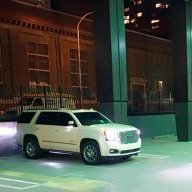
So now the only thing I carry on my carabiner is the fob for my Yukon.
Comfortably attached to my belt loop on the outside, I'm always afraid of it ripping off.
This would leave me with out a backup plan to get home... until now.
(or ask my wife to do it from her phone, or even call OnStar support from a payphone if needed)
Pull out my backup, remove it from the faraday pouch (refresh the battery if it's dead) and get on with life.
The backup fob is very basic, it doesn't even have a cut valet key.
And although the fob is hidden somewhere in the truck, it's still just as secure since the locks function normally.
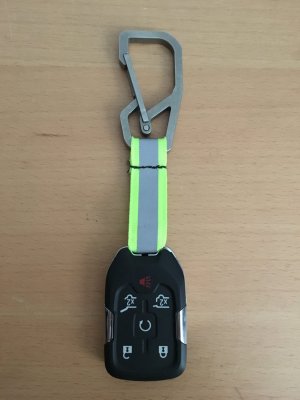
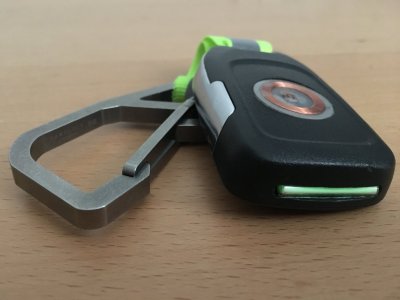
My primary fob is alittle more custom, I milled a slot for a tritium vial and added an RF coil to "badge" into my deadbolts. Door locks still require a fingerprint, so if I do loose this fob I just have to simply delete the coil from the approved list.
Once I switched to a Smartfob vehicle I converted all my house locks to mix of fingerprint, bluetooth and RF activated handles and deadbolts.
So now the only thing I carry on my carabiner is the fob for my Yukon.
Comfortably attached to my belt loop on the outside, I'm always afraid of it ripping off.
This would leave me with out a backup plan to get home... until now.
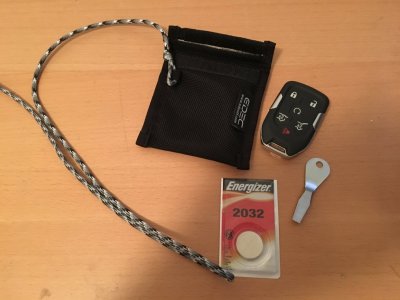
- Picked up a extra fob on eBay.
- Picked up this Faraday pouch on Amazon for $20.
- Added a spare 2032 battery and flat blade (to crack open the fob is the battery is dead.)
- Attached a length of paracord to the pouch.
- Buried the pouch deeeeep inside a concealed inconspicuous interior portion of the truck.
(or ask my wife to do it from her phone, or even call OnStar support from a payphone if needed)
Pull out my backup, remove it from the faraday pouch (refresh the battery if it's dead) and get on with life.
The backup fob is very basic, it doesn't even have a cut valet key.
And although the fob is hidden somewhere in the truck, it's still just as secure since the locks function normally.
My primary fob is alittle more custom, I milled a slot for a tritium vial and added an RF coil to "badge" into my deadbolts. Door locks still require a fingerprint, so if I do loose this fob I just have to simply delete the coil from the approved list.


