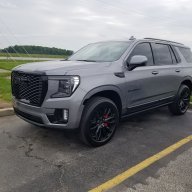
2025 Yukon Garage Remote Programming

Disclaimer: Links on this page pointing to Amazon, eBay and other sites may include affiliate code. If you click them and make a purchase, we may earn a small commission.

CrashDavis

TYF Newbie
Joined
Apr 5, 2025
Posts
2
Reaction score
1
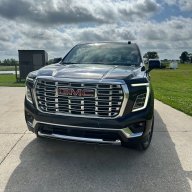
I picked up my 2025 Yukon AT4 on Monday and programmed the garage remotes with no problems. Thursday morning they worked when I left the house, but would not work when I got home. They popped up on the screen when I got home, but they would not open the garage door. I tried to delete the remotes so I could reprogram them, but it would not let me delete the remotes.

Yesterday (Friday), I decided to reset the infotainment system. It reset and I logged back into everything with no problems. When I go to reprogram the remotes, I click the "Yes" button when it asks if I have a handheld transmitter with me. Nothing happens when I click the yes button and it gets stuck on that screen. I cannot click the back button to get out of it. I have to hit the settings button or controls button at the bottom to get off of that screen.

Has anyone had this problem or have a suggested solution?
 
Last edited:
OP
OP
C

CrashDavis

TYF Newbie
Joined
Apr 5, 2025
Posts
2
Reaction score
1
I finally pulled the negative battery cable for a little bit. I was able to program the remotes again after that. I hope it doesn't happen again.
 

genestoy

Full Access Member
Joined
Nov 16, 2012
Posts
361
Reaction score
213
Location
Arizona
I am having nothing but problems with the garage door responding in my 2025 also. I have to press the button several times sitting right in front of the door. Never ever had a problem with the 2022 homelink system.
 

ambreaux

TYF Newbie
Joined
Oct 19, 2023
Posts
5
Reaction score
1
2022 Yukon - no problems with homelink system. 2025 Yukon - nothing but problems. I too have had to delete and reprogram a few times, and no matter what I do, the button never pops up on the screen when I get home like it should. It's also a hassle when I leave. I back out of the garage, the cameras automatically pop up like normal, okay cool. But the only way to turn the back camera off is to take it out of reverse and put it in drive....but then, I have to x out the cameras and click the little quick menu at the bottom to even access the button for the garage door. It just seems more convenient to have a physical button instead of one embedded in the infotainment system. I can't believe I am actually considering putting that unsightly clicker back on my sun visor...
 

Stbentoak

Full Access Member
Joined
Jul 20, 2020
Posts
2,246
Reaction score
2,703
Yes this is already starting to scare me. These buttons should be available at the bottom of even the camera view so that you can operate them while backing in and out. Gm or Onstar better be listening to this. This has to work equal to or better than the physical buttons or it's just another electronic degradation....
 

LegalBrief

Senior Member
Supporting Member
Joined
Feb 23, 2025
Posts
172
Reaction score
119
You need to turn on the GPS for the garage location for it to pop up.

You need to tap the screen, not press it. It’s a bit quirky until you get used to it.

You can bring up the garage door by pressing the sliders.
 

ChoppedLiverpr

TYF Newbie
Joined
Jul 4, 2025
Posts
5
Reaction score
1
I’ve found missing features I was used to compared to my old 2017. Like we have this built in feature for garage doors but you can’t rearrange their order or put an alternate identifier on the geolocation activated buttons. The range also sucks compared to the old 3 button homelink. I’m actually considering buying a sun visor style and having it put in the visor. I mean what should we expect for 100k?
 

tjonesdfw

Member
Joined
Jul 3, 2025
Posts
58
Reaction score
37
So am I understanding correctly, that when in reverse with the camera views up on a 2025, the garage door buttons disappear from the screen unless you toggle out of the camera views?! On our '24, the cameras activate automatically whether we are going forward and reverse through gates and garage doors so that would be absolutely useless.
 

LegalBrief

Senior Member
Supporting Member
Joined
Feb 23, 2025
Posts
172
Reaction score
119
You need to set the gps coordinates for the garage door button to pop up.
 

ambreaux

TYF Newbie
Joined
Oct 19, 2023
Posts
5
Reaction score
1
Regardless of if GPS is on or not for me, the garage buttons never pop up. So yes, I have to toggle off of the cameras to be able to access the garage door opener on the screen. Its very annoying.
 

Stbentoak

Full Access Member
Joined
Jul 20, 2020
Posts
2,246
Reaction score
2,703
You have something set wrong then. My button is still visible while I am backing out of the garage with the cameras on. There's never been any confusion that a button is hidden when I need it, opening or closing the garage door.
 

LegalBrief

Senior Member
Supporting Member
Joined
Feb 23, 2025
Posts
172
Reaction score
119
The gps setting with te garage tells the vehicle when to display the button.
 

Fless

Staff member
Moderator
Joined
Apr 2, 2017
Posts
16,323
Reaction score
33,752
Location
People's Republic of Colorado
Might want to view a very similar thread. It would be good to try to keep this subject to one thread.


kozzy45

TYF Newbie
Joined
Oct 9, 2024
Posts
24
Reaction score
3
Hello all, I see the other thread, but this seems to be the most recent. So I have had both issues. When I first got my Denali in May and programmed it, the button would appear when I got close to home and work. Sometimes I had to hit it multiple times, but it would work. I have had that before on previous RAM vehicles. Now, in the last 2 weeks, it will never work at all when I try to go and delete all the remotes and add a new one. I can't, I select I have a transmitter, and the screen just sits there, so I can't do anything. Really don't want to disconnect the battery. Does anyone have a fix? I will be visiting the dealer on this one shortly. I have already reset the whole system with no luck.
 

jetfixer320

TYF Newbie
Joined
Jun 3, 2025
Posts
24
Reaction score
9
Location
Idaho
I am having nothing but problems with the garage door responding in my 2025 also. I have to press the button several times sitting right in front of the door. Never ever had a problem with the 2022 homelink system.
Mine is the same: Tap it, touch and hold, nothing seems to matter. Multiple taps is the only thing that seems to work.
 

jetfixer320

TYF Newbie
Joined
Jun 3, 2025
Posts
24
Reaction score
9
Location
Idaho
You need to turn on the GPS for the garage location for it to pop up.

You need to tap the screen, not press it. It’s a bit quirky until you get used to it.

You can bring up the garage door by pressing the sliders.
I took my Yukon out on a few errands today and tried "tapping' the Garage opener button instead of press & holding it. So far, yes, it seems to work better.
 

IConnekt

TYF Newbie
Joined
Jul 31, 2025
Posts
2
Reaction score
0
Location
Reno, NV
I’ve got my 25 Denali for a week. I have tried probably ten times to program the garage remote (it’s a Genie system), no success whatsoever. If I use “do you have the remote” it recognizes the signal but the “test” never works. I tried the manual setting (going up the ladder pressing the button on the motor, running down to see if the car gets it) and no results whatsoever… Very annoying.
 

LegalBrief

Senior Member
Supporting Member
Joined
Feb 23, 2025
Posts
172
Reaction score
119
@IConnekt try changing batteries in remote, some older garage door motors might have other steps to get it to program up. Look on genie website.
 

Jayhawkeye3

Member
Joined
Jan 26, 2025
Posts
87
Reaction score
30
Bump for someone else struggling to get his doors programmed. MyQ liftmaster, get it in learn mode and follow the prompts in the vehicle only to not pick up the signal. Tried at least 20 times….
 

Stbentoak

Full Access Member
Joined
Jul 20, 2020
Posts
2,246
Reaction score
2,703
Bump for someone else struggling to get his doors programmed. MyQ liftmaster, get it in learn mode and follow the prompts in the vehicle only to not pick up the signal. Tried at least 20 times….
You don't need to put the garage door in learn mode. All you have to do is hold the remote up to display and push both buttons at the same time to get them to synchronize. I have the exact same opener, and it took it the first time no problem. Learn mode on Lift masters is only when you are attaching other handheld remotes or a remote door keypad.
 

Forum statistics

Threads
137,750
Posts
1,991,163
Members
102,739
Latest member
D Rollins

Latest posts

Back
Top