

Nice work dawg.

Disclaimer: Links on this page pointing to Amazon, eBay and other sites may include affiliate code. If you click them and make a purchase, we may earn a small commission.

Thx. Still gotta do that damn autocal.Nice work dawg.
Glad you got it done Tony! Looking forward to your tune as well! That’s going to be yuuuge!Thx. Still gotta do that damn autocal.

Nice. Progress buddy.There was a zerk fitting missing underneath so I figured while I was there. I still had an old zerk from an old part--didn't fit. Tried all of my new zerk fittings--nothing fit. So I had to drill and tap that ***** too. Blew it out with the compressor--rusty water was shooting out. Good thing I dud it. Filled the **** outta it with the grease gun. No pics.
Also I figured I might as well cut that aluminum pipe and make some spacers for the ppv caps--View attachment 275691
I'm all set. Only burned up 2 cutting wheels on the dremel.
Just BB Autocal is left to do now.
Thx Mark.Nice. Progress buddy.
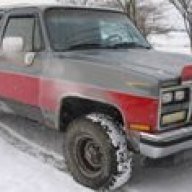
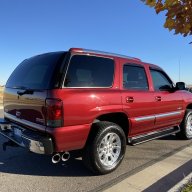
Doing my seasonal tire swap.View attachment 275550 View attachment 275551
I’ve been in a few neighborhoods where you get free help with that. The neighbors will even swap your stereo and other miscellaneous items.
Of course they never seem to get around to the reinstallation part.


I don’t think I’ve ever been in the BBX menu. But if you got green check marks on all the updates you should be ready to download your stock tunes and then datalog. Then you just copy them to a folder you created on the laptop and email them to BB. Follow the instructions I linked earlier.
If you’ve bought the VIN license, you need to datalog and collect your stock tune FROM YOUR TRUCK. You need to follow the instructions step for step. Right now you need to go the part of the instructions that say “collect data from your vehicle” and follow them. It tells you how to start recording after plugging it into your obd port, how to drive and for how long, how to save the datalog to the Autocal, how to copy the tune that’s in your truck now ( they will call it the stock tune but it’s not-don’t worry), then you need to take the Autocal, connect it to your pc and copy those files over. Then you’ll need to send an email to BB and attach copies of those files. Just follow the instructions step for step.Maybe I'll just plug it into the obd tomorrow and take it for a ride, then plug it into the laptop to see what happens. I think I downloaded the proper 6.0 equipped vehicle into the Autocal.
I didn't see anything about buy a license--so I didn't yet.If you’ve bought the VIN license, you need to datalog and collect your stock tune FROM YOUR TRUCK. You need to follow the instructions step for step. Right now you need to go the part of the instructions that say “collect data from your vehicle” and follow them. It tells you how to start recording after plugging it into your obd port, how to drive and for how long, how to save the datalog to the Autocal, how to copy the tune that’s in your truck now ( they will call it the stock tune but it’s not-don’t worry), then you need to take the Autocal, connect it to your pc and copy those files over. Then you’ll need to send an email to BB and attach copies of those files. Just follow the instructions step for step.
I don’t know what you can do before you pay. When I bought my Autocal I bought the VIN license at the same time. So you’re on your own. If you’re not ready to buy the tune, why are you messing with this?I didn't see anything about buy a license--so I didn't yet.


