Android Auto won't connect wirelessly

Disclaimer: Links on this page pointing to Amazon, eBay and other sites may include affiliate code. If you click them and make a purchase, we may earn a small commission.

apex944

Member
Joined
Mar 22, 2024
Posts
66
Reaction score
27
I have been using Android Auto with my new 2024 Denali via a USB cable because Android Auto via Bluetooth it does not work.
But... The phone IS paired via bluetooth, and I CAN make and receive calls without a USB connection.
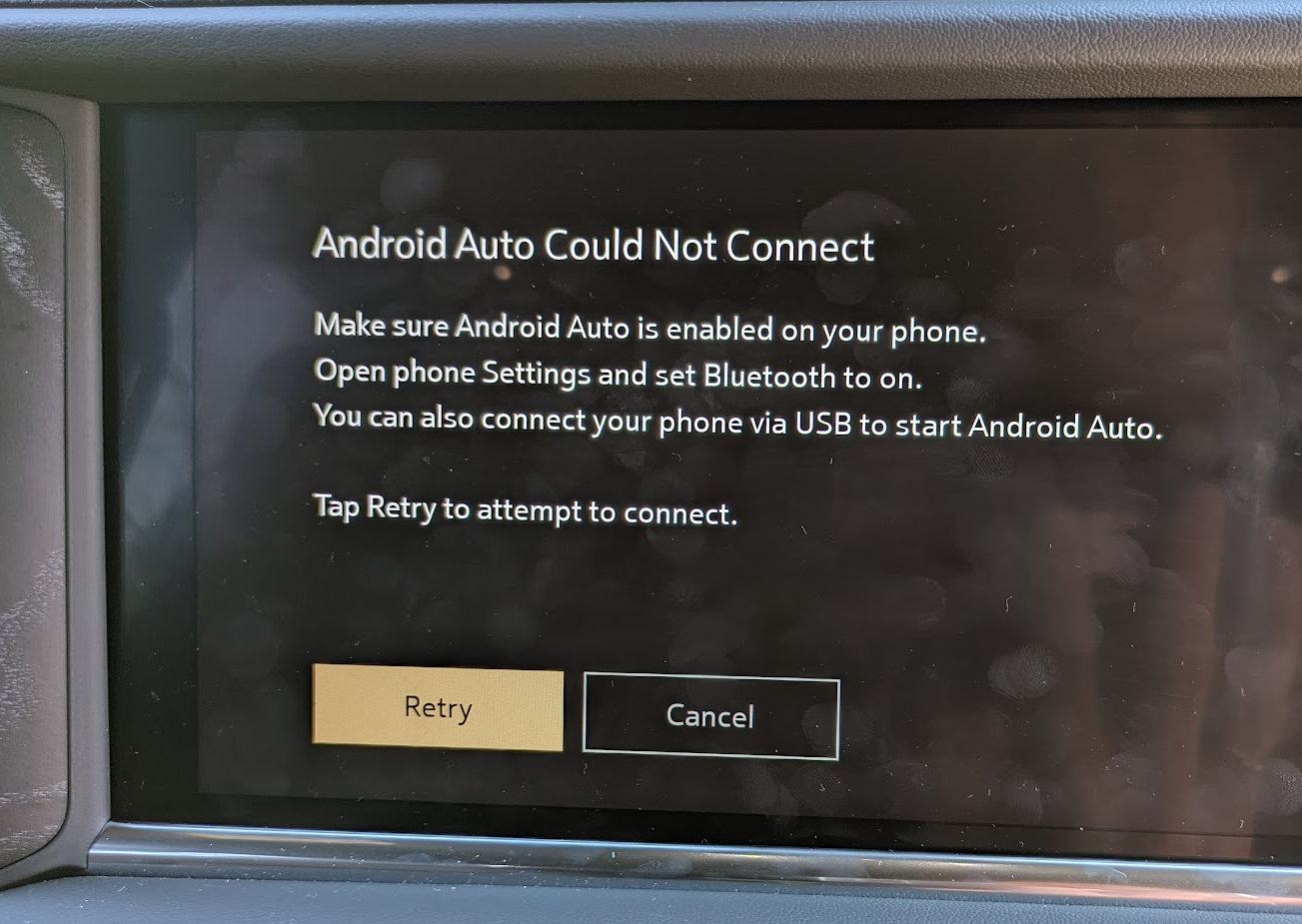
However, I can not get Android Auto to connect to my phone via Bluetooth.

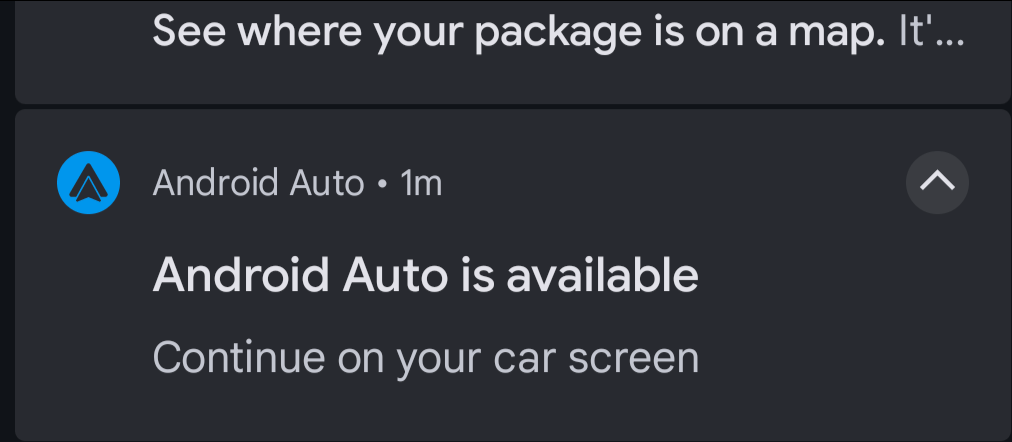
When I start Android Auto from the Nav Screen my phone recognizes that "Android Auto is Available"
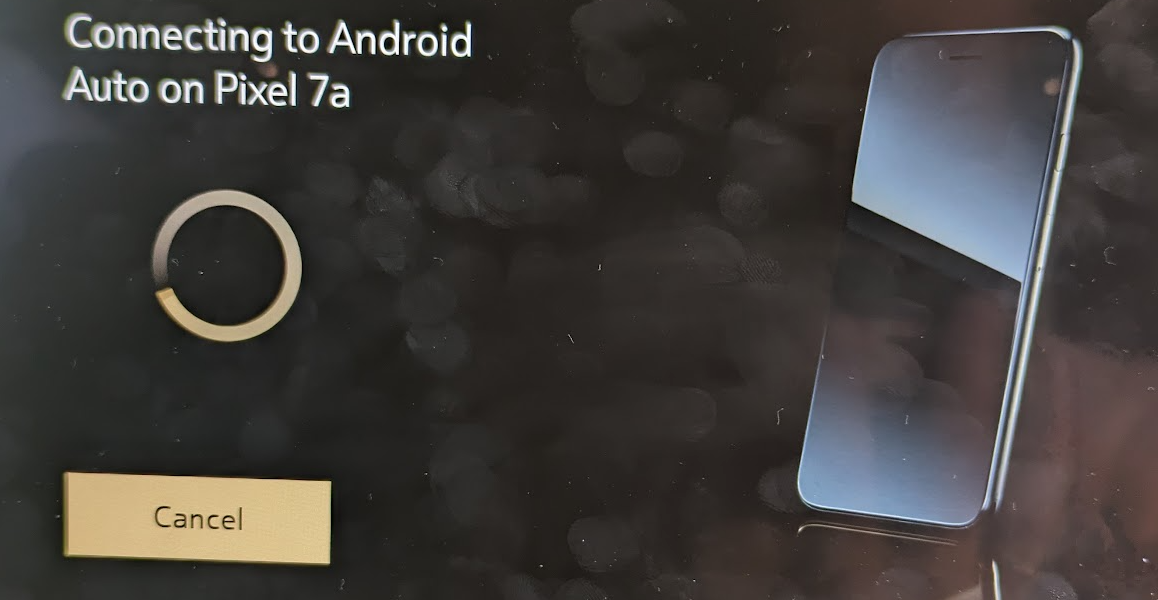
But then when I select my phone (Pixel 7a) from the nav screen it spins and times out.

Any ideas on how I can resolve?
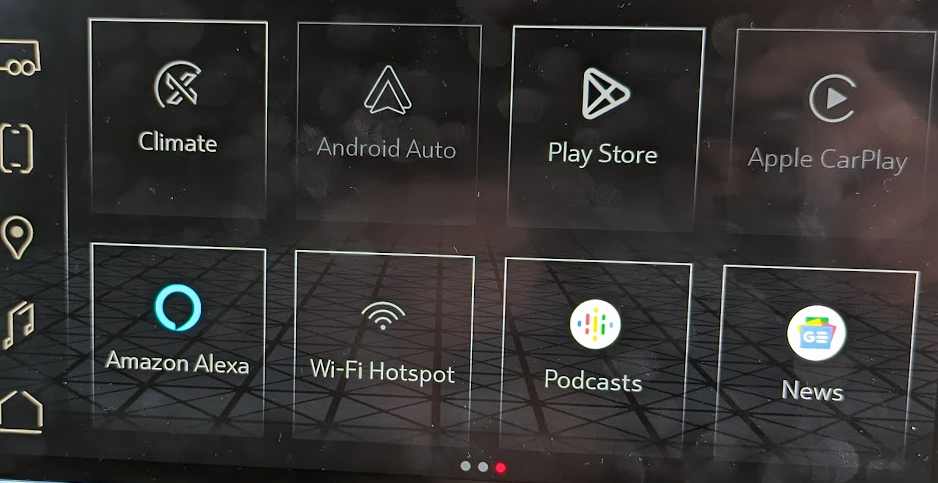
1713207422274.png


1713207454436.png


Phone:

1713207503122.png


1713207541702.png


1713207587626.png


Remember... Bluetooth IS WORKING between my phone and Yukon for calls.

Any help would be appreciated.
 

Doubeleive

Wes
Supporting Member
Joined
Nov 7, 2017
Posts
30,698
Reaction score
48,335
Location
Stockton, Ca.
I have been using Android Auto with my new 2024 Denali via a USB cable because Android Auto via Bluetooth it does not work.
But... The phone IS paired via bluetooth, and I CAN make and receive calls without a USB connection.
However, I can not get Android Auto to connect to my phone via Bluetooth.

When I start Android Auto from the Nav Screen my phone recognizes that "Android Auto is Available"
But then when I select my phone (Pixel 7a) from the nav screen it spins and times out.

Any ideas on how I can resolve?
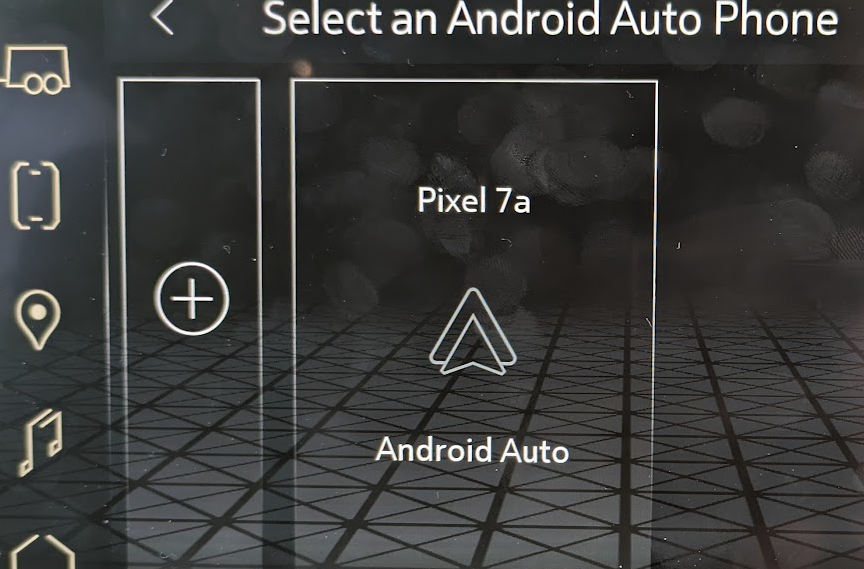
View attachment 426136

View attachment 426137

Phone:

View attachment 426138


View attachment 426139

View attachment 426140


Remember... Bluetooth IS WORKING between my phone and Yukon for calls.

Any help would be appreciated.

remove the phone from bluetooth on the car radio
then remove the radio from the phone bluetooth
then simply plug in the usb cable, follow the directions to enable android auto
then unplug usb cable.
if it does not automatically switch to wireless at that point then restart the phone and vehicle.
upon restart just wait for it to automatically connect should take less than a 1 minute
 
OP
OP
apex944

apex944

Member
Joined
Mar 22, 2024
Posts
66
Reaction score
27
Thx for this... I will try.
Have 800+ miles on the truck so far with no luck.
My previous truck had no WiFi and Android Auto worked with BlueTooth alone.
Did you mean that on the Yukon it was different? I wasn't planning on enabling WiFi in the truck.
 

Doubeleive

Wes
Supporting Member
Joined
Nov 7, 2017
Posts
30,698
Reaction score
48,335
Location
Stockton, Ca.
Thx for this... I will try.
Have 800+ miles on the truck so far with no luck.
My previous truck had no WiFi and Android Auto worked with BlueTooth alone.
Did you mean that on the Yukon it was different? I wasn't planning on enabling WiFi in the truck.
it had to have had some form of wifi, just not the kind you could use as a hotspot and have to pay for, wireless android requires both wifi+bluetooth
that's just how it works.
 

Doubeleive

Wes
Supporting Member
Joined
Nov 7, 2017
Posts
30,698
Reaction score
48,335
Location
Stockton, Ca.
it's called (wi-fi direct)
per google:
Wireless Android Auto works via a 5GHz Wi-Fi connection and requires both your car's head unit as well as your smartphone to support Wi-Fi Direct over the 5GHz frequency. While the connection happens over Wi-Fi, you will need an active data connection on your smartphone to access the internet on Android Auto.

the data bus on bluetooth just isn't enough alone to support wireless android

you do not have to turn on anything on the radio, just plug the usb cable in and follow the directions it gives. basically you are just allowing it access.
 
OP
OP
apex944

apex944

Member
Joined
Mar 22, 2024
Posts
66
Reaction score
27
remove the phone from bluetooth on the car radio
then remove the radio from the phone bluetooth
then simply plug in the usb cable, follow the directions to enable android auto
then unplug usb cable.
if it does not automatically switch to wireless at that point then restart the phone and vehicle.
upon restart just wait for it to automatically connect should take less than a 1 minute

So I'm clear. Do you mean remove "My GMC" from phone's bluetooth ?
 

Doubeleive

Wes
Supporting Member
Joined
Nov 7, 2017
Posts
30,698
Reaction score
48,335
Location
Stockton, Ca.
So I'm clear. Do you mean remove "My GMC" from phone's bluetooth ?
yes, after you remove it and remove the phone from the car radio,
then just plug in the usb cable and during the android auto setup it will put everything in correctly including the bluetooth.
that will give you wireless android and bluetooth will still operate like normal.
you will not have to do anything else besides any custom android settings that it allows you to adjust.
 
OP
OP
apex944

apex944

Member
Joined
Mar 22, 2024
Posts
66
Reaction score
27
Followed your advice to the letter. No luck. I disconnected the USB and waited. The phone did not retain connection wirelessly.
I started looking at other menus and noticed this:

1713282366590.png


Neither my Android or my work iPhone are showing her. I assume that is what "no phones" means?

Also, should Android Auto be grayed out until I select it?

1713282460551.png
 
OP
OP
apex944

apex944

Member
Joined
Mar 22, 2024
Posts
66
Reaction score
27
will look. Also I have seen where this may be an Android 14 issue. Setting AA to start always instead of the default.
 
OP
OP
apex944

apex944

Member
Joined
Mar 22, 2024
Posts
66
Reaction score
27
>> Is your WiFi enabled on the vehicle radio?

Looks like it is no longer connecting. (I had set this earlier)
1713284054455.png


>>what version of the radio software

1713284150310.png


Also... what is this for ? What "profile" is it referring to?

1713284207573.png


THANKS !
 
OP
OP
apex944

apex944

Member
Joined
Mar 22, 2024
Posts
66
Reaction score
27
I may have figured it out but not sure. It appears that it was this setting.

1713291968688.png
 

ZKWBQD

Full Access Member
Joined
Sep 29, 2022
Posts
303
Reaction score
251
I have been using Android Auto with my new 2024 Denali via a USB cable because Android Auto via Bluetooth it does not work.
But... The phone IS paired via bluetooth, and I CAN make and receive calls without a USB connection.
However, I can not get Android Auto to connect to my phone via Bluetooth.

When I start Android Auto from the Nav Screen my phone recognizes that "Android Auto is Available"
But then when I select my phone (Pixel 7a) from the nav screen it spins and times out.

Any ideas on how I can resolve?

View attachment 426136

View attachment 426137

Phone:

View attachment 426138


View attachment 426139

View attachment 426140


Remember... Bluetooth IS WORKING between my phone and Yukon for calls.

Any help would be appreciated.
I had a similar problem, but gave up. When I switched to iPhone, everything began to work. Apple CarPlay working perfectly.
 

Forum statistics

Threads
138,039
Posts
1,997,646
Members
102,975
Latest member
jkhuntzinger

Latest posts

Back
Top