
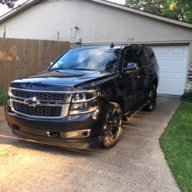
After finally getting headlights installed that didn't cause static in the back up camera, (ended up going HID with the Hylux/TRS kit) I thought I would invest in a dash cam.
Installed through the cigarette lighter it works great, everything as it should. However, since that is ugly I picked up a hardwire kit. After getting all of the wiring threaded through the A-piller, behind the airbag and under the headliner, everything seemed to work as it should.
However, as soon as I went to back up, the screen went blue and said "Service Rear Vision System." I unplugged the camera and no joy. Finally disconnected the fuse tap completely and the back up system came back online.
So my question is if anyone has used a hardwire kit that doesn't cause interference with the super sensitive rear vision system?
Also, in the process of going in and out I broke one of the plastic tabs on the fuse box trim panel--anyone know what the P# on that one? :/
Definitely not super stoked about having to run the wiring again, but that's the way she goes. I'd definitely appreciate any insight you guys could provide.
Installed through the cigarette lighter it works great, everything as it should. However, since that is ugly I picked up a hardwire kit. After getting all of the wiring threaded through the A-piller, behind the airbag and under the headliner, everything seemed to work as it should.
However, as soon as I went to back up, the screen went blue and said "Service Rear Vision System." I unplugged the camera and no joy. Finally disconnected the fuse tap completely and the back up system came back online.
So my question is if anyone has used a hardwire kit that doesn't cause interference with the super sensitive rear vision system?
Also, in the process of going in and out I broke one of the plastic tabs on the fuse box trim panel--anyone know what the P# on that one? :/
Definitely not super stoked about having to run the wiring again, but that's the way she goes. I'd definitely appreciate any insight you guys could provide.



